iPECS UCM
Installation Manual Issue 1.1
53
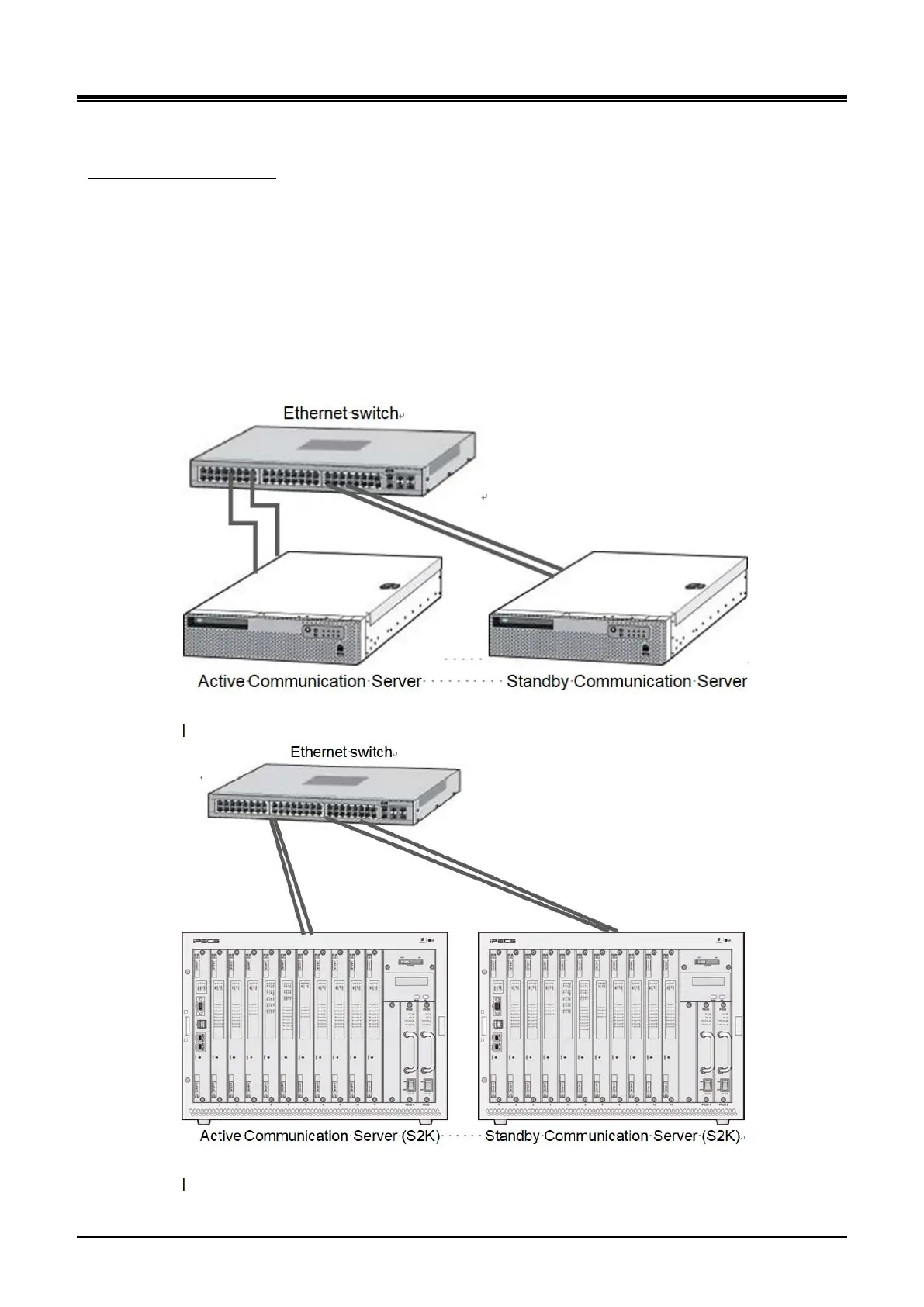
3.4.2 UCM-S30K/S2K Redundancy Connection
Both the UCM-S30K and the UCM-S2K provide 2 10/100/1000Mbps Ethernet ports for cable link redundancy
as shown in Figure 3-27 ~3-30. When a single Ethernet switch is used without redundancy, all cables are
connected to the Ethernet switch as shown in Figure 3-27 and Figure 3-28. When duplicated switches are
used, duplicated UCM-S30K/UCM-S2K are connected to each switch respectively as shown in Figure 3-29
and Figure 3-30. The UCM-S10K can be connected in the same way as the UCM-S30K.
Redundancy connection
Duplicated UCM-S2Ks can be installed in different UCM-MGC3s as shown in Figure 3-28 or can be installed
in the same UCM-MGC3 as shown in Figure 3-30.
See the iPECS UCM Software Manual for the detailed information on redundancy connection
Figure 3-26 UCM-S30K Redundancy Connection (One Ethernet switch is used)
Figure 3-27 UCM-S2K Redundancy Connection (One Ethernet switch is used)



 To Next Page