iPECS UCM
Installation Manual Issue 1.1
52
3) S2K Direct Access
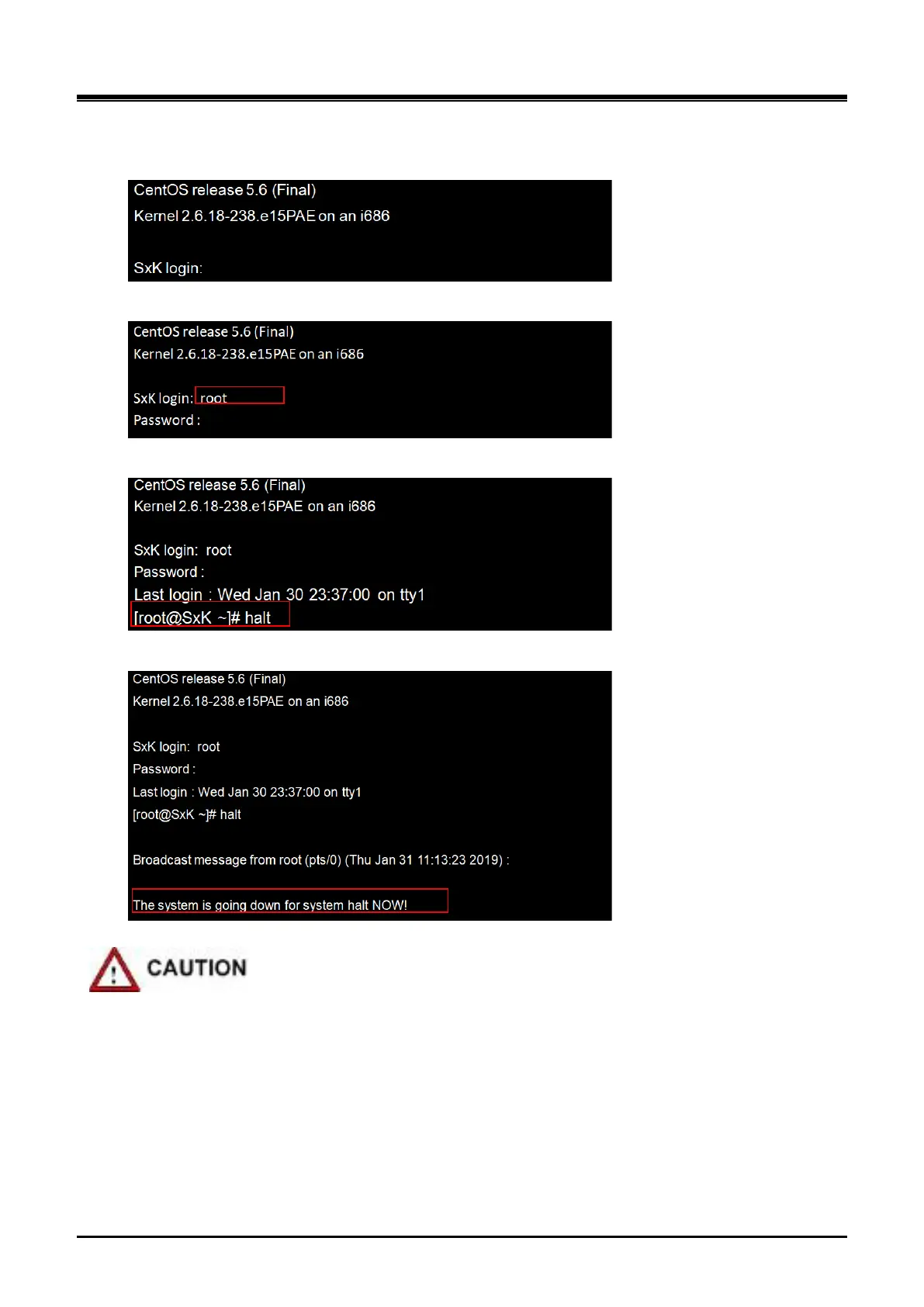
- Create command window (connect monitor to S2K VGA port and USB port)
- Log in to ‘root’ account and enter 'Password'
- Enter 'halt' in root account
- Power off after checking the Halt status
The UCM-S2K has internal HDD/SSD, which are sensitive products that can cause damage in the external
environment or during use, so be careful not to be impacted.
During the process of disassembling or installing the system, external shocks can cause data
corruption.
If the system suddenly shuts down during HDD/SSD operation, such as power down or power off, the
HDD/SSD can be damaged.
Moving or impacting the system during HDD/SSD operation can damage the file or damage the
HDD/SSD.



 To Next Page