iPECS UCM
Installation Manual Issue 1.1
76
changes when
the menu button
pressed.
3.7 Checklist after System Power On
After power on the cabinet, check the system as follows:
Switch on the power unit (PSUD) and check from the front LED that power is normally supplied. Then check
the system alarms and operation status using the menu buttons of the LCDU.
UCM-MGC3
If alarms are founded in the system after power on, contact Ericsson-LG Enterprise’s local service center or
perform troubleshooting in accordance with the Service Manual.
Note)
1) Turn on the CP (Circuit Protector) switch (-48V input) on the front panel of the UCM-MGC3 and
check that -48V LED is lighted on the faceplate of the PSUD.
Check the PSUD power on according to work order
2) Turn on the +5V output switch (+5V SW) on the PSUD and check that +5V LED is lighted on the
front panel of the PSUD.
3) Turn off the +5V output switch (+5V SW) on the PSUD and check that +5V LED on the faceplate of
the PSUD turns off. Then check that the ALM LED turns on and off after a while (The ALM LED
indicating low voltage alarm is lighted when the power is under +4.6V).
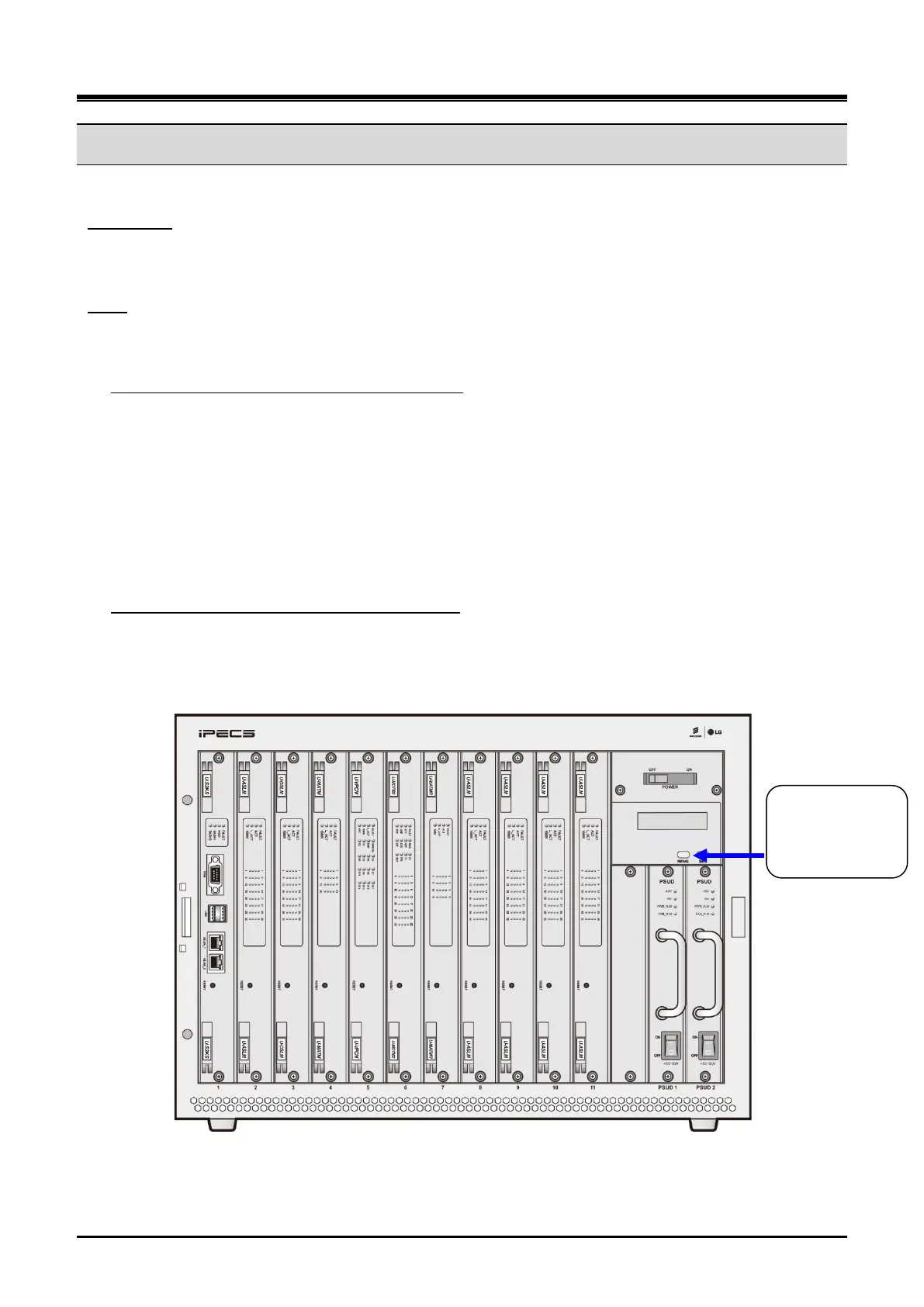
1) Check the power alarm and voltage level of duplicated –48V and +5V power by pressing the menu
buttons of the LCDU in order (For further information, see the LCDU button description below and
refer to Figure 3-42.)
Check power alarm and voltage level on the LCDU
Figure 3-42 UCM-MGC3 Front Panel (PSUD mounted)



 To Next Page