iPECS UCM
Installation Manual Issue 1.1
55
3.5 Gateway Module Installation
All Gateway modules are installed in UCM-MGC3 or UCM-1URMC.
3.5.1 Gateway Module Insertion and Removal
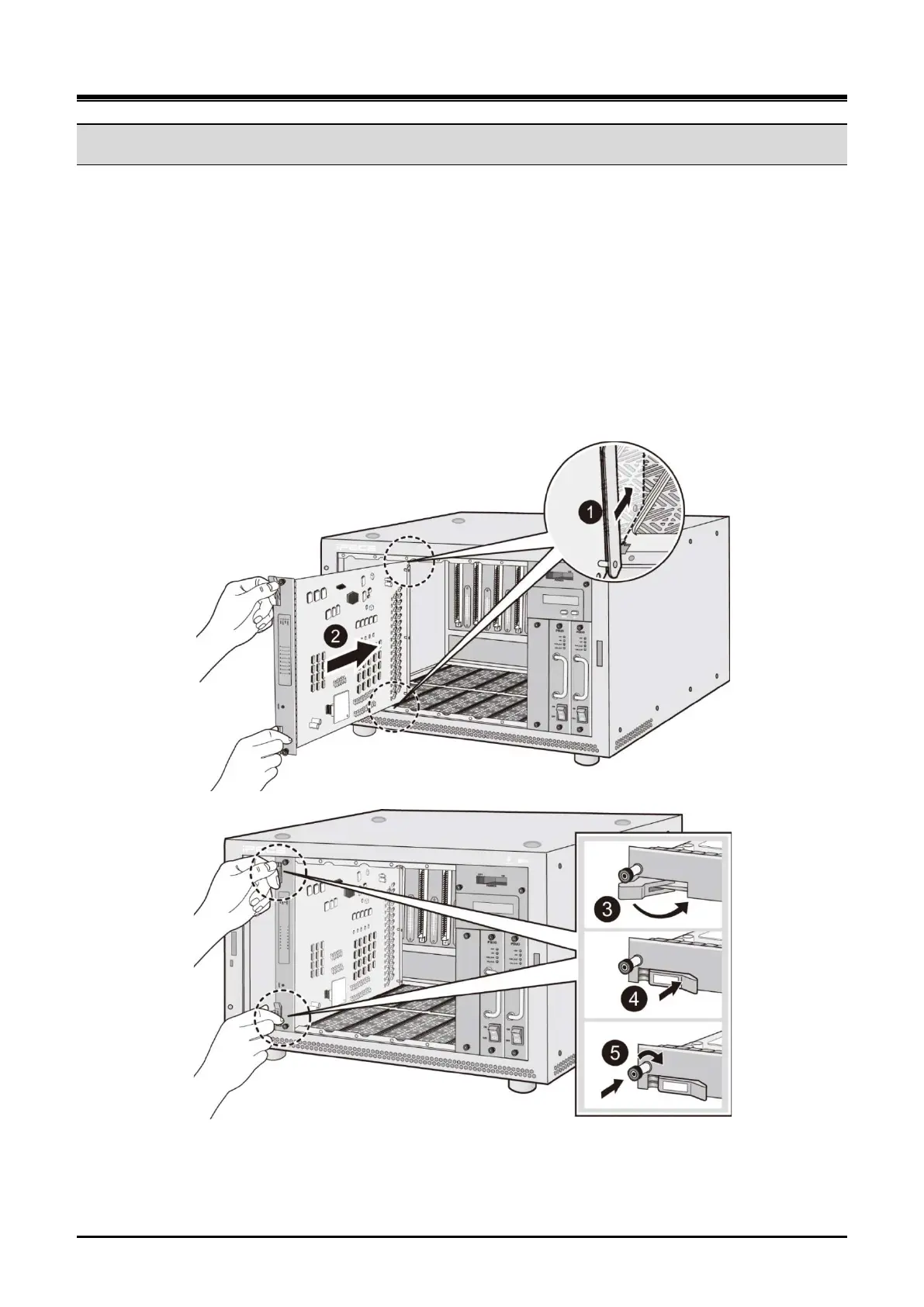
Gateway Modules are easily installed in a cabinet. Insert the gateway Module into a desired slot in the cabinet
by exactly aligning the gateway Module connector to the back plane and gently push it until you feel resistance.
And fix it firmly by tightening the screws on both sides of the front panel. To remove the gateway Module,
release the screws on both sides of the front panel and eject the Gateway Module forward by pulling the
ejector on the lateral side.
Insert a gateway Module in the order of step 1 to step 5 and remove it in the reverse order of the mounting
procedure as shown in Figure 3-31.
Figure 3-30 Gateway Module Installation and Removal on UCM-MGC3



 To Next Page