iPECS UCM
Installation Manual Issue 1.1
27
3.3 Cabinet Installation
The iPECS UCM has 2 kind of cabinet. All of them can be used floor standing or 19” rack mounting.
UCM-MGC3
UCM-1URMC
3.3.1 UCM-MGC3 Installation
The UCM-MGC3 provides 11 slots to install Gateway Modules. It provides LCD to display system status and
environmental condition alarms in the upper right of cabinet. The UCM-MGC3 can accommodate duplicated
Power Supply Unit in the lower right of cabinet. To check the LCD display, the part of the front cover is semi-
transparent.
The cover is easily opened and closed by pressing the button on left side of cabinet. Make sure that the cover
is locked to allow access to the interior without permission.
3.3.1.1 Closing and Opening the front cover
The front cover is provided as standard equipment with the UCM-MGC3.
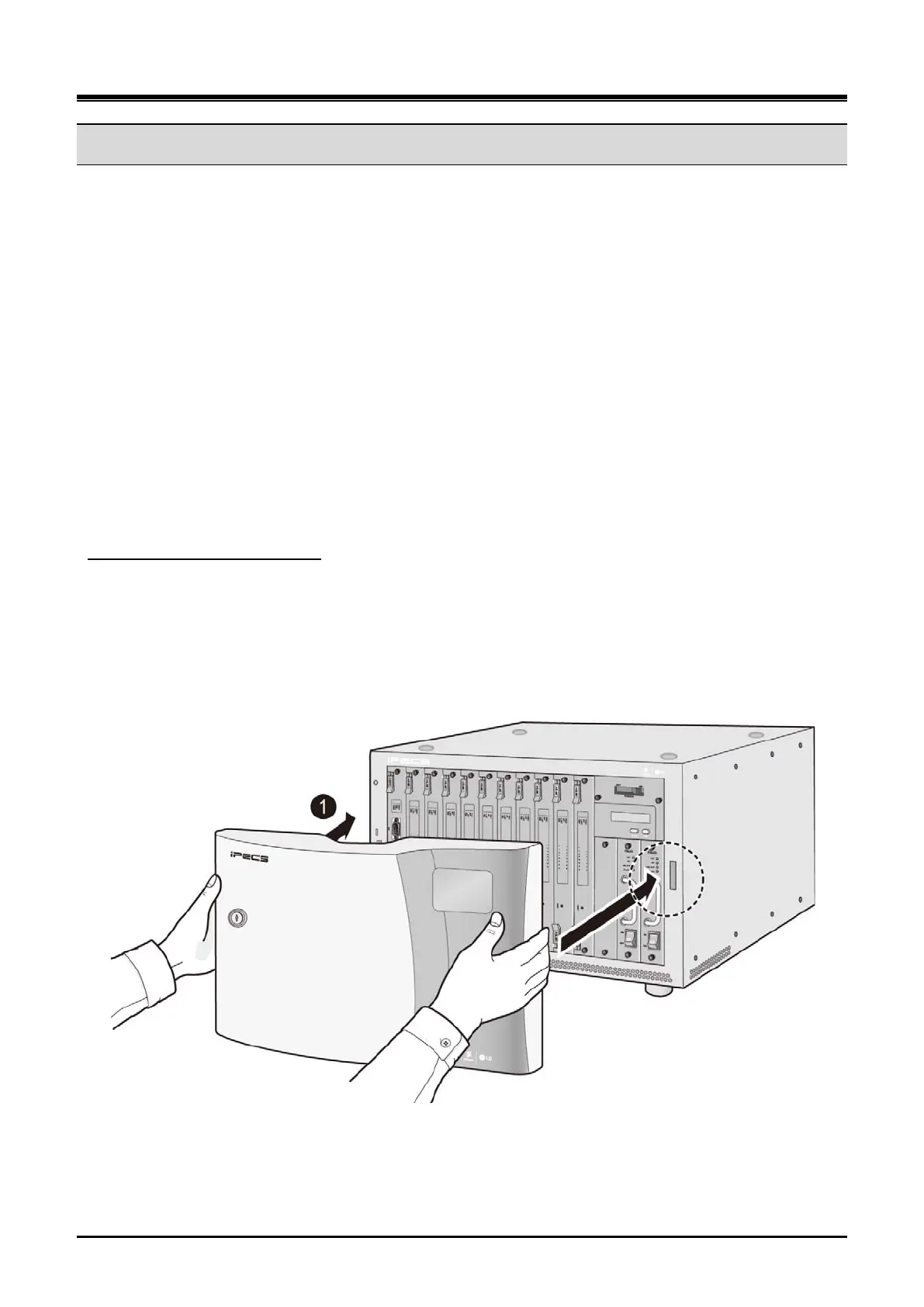
Install the cover to the cabinet as the following steps:
Assembling UCM-MGC3 Cover
1) Align the notched tab on the left/right sides of the cover with the slot in the both sides of the cabinet
as shown Figure 3-1.
2) Push the tab in the direction of arrow into the slot in the cabinet.
3) Fix the front cover to the cabinet with the button on the left side of the front cover.
Figure 3-1 Assembling UCM-MGC3 Cover



 To Next Page