iPECS UCM
Installation Manual Issue 1.1
28
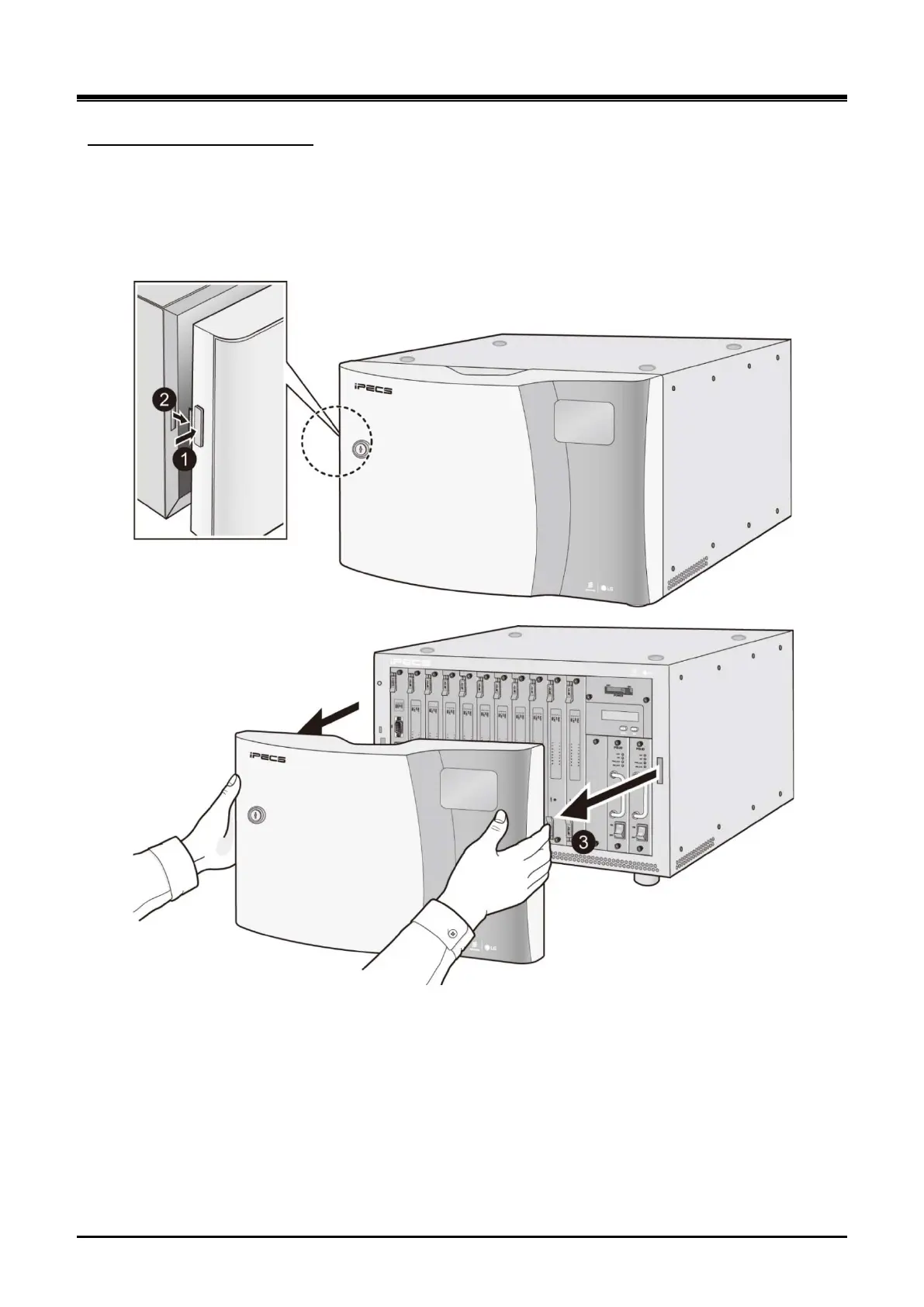
Separate the front cover from cabinet as the following steps:
Separating UCM-MGC3 Cover
1) Push the button on the left side of the font cover to open as shown in Figure 3-2.
2) Remove the front cover in the direction of arrow, and then place it on the safety zone to avoid
damaging the front cove r.
Figure 3-2 Separating UCM-MGC3 Cover



 To Next Page