iPECS UCM
Installation Manual Issue 1.1
30
Remove the front cover of the cabinets prior to installation to avoid damaging the covers and to allow access
to the interior. After rack mounting, close the front covers.
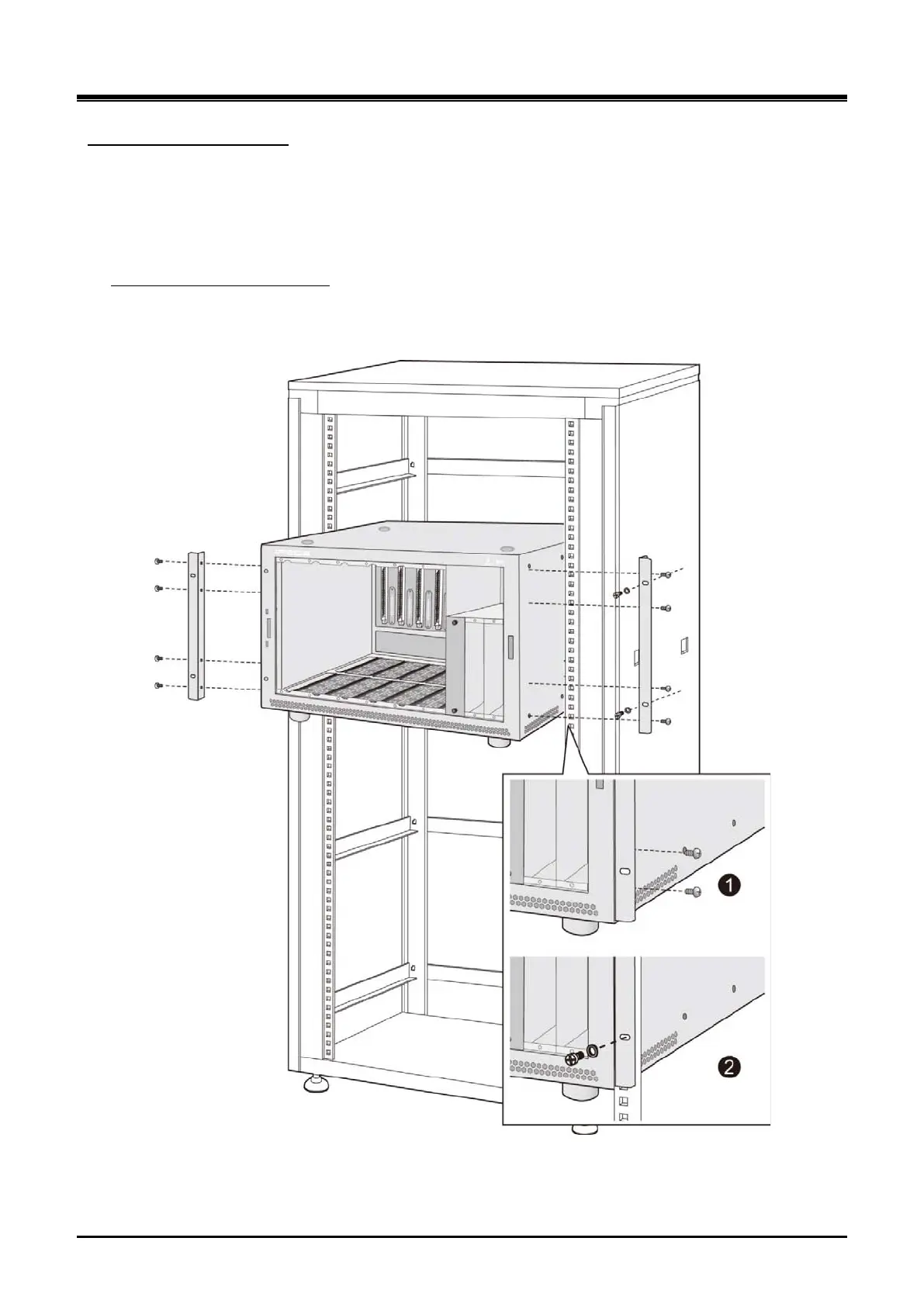
Rack mounting UCM-MGC3
Rack mount brackets are provided as standard equipment with the UCM-MGC3. These brackets attach to the
both sides of the UCM-MGC3.
1) Attach each bracket to the UCM-MGC3 Cabinet by using 8 screws provided.
To rack mount the UCM-MGC3:
2) Install the cabinet in the rack and secure Cabinet with 4 screws in the mounting flange holes.
Figure 3-4 UCM-MGC3 Rack mounting



 To Next Page