iPECS UCM
Installation Manual Issue 1.1
39
PSUD Installation
Make sure to turn off the +5V output switch (+5V SW) on the front panel of UCM-PSUD before turning on or
off the -48V input switch on the rear panel of UCM-MGC3. The reason is to prevent harmful arc discharge
being produced in the -48V input switch.
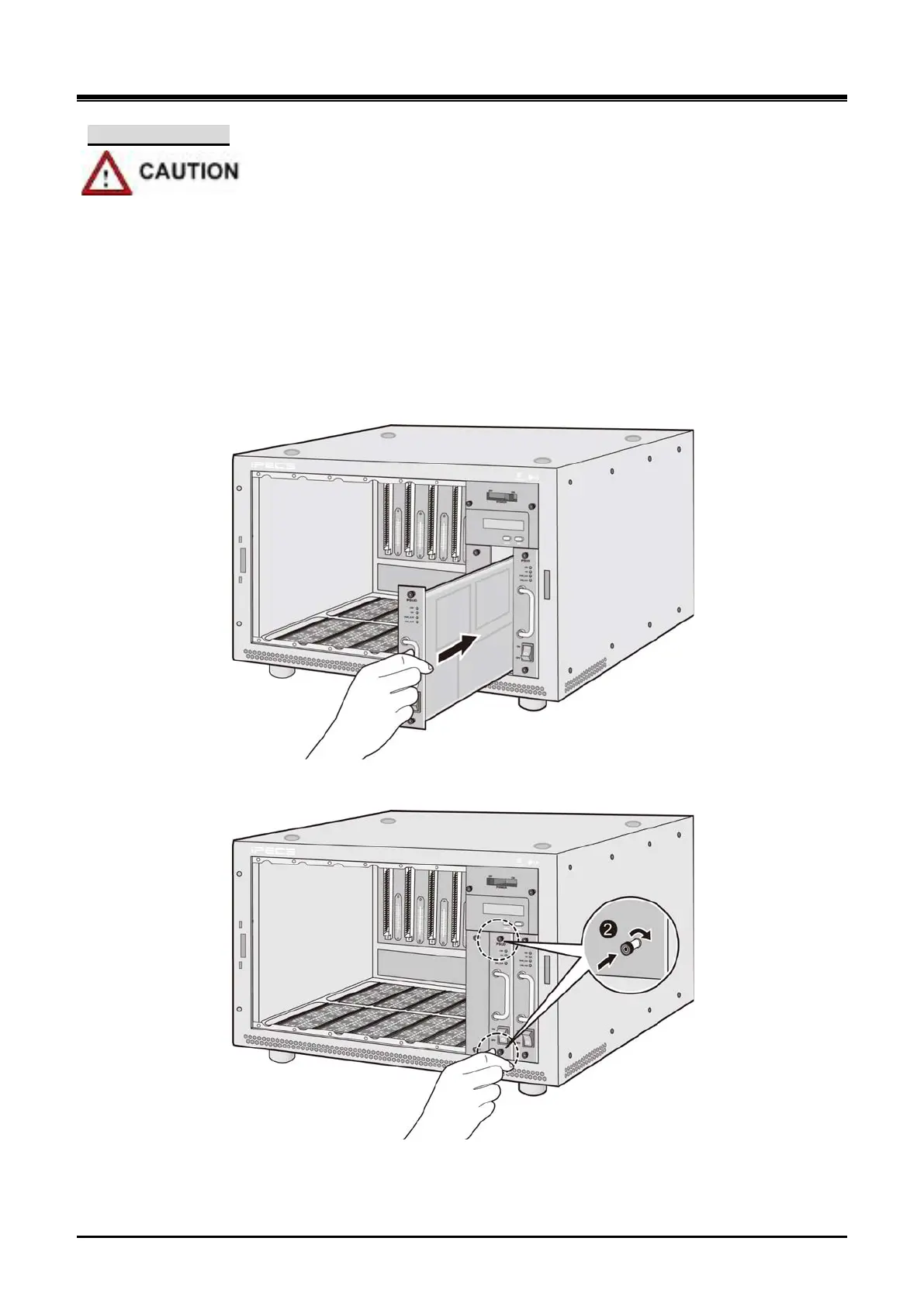
1) Install PSUD at the bottom right slot of the cabinet in a redundancy configuration.
2) Tighten the thumbscrews in and then clockwise to affix PSUD to the UCM-MGC3.
3) Connect DC-48V input from the rectifier to the -48V pin of the terminal block on the UCM-MGC3
rear.
4) Turn on the DC switch ON to supply power.
Figure 3-14 PSUD Installation 1
Figure 3-15 PSUD Installation 2



 To Next Page