page 18
ASTRA
• Operation Manual • Rev. 0124C
Chapter 3. Setup Mode
➝
➝
➝
➝
➝
ENTER
➝
➝
or
X axis
Y axis
Unit # Label size
fi›
or
➝
➝
➝
Unit # Print position
END
Example: Print position data “40.5 mm”
➜
4
5
ENTER
1 2 3 4 5 6
X
Y
7
0
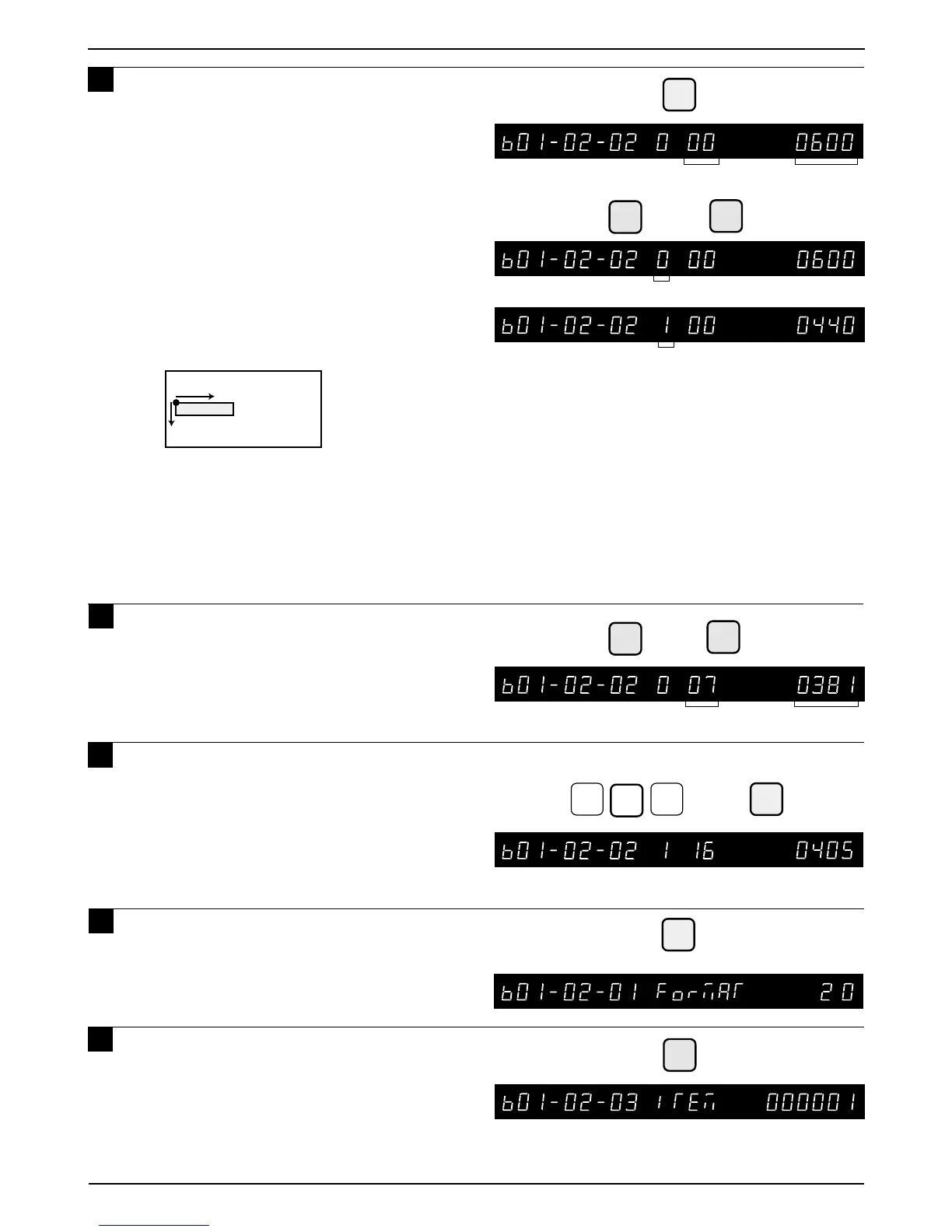
Press the ENTER key, and select X
axis (0) or Y axis (1) using either the
RIGHT ARROW key ( ) or the LEFT
ARROW key ( ).
• The numeric value set in unit #0 indicates
the label size. The label size cannot be
changed. The printing positions can be
changed within this area.
Print position change for each unit
• Setting can be done in units of 0.1mm.
Example: For 20.0mm, key in 200.
• Set the printing position for X-axis
(horizontal), and Y-axis (vertical)
• To disable the unit, key in 9999 into X-axis.
To enable the unit, key in the previous data.
Note: Only store name and store address can be printed
in the lower 7.5mm of the label.
8 Press the UP ARROW key ( ) or the
DOWN ARROW key ( ) to select the
unit number.
9 Key in the required print position data
(Unit: 0.1 mm) and press the ENTER
key.
Note: Print position data of default label formats
(Format No. 1 to 19) cannot be changed.
10
Press the END key to return to the
Format menu.
11
Press the DOWN ARROW key ( ) until
the Item menu appears.



 To Next Page