CCI.TECU – Operation
4.3.3 Detailed view
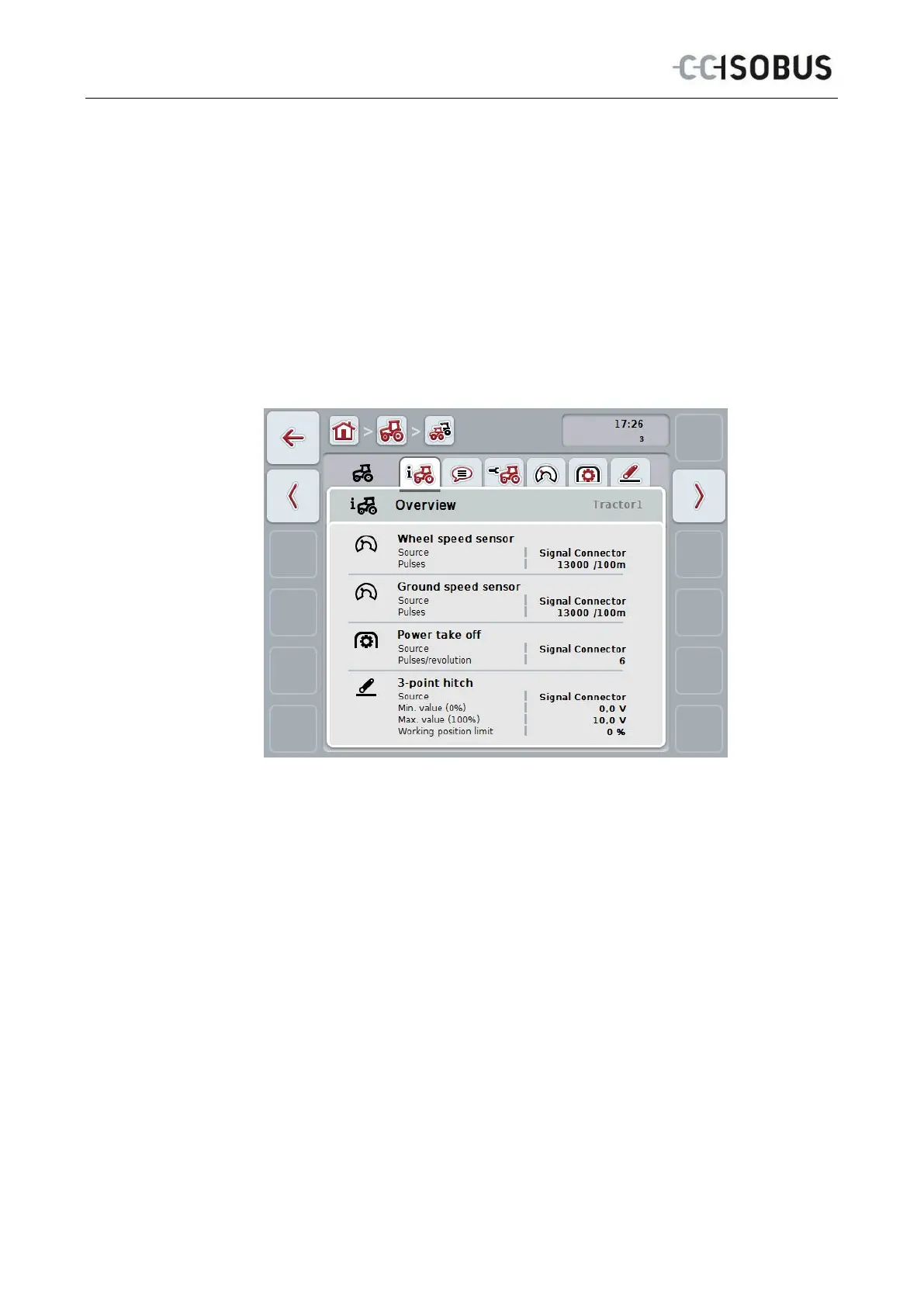
The detailed view of a tractor is divided into 6 tabs: Overview, Comment, Tractor
Settings, Speed, Power Take Off and 3-point hitch.
The tabs Speed, Power Take Off and 3-point hitch are not always available:
• The Speed tab is only available if, in the tractor settings, the signal
connector has been selected as the signal source for the wheel or ground
speed sensor.
• The Power Take Off tab is only available if the signal connector has been
selected as the signal source for the power take off speed in the tractor
settings.
• The 3-point hitch tab is only available if, in the tractor settings, the signal
connector has been selected as the signal source for the 3-point hitch.
These are organised as follows:
Overview:
This shows the speed settings, PTO settings and the
3-point hitch settings.
Comment:
This shows a comment with a maximum of 160
characters.
Tractor settings:
This shows the tractor name and the settings for
wheel speed sensor, ground speed sensor, PTO
sensor and 3-point hitch sensor.
Speed:
Shows how many pulses per 100 metres are output
by the sensor.
Power take off:
This shows how many pulses are emitted by the
sensor per power take off revolution.
3-point hitch:
This shows the voltage values for the maximum and
minimum position.
To switch between tabs, proceed as follows:
1. In the touchscreen press on the corresponding tab or select it using the arrow
keys (F8, F2).
18



 To Next Page