15
Part 2.Bluetooth Functions
●Search
■
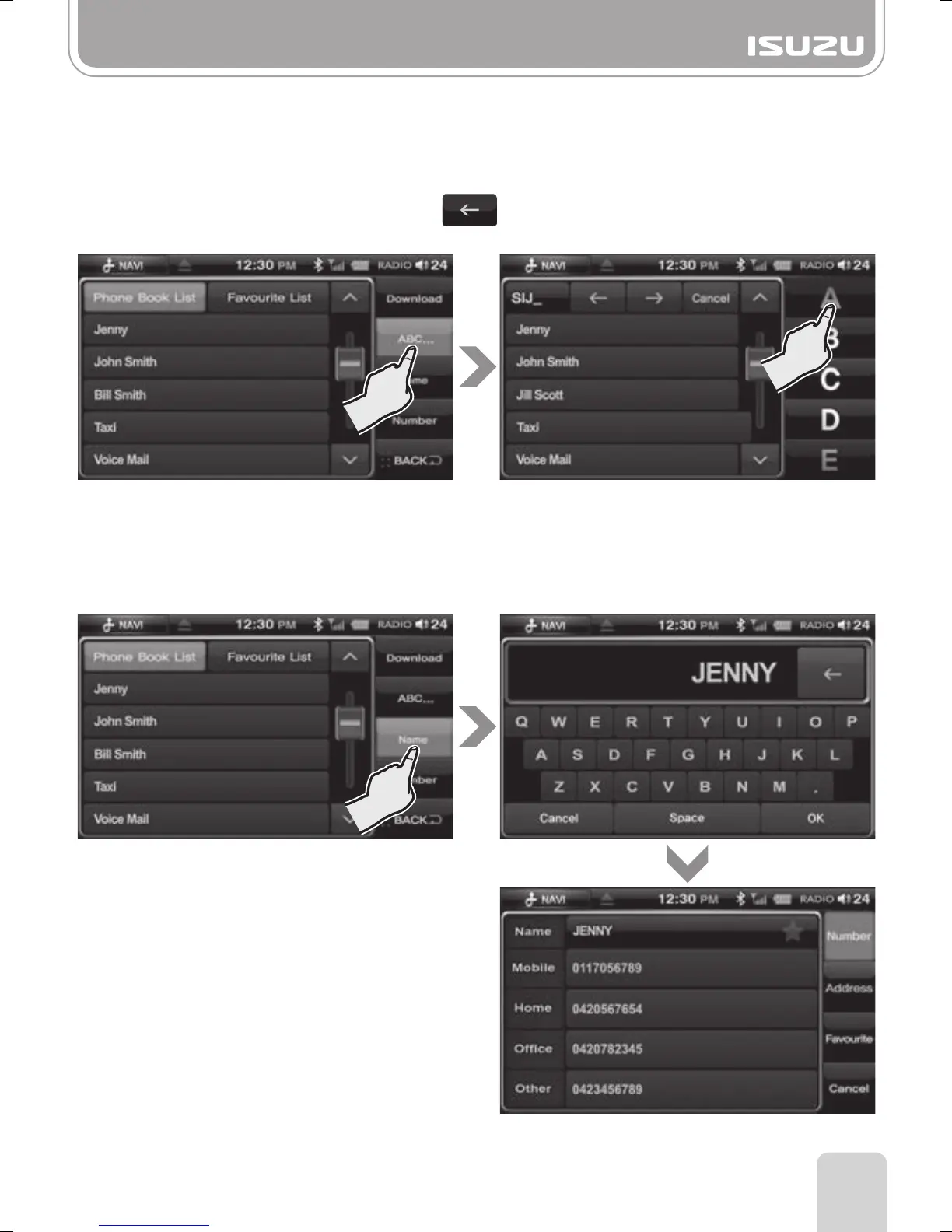
A,B,C Search
Press the ABC…button on the phonebook list screen.
Select the first letter of the person’s name.
To delete the selected letter, press the button.
(A maximum of 4 letters can be entered.)
■
Name Search
Press the Name button on the phonebook list screen.
Enter part or all of the contact via keyboard then press OK.
Select the contact from the list then select the number from the contact information screen.



 To Next Page