43
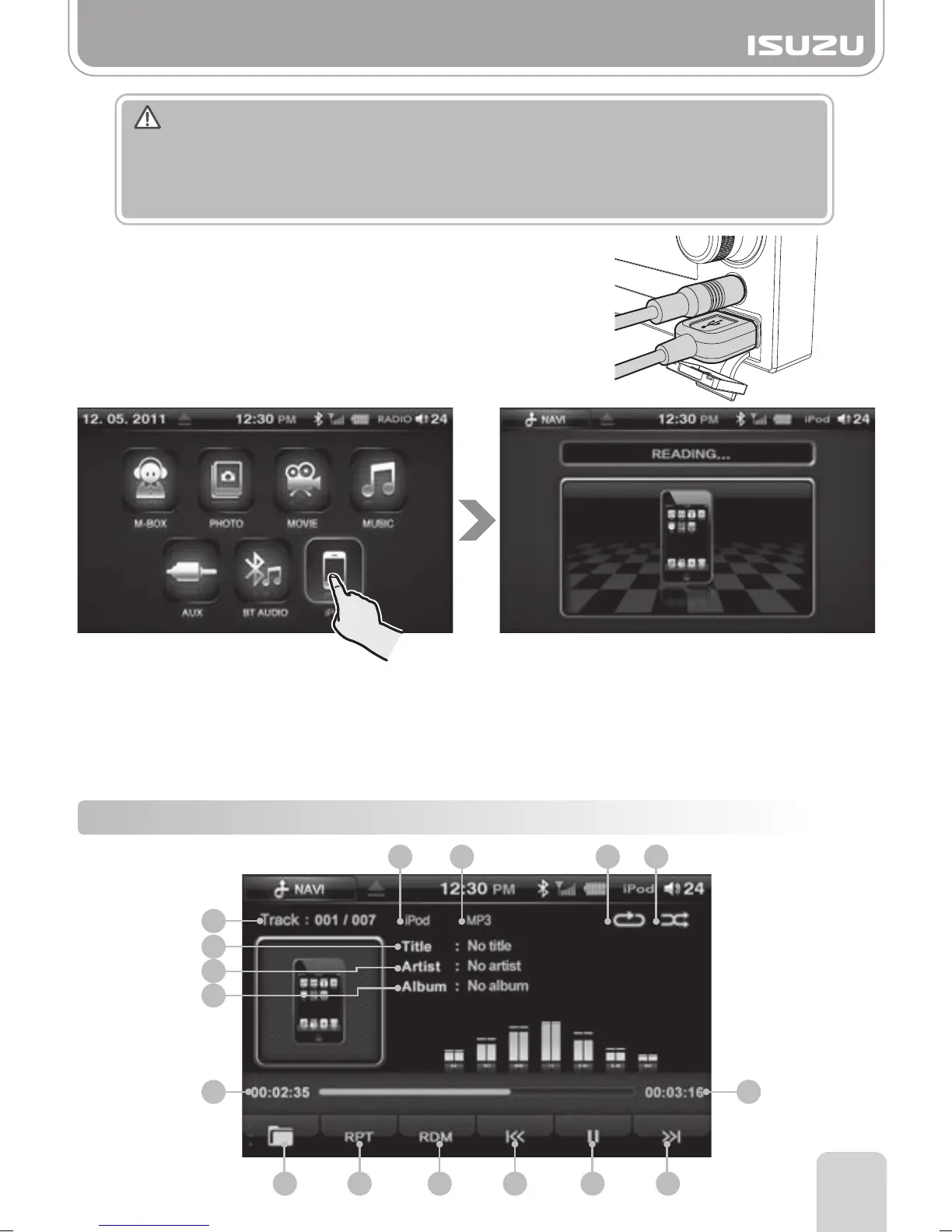
Part 10.iPod Functions
10-1. iPod Mode Display Components
■
After reading the iPod, the iPod screen will be displayed.
■
Because the device first collects information about the iPod files first, it may take a while
before playing.
You can shorten the time before play by reducing the amount of files in the iPod or
organizing the files in a simple manner.
6
5
7
8
9
10
1 2 3 4
11 12 13 14 15 16
Warning
Connecting a Standard iPod cable to the external USB hub will not allow iPod to function
correctly.
A proprietary cable must be purchased from your ISUZU parts dealership.
See page 80 Accessory options.
1. Connect your iPod to the unit via an Isuzu iPod cable
connected to the front or rear USB socket.
2. Select the iPod Mode by pressing on the iPod Button in
the main menu screen.
3. The loading screen appears and the iPod is connected.



 To Next Page