25
4-2. Structure of the AM/FM Mode Menu Display
Part 4.Radio Functions
12
13
BAND Button : FM1 - FM2 - FM3 - AM1 - AM2 can be selected via this button.
Frequency sign : Displays the current frequency.
10
11
: Automatic station search.
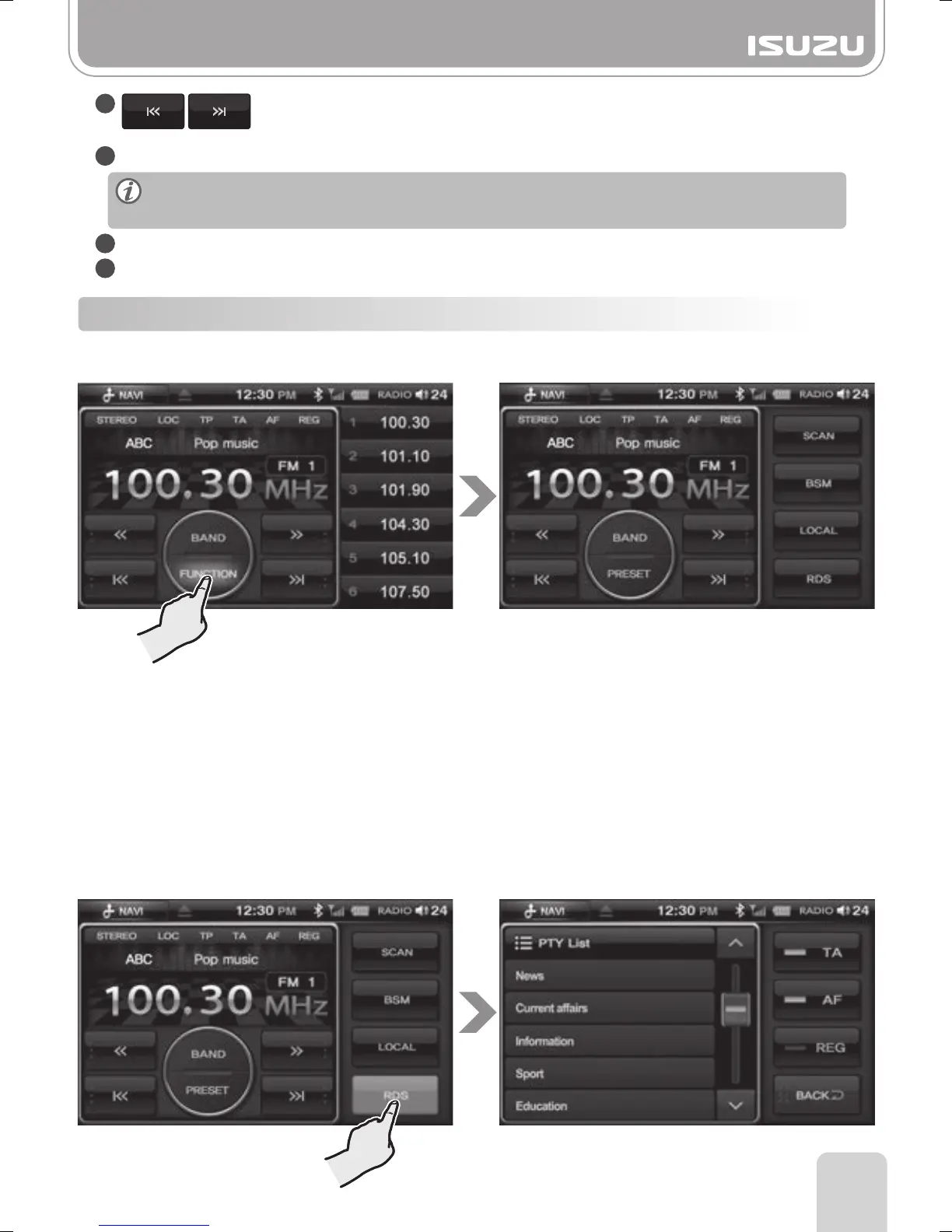
Function Button: Changes to the radio mode screen. (SCAN, BSM, LOCAL, RDS)
Radio station information is only available in the FM band.
Some Radio stations may not broadcast this information.
■
RDS(Radio Data System)
■
SCAN : By pressing this button, the unit will begin searching.
Once a station is found, the unit will broadcast it for 10 seconds then begin
searching again.
■
BSM : By pressing this button, the unit will search six stations with the strongest signal and
saves them into each preset automatically.
■
LOCAL : By pressing this button, LOC is displayed and only the stations with strong signals
are searched.
●Function
From the Radio mode screen, press the FUNCTION button.



 To Next Page