38
8-2. VCD Mode Basic Action
Part 8.DISC/VIDEO CD Functions
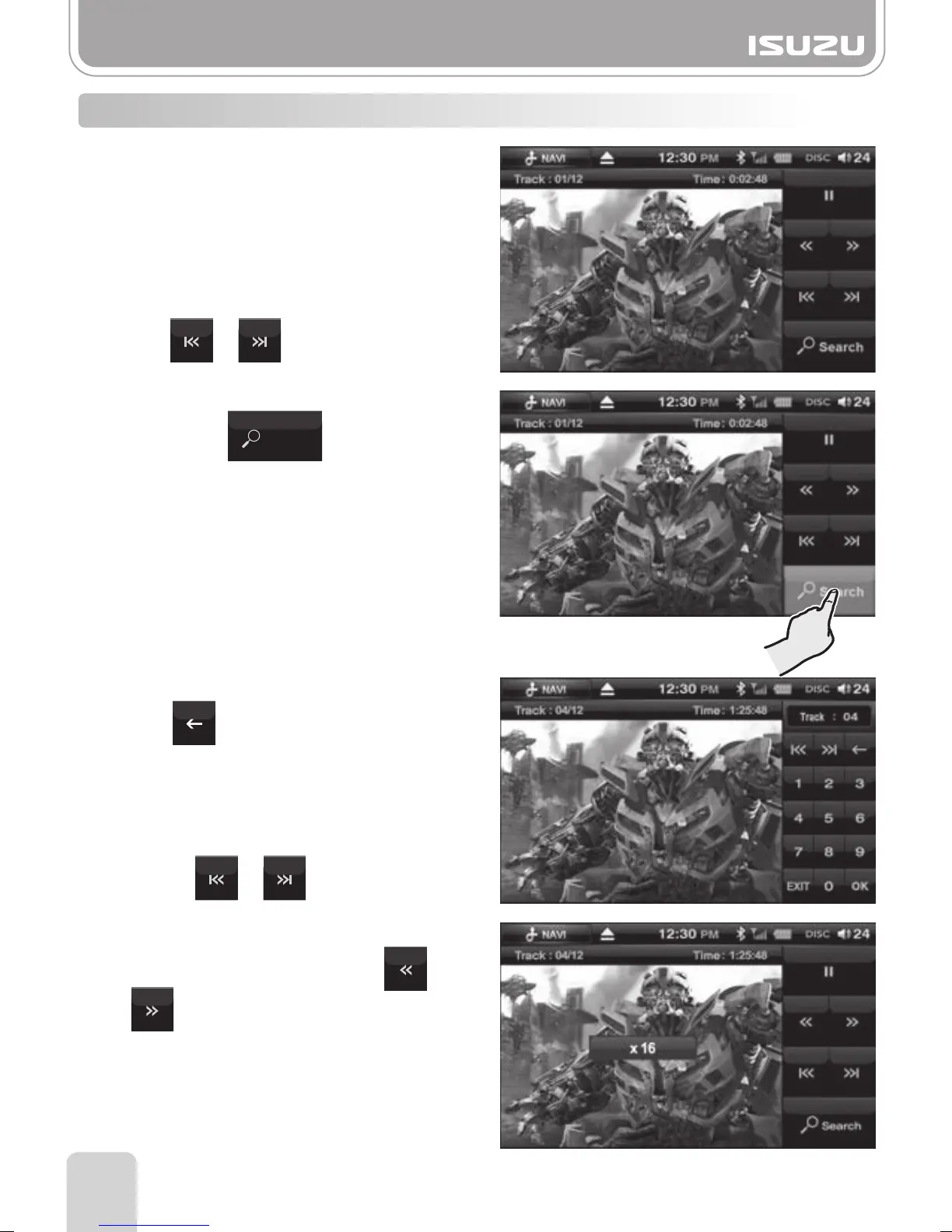
●Pause/Play
A. To pause the VCD, press the pause button
on the display.
B. To begin playing again, press the play
button on the display.
●Skipping Tracks
To move to the next or previous VCD FILE,
press or on the display.
D. To move to the next or previous VCD FILE,
press or on the display.
●Searching Tracks
A. Select the button to enter the
search menu screen.
B. The following search window will appear.
C. Erase the current VCD FILE by pressing
the button and then insert the
desired track number.
Press the OK button and the entered
VCD FILE will begin to play.
To fast forward or rewind press or
whilst the VCD is playing.
After each press the speed will increase
or decrease x2, x4, x8, x16.
The speed will be displayed on the center
of the screen.
●Playing the Current VCD FILE Fast
Search



 To Next Page