71
■
Main menu
►
Please check the voice commands on the following pages to operate this system.
►
If you touch any button or the screen whilst voice recognition is running,
the mode will exit.
►
Speaking clearly will assist voice recognition.
Part 18. Voice Recognition
●Basic action of voice recognition system
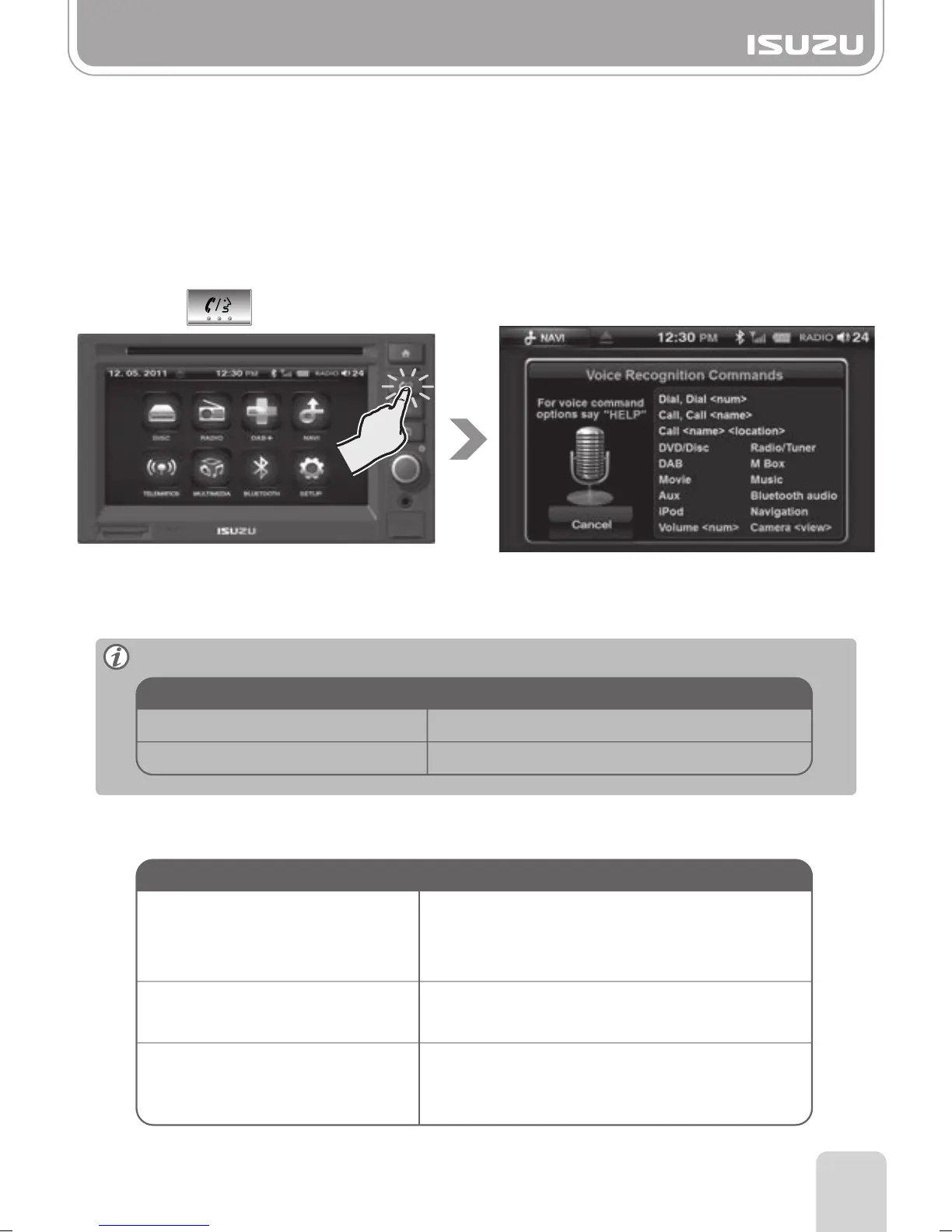
The AVN unit can be operated by using Voice Recognition mode.
Please follow the points below to assist with smooth operation of this mode.
Press the button for few seconds to enter the voice recognition mode.
The unit will announce, "Voice command please", followed by a beep sound.
After the beep sound, you are now able to speak your command.
The following commands apply to all voice commands.
DVD/Disc, Music, Movie, iPod,
M-box, Radio/Tuner, DAB, AUX,
Navigation, Bluetooth Audio
Volume+(Number)
Changes to each mode.
Increases or decreases the volume.
eg:) “Volume Fifteen”
Displays each camera mode.
Camera+ "A" "B" "C" "D" "AB"
"AC" "AD" "ABC" "ABD" "ACD"
"BC" "BD" "BCD" "CD" or "All"
Voice Command Operation
Cancel, Abort
Help, What can I say?
Cancel and close
Suggests the available commands via voice
Voice Command Operation



 To Next Page