72
Part 18. Voice Recognition
■
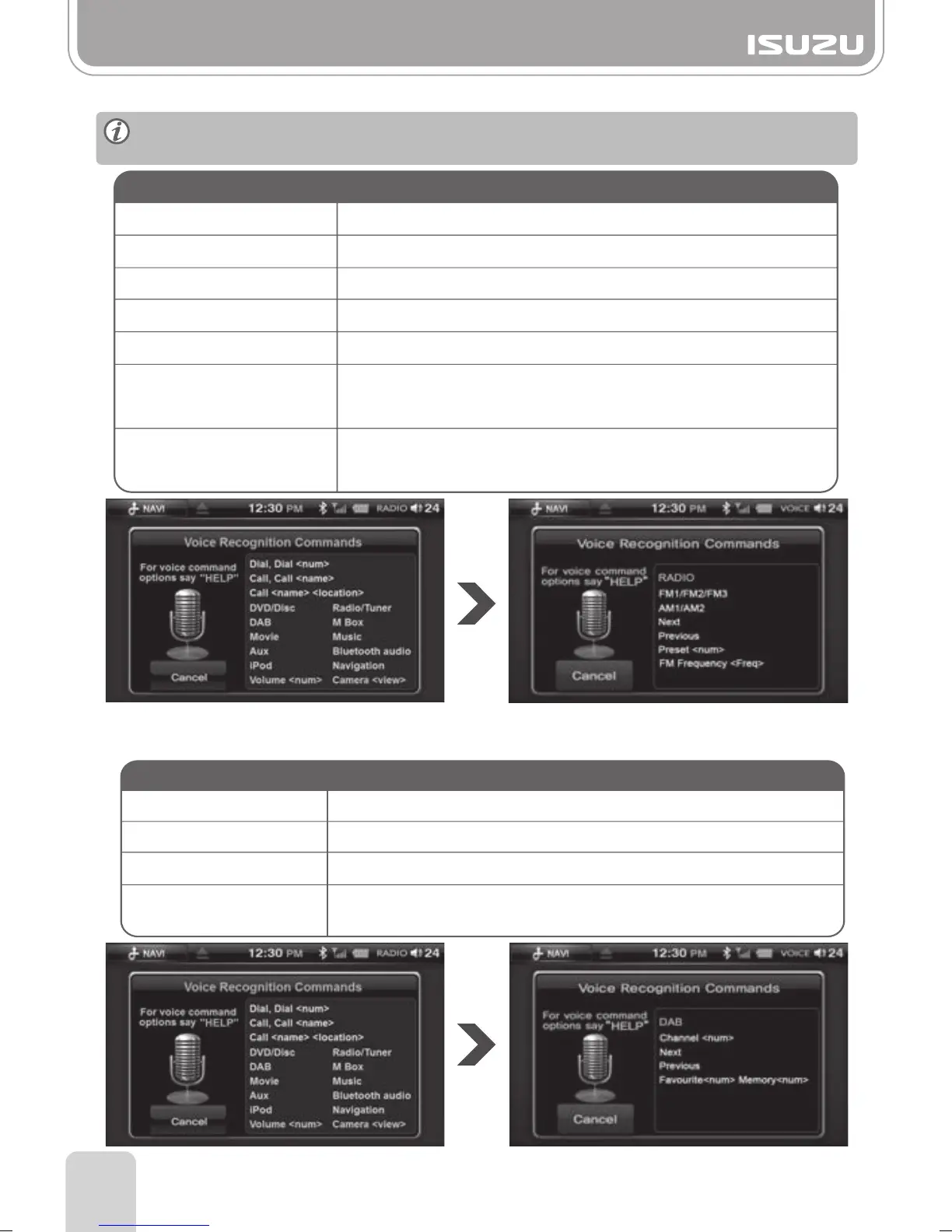
Radio
Next
Previous
AM1 or AM2
FM1, FM2, FM3
Preset (Number)
FM frequency+(Number)
AM frequency+(Number)
Moves to the next frequency.
Moves to the previous frequency.
You can listen to the last frequency of AM1 or AM2.
You can listen to the last frequency of FM1, FM2, FM3.
Move to a desired preset frequency.
You can listen to a desired frequency of AM Band.
eg) “AM Frequency five thirty one / five three one”
You can listen to a desired frequency of FM Band.
eg) “FM Frequency Eighty seven point five”.
“Radio” “FM one”
Voice Command Operation
(This function will be operated only
in the AM Band mode)
(This function will be operated only
in the FM Band mode)
“DAB”
“Favourite< num >” “Memory < num >”
(Favourite = 1 ~ 4) (Memory = 1 ~ 5)
■
DAB+
Next
Moves to the next DAB+ station.
Moves to the previous DAB+ station.
You can listen to a specific DAB+ station that you want.
You can select a DAB+ station from your favorite list.
Previous
Channel+Number
Favourite+Number+
Memory+Number
Voice Command
Operation
For the following commands, please the mode e.g "Radio" then wait for the next prompt.
Then say for example "Next".



 To Next Page