44
Part 10.iPod Functions
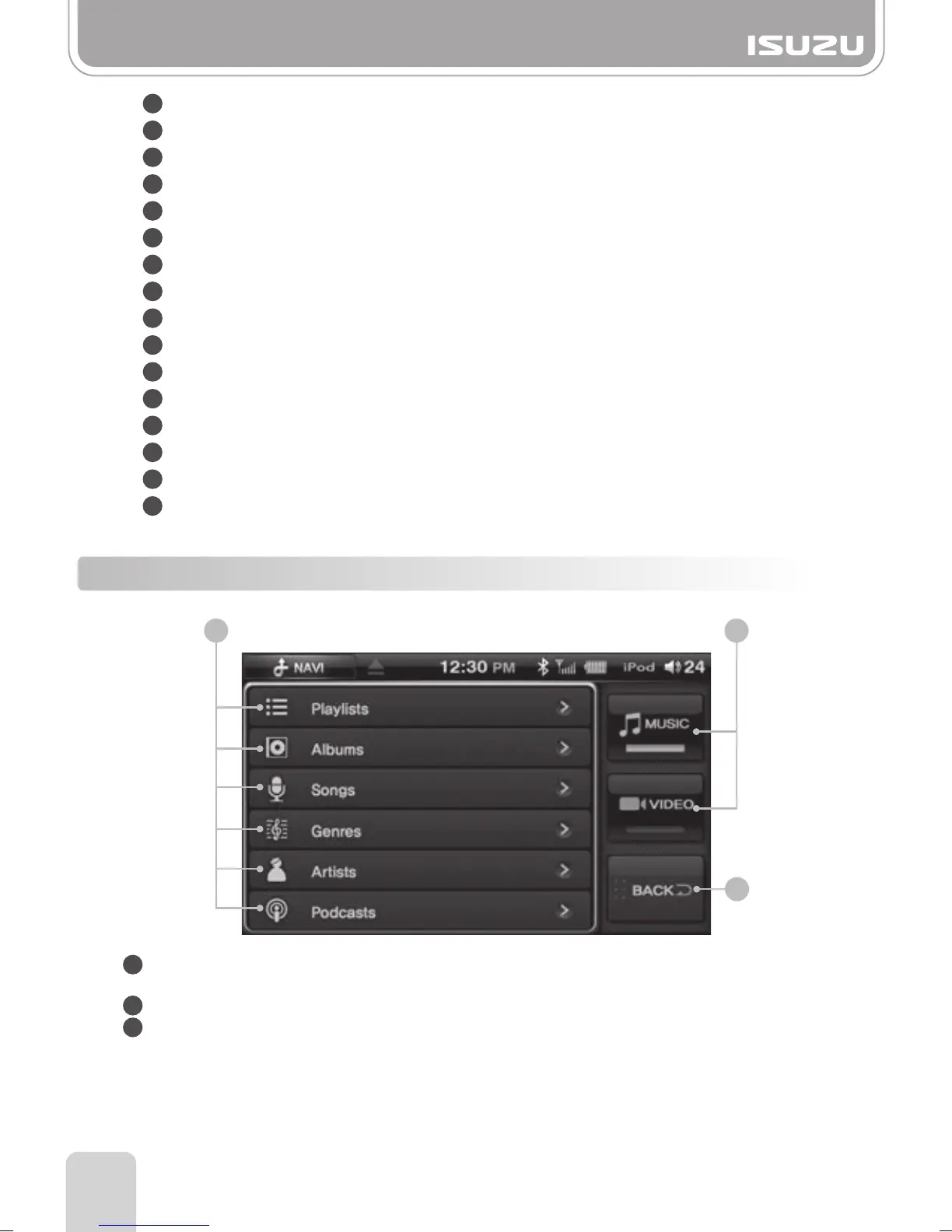
10-2. iPod Mode Folder List Window Components
1
2
3
4
5
6
7
8
1
2
3
9
10
11
12
13
14
15
16
Mode: Indicates the mode currently playing.
File Type: Indicates the format file the iPod is playing.
Repeat Play: Indicates whether the Repeat function is on or off.
Random Play: Indicates whether the random function is on or off.
Track List: Displays the [current track/total tracks] number of the iPod
Title: Displays the title of the song that is playing.
Artist: Displays the name of the artist of the song.
Album: Displays the name of the album of the song.
Play Time: Displays the play time of the current song.
Total Time: Displays the total time of the current song.
Folder Button: Return to the media folder list.
RPT Button: Turns the Repeat function ON/OFF.
RDM Button: Turns the Random function ON/OFF.
Previous Button: Skips to the previous track.
Play/Pause: Play or pauses the track.
Next Button: Skips to the next track.
Folder Type Buttons : Select music when playing music files or select video when
playing video files.
iPod Initial Menu Display: Displays the initial iPod menu.
Back Button: Takes you out of the current folder and back to the previous window.
3
12



 To Next Page