5
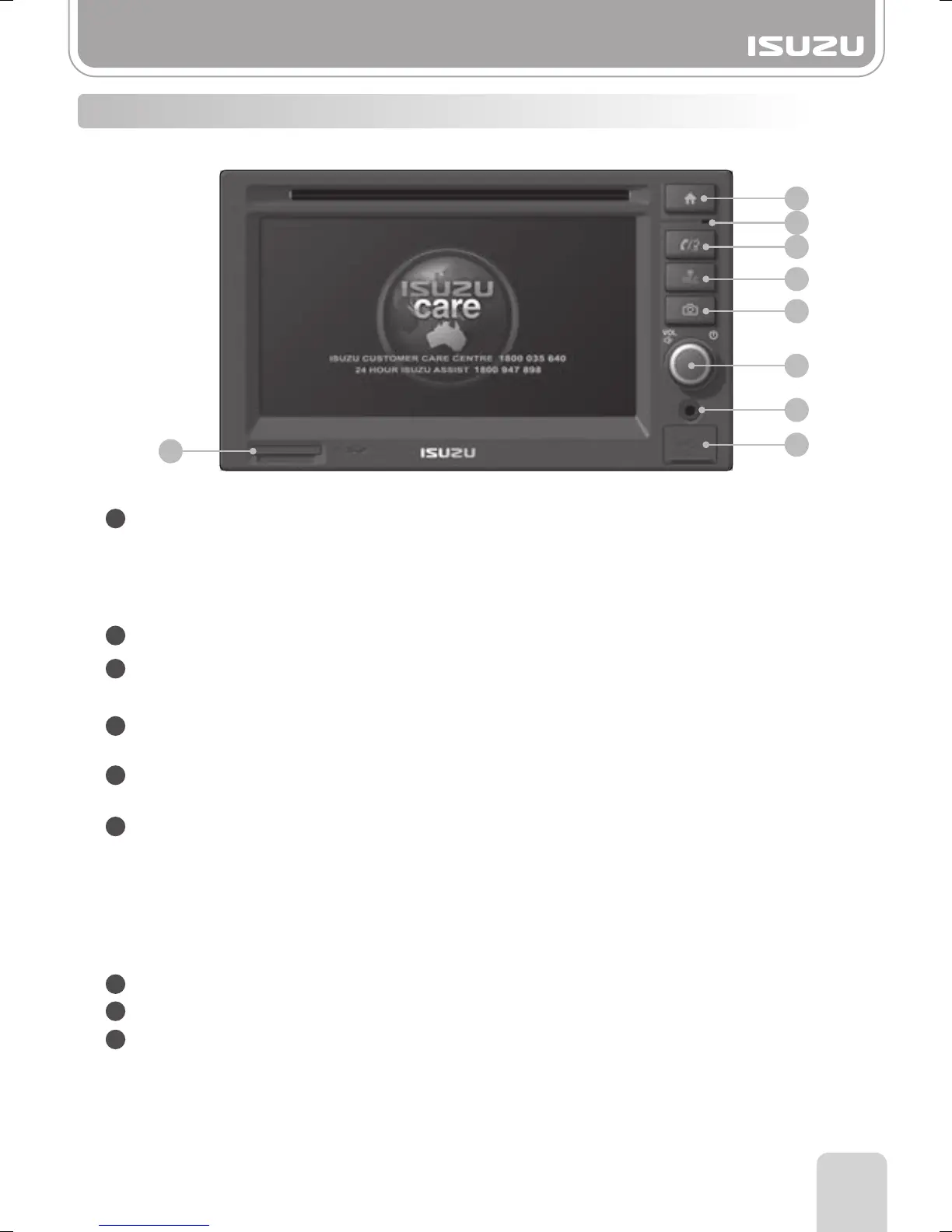
1-1. Buttons
Part 1.Getting started
1
2
3
4
5
6
7
8
9
2
4
5
3
9
6
Power ON/OFF/Rotary volume/Mute
REC
Radio, DAB, CD, iPod and USB/SD can be recorded via the record button.
Camera
Camera screen mode.
Bluetooth call/Voice dial/Voice recognition
SD card slot
1
MIC
7
AUX
8
USB
Bluetooth menu/Call, Answer/Voice dial
Home
Master volume control.
Pressing the selector knob, the system will mute.
Pressing the selector knob more than 1 second, the unit will power off.
In a power off situation and the selector knob is pressed the unit will power on.
Pressing the selector knob whilst in a call, both caller and receiver are placed on hold.
To take the call off hold press this button again.
Main menu screen is displayed.
If you hold this button for more than 1.5 seconds the LCD turns off however,
the current mode will continue to play with Audio still presented.
By pressing the Main menu button once again, the LCD turns on.



 To Next Page