56
Part 12.Photo Mode via USB/SD
Please ensure photos are either BMP OR JPG formats otherwise photo will not be
shown!
1
2
3
4
5
6
7
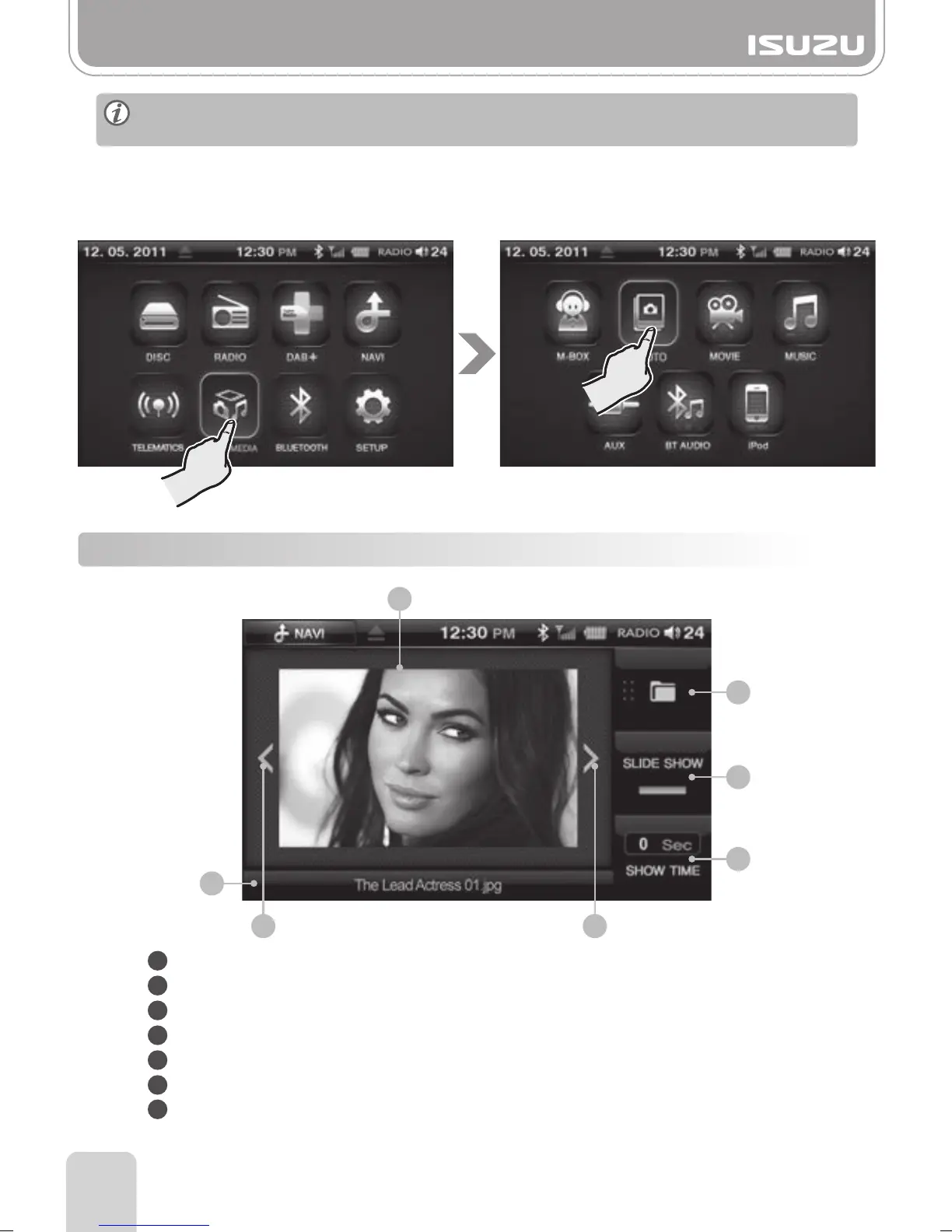
1. Insert USB or SD containing Photo files.
2. Press the MULTIMEDIA button in the main menu.
3. Press the PHOTO button on the multimedia screen.
4. Press Folder list button to select the storage device containing the files you require.
12-1. PHOTO Mode Window Components
Folder Button: Return to the file folder list.
Slide Show Button: Select to turn slideshow ON/OFF.
Show Time Settings Button: Sets the slide show’s show time.
Previous Button: Skips to the previous photo.
Next Button: Skips to the next photo.
Photo Title Display: Displays the title of the photo.
Display Screen: Displays the photo.
1
2
7
3
4
6
5



 To Next Page