19
Part 3.Setup Functions
●Date
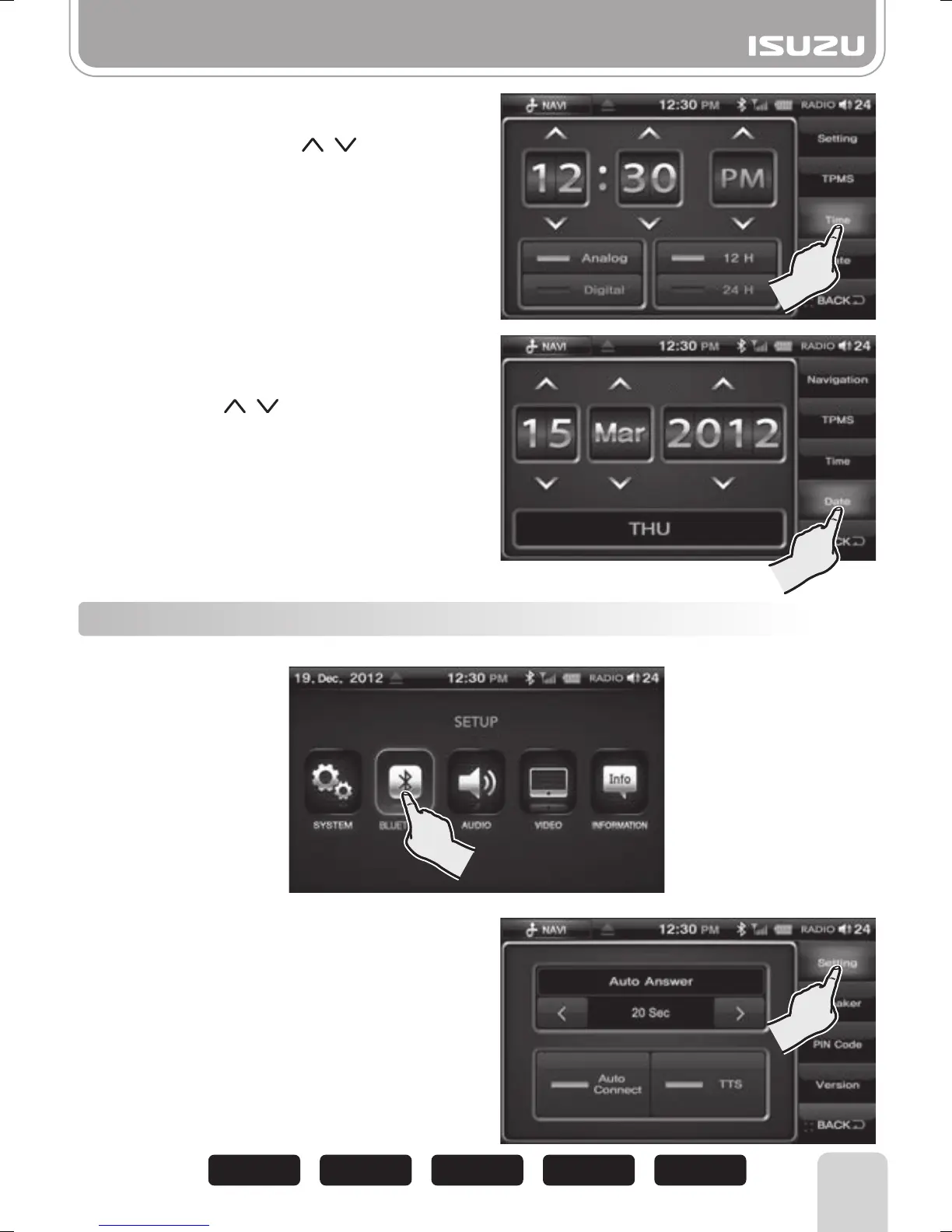
Select the Time button.
Set the time using the , buttons.
►
Analog : Displays as an analog clock.
►
Digital : Displays as a digital clock.
►
12H : This will show you the time as 12 hours
format.
►
24H : This will show you the time as 24 hours
format.
●Time
3-2 Bluetooth
Press the BLUETOOTH button on the SETUP mode screen.
●Settings
Select the Bluetooth button on the left.
This sets the number of Ring tones before the
unit will Auto Answer.
This is only applicable when the Auto Connect
function is ON.
■
Auto Answer
OFF 20 Sec15 Sec10 Sec 5 Sec
Select Date button.
Set up Day / Month / YEAR by
pressing the , buttons.



 To Next Page