28
B. After scan is complete, your favourite radio stations will need to be re-saved in the
preset buttons.
A. It is important to periodically scan for new DAB stations to enhance your Digital Radio
experience.
Part 5.DAB(Digital Audio Broadcasting)Functions
5-2. DAB Mode Basic Actions
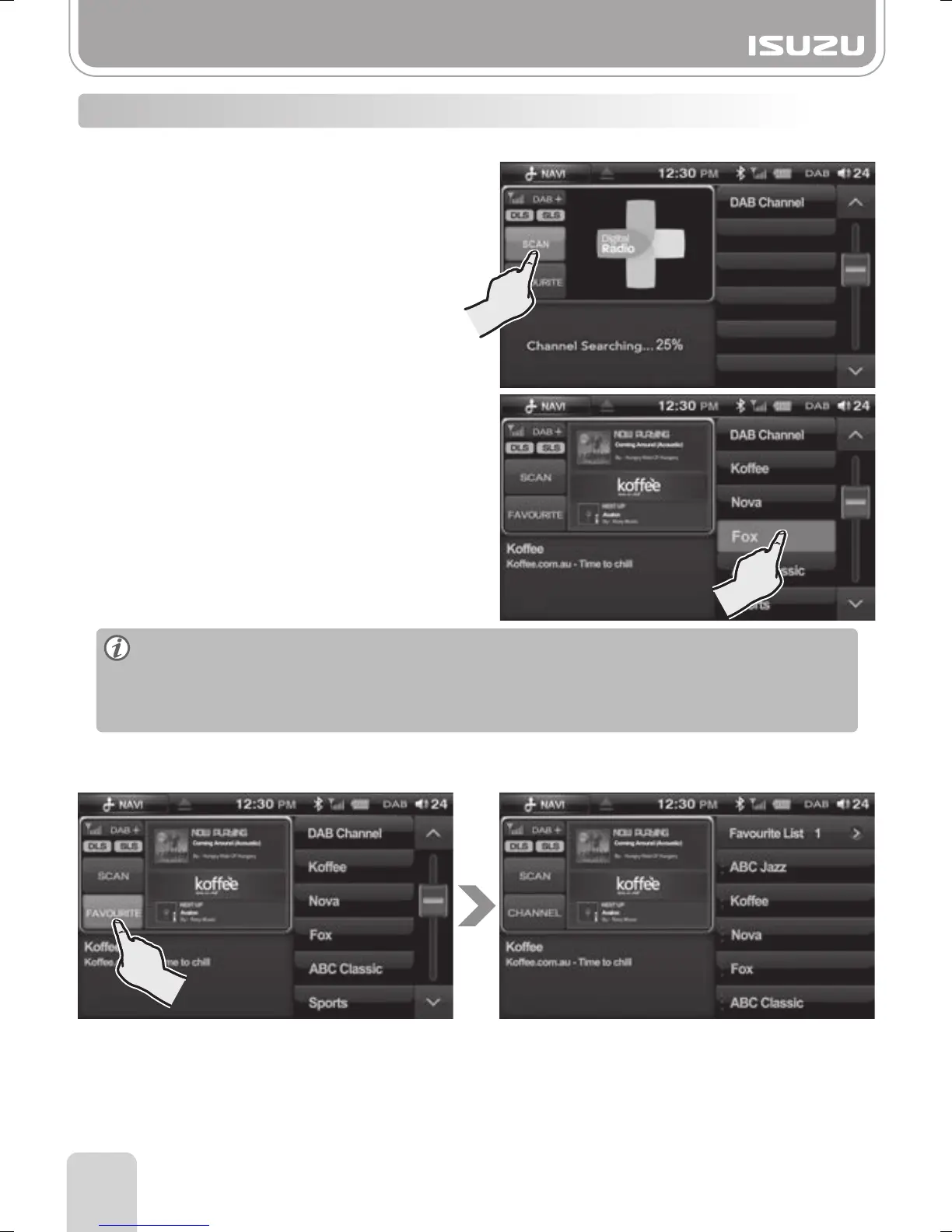
●Searching DAB stations from the Channel List
B. Then, select the DAB station directly from
the display.
A. Press the SCAN button to search for DAB
stations in your area.
●Searching Broadcasts Using Favourites
You can enjoy DAB channels you’ve already saved.
A. After searching for DAB stations with the SCAN button, select the station you would
like to add to your favourites list.
C. You can select each preset channel by pressing briefly on a preset button.
D. There are 3 favourite groups each containing 6 presets.
Press the Favourite button to display each favourite group.
B. Add the station to your desired preset number by holding the preset button down for
more than 1.5 seconds.



 To Next Page