6
Part 1.Getting started
1-2 Menus
1-3 Ejecting a disc
●Navigating Menus
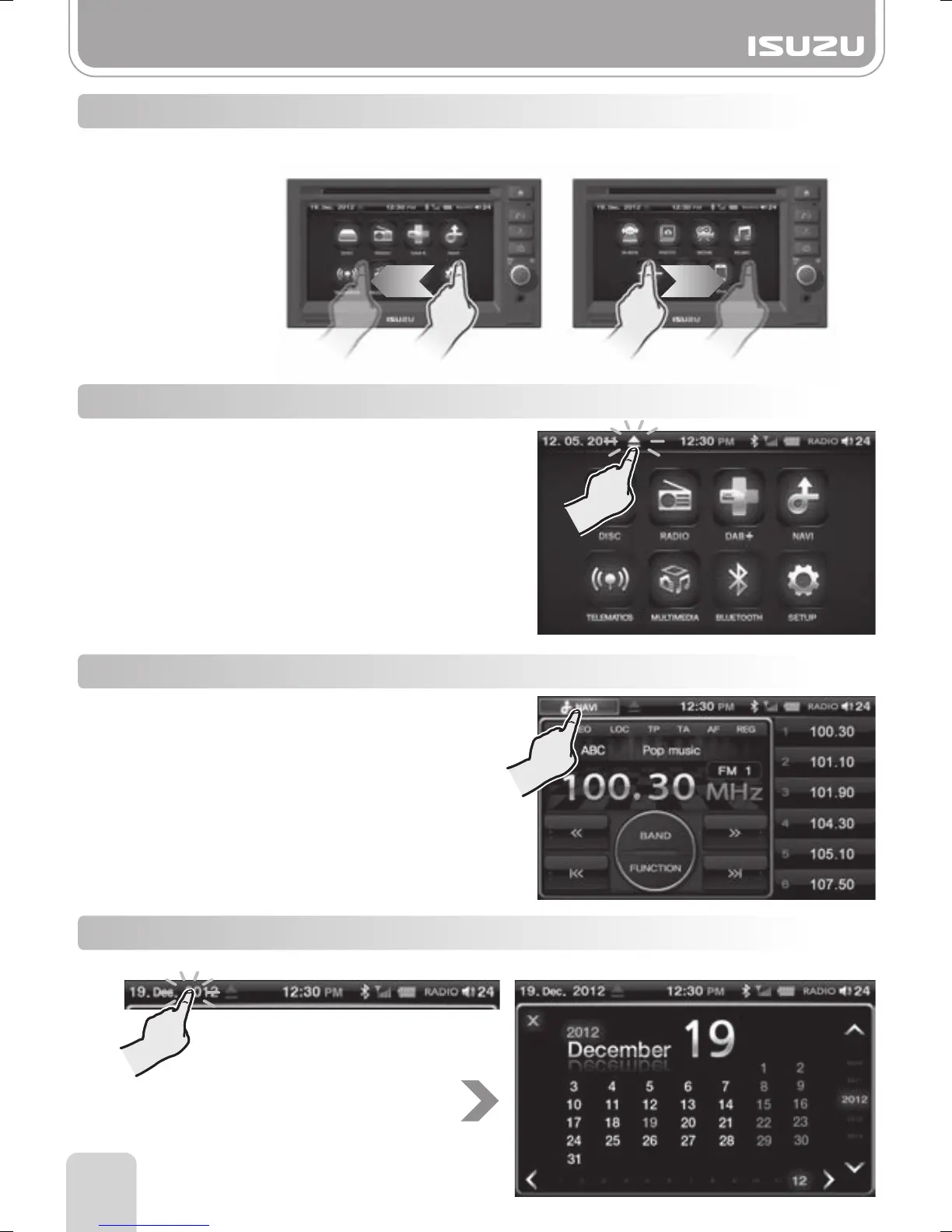
To navigate through menus, swipe your finger from one side of the screen to the other.
If a navigation SD card is inserted, press the NAVI
icon on the information bar.
View the calendar by tapping the date on the information bar.
1-4 Navigation mode
1-5 Calendar
Press the Eject icon on the information bar.



 To Next Page