8
Part 2.Bluetooth Functions
●Connect
►
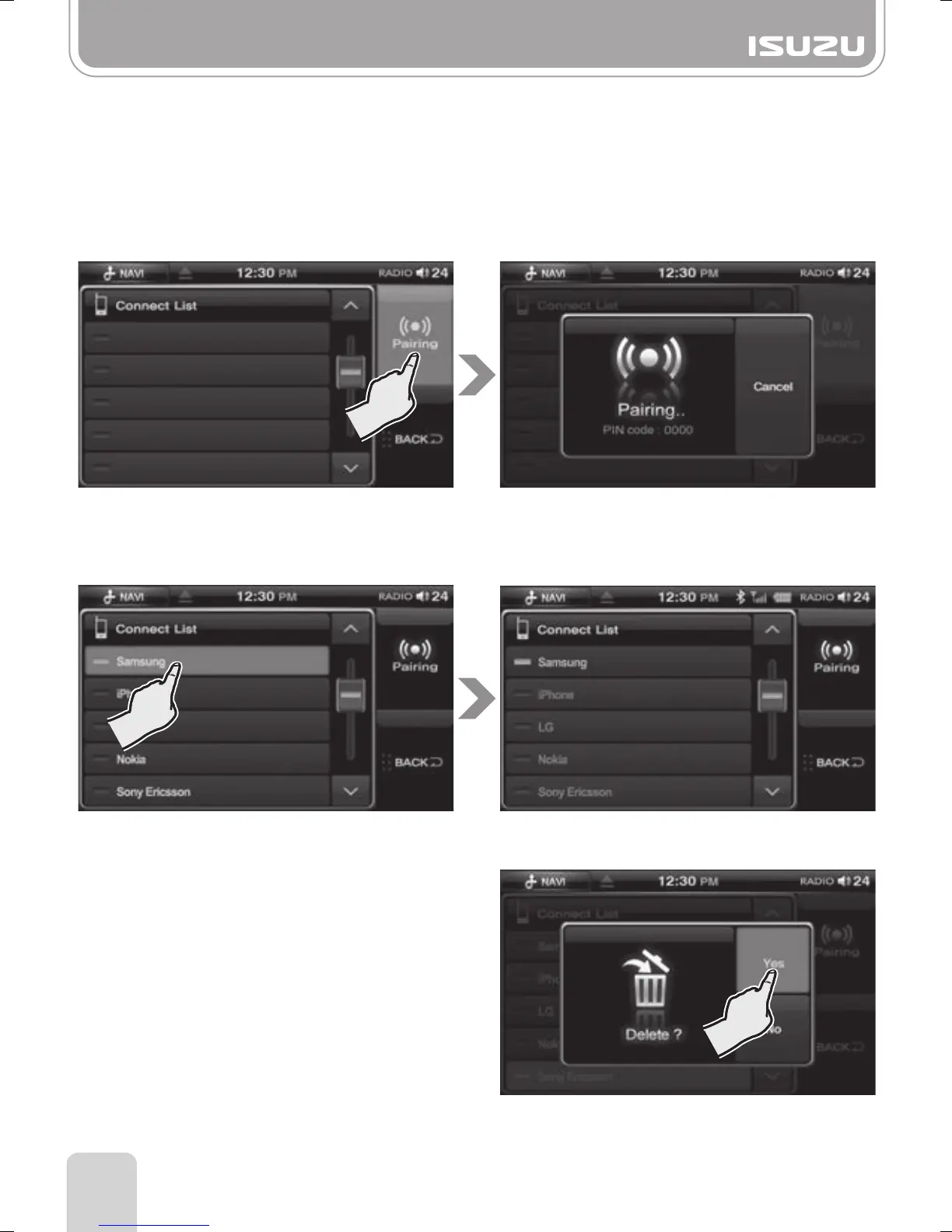
If a number of mobile phones are linked you can select a device you prefer in the connect list.
●Disconnect
►
Select a device to disconnect.
●Delete
►
Press and hold a device to delete.
►
A prompt will pop-up asking “Delete?”
press the “Yes” to delete or “No” to cancel.
●Pairing
►
From the Connection menu screen, press the Pairing button.
►
Enter the Bluetooth menu in your mobile phone and begin searching for devices.
(Refer to the mobile phone manual of each manufacturer to check the Bluetooth function)
►
When the search finishes on your mobile phone, you should see “ISUZU” as an available
device to connect.
►
Select “ISUZU” then your mobile phone will ask for a pin code.
►
Enter the pin code displayed on the unit.



 To Next Page