53
Part 11.M-Box-Recorded Audio
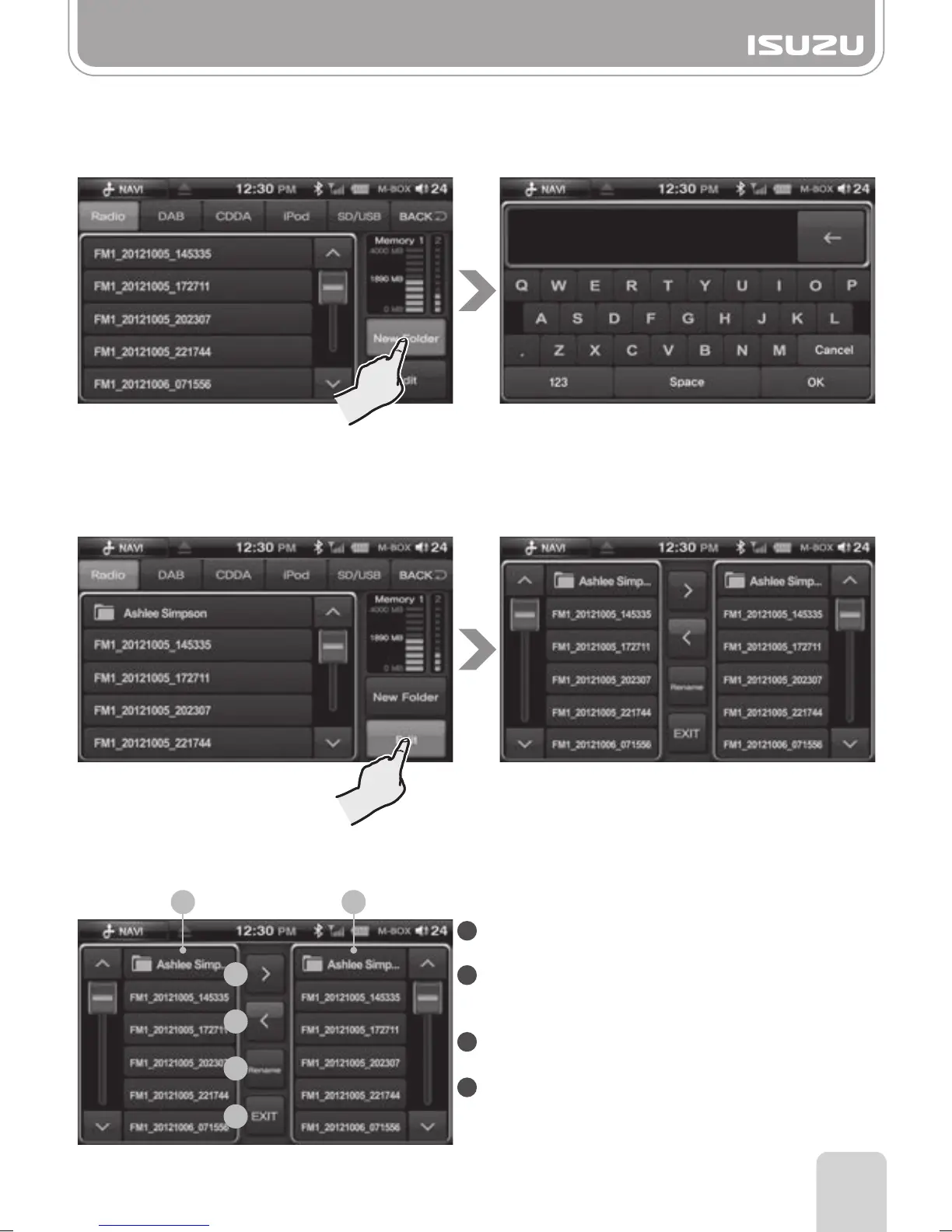
●Create a new folder in M-BOX mode LIST
A. Press the New Folder button in M-BOX List screen.
B. Name the folder using the keypad.
C. Press the OK button.
●Edit mode of M-BOX mode List
A. Press the Edit button in M-BOX List.
B. The edit mode screen is displayed.
1
2
2
3
4
1
■
The Basic Components of the Edit Mode
1
2
3
4
File List Display: Displays a file list inside the
selected tab.
File move Button: Moves the selected file to a
created folder or back to root
directory.
Rename button: Changes the name of a selected
file.
Exit Button: Exits from the Edit mode.



 To Next Page