54
Part 11.M-Box-Recorded Audio
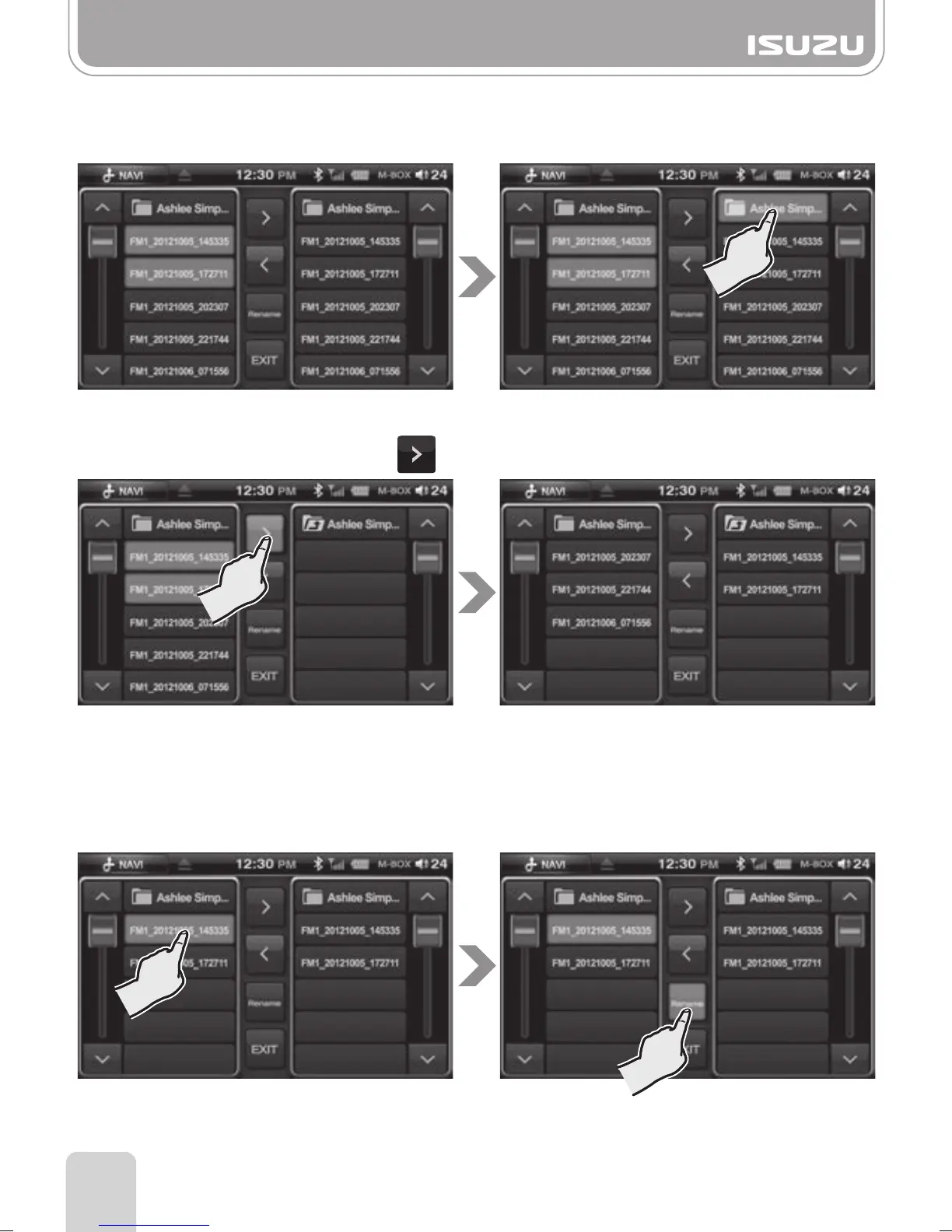
●Move a file to a folder via M-BOX Edit mode
A. Select one or more files on the left .
B. Select a folder on the right.
C. Transfer a file by pressing the button.
D. To move a file back to the root directory use the same procedure right to left.
●Change a filename via M-BOX Edit mode
A. Select a filename.
B. Press the Rename button.



 To Next Page