17
Part 2.Bluetooth Functions
■
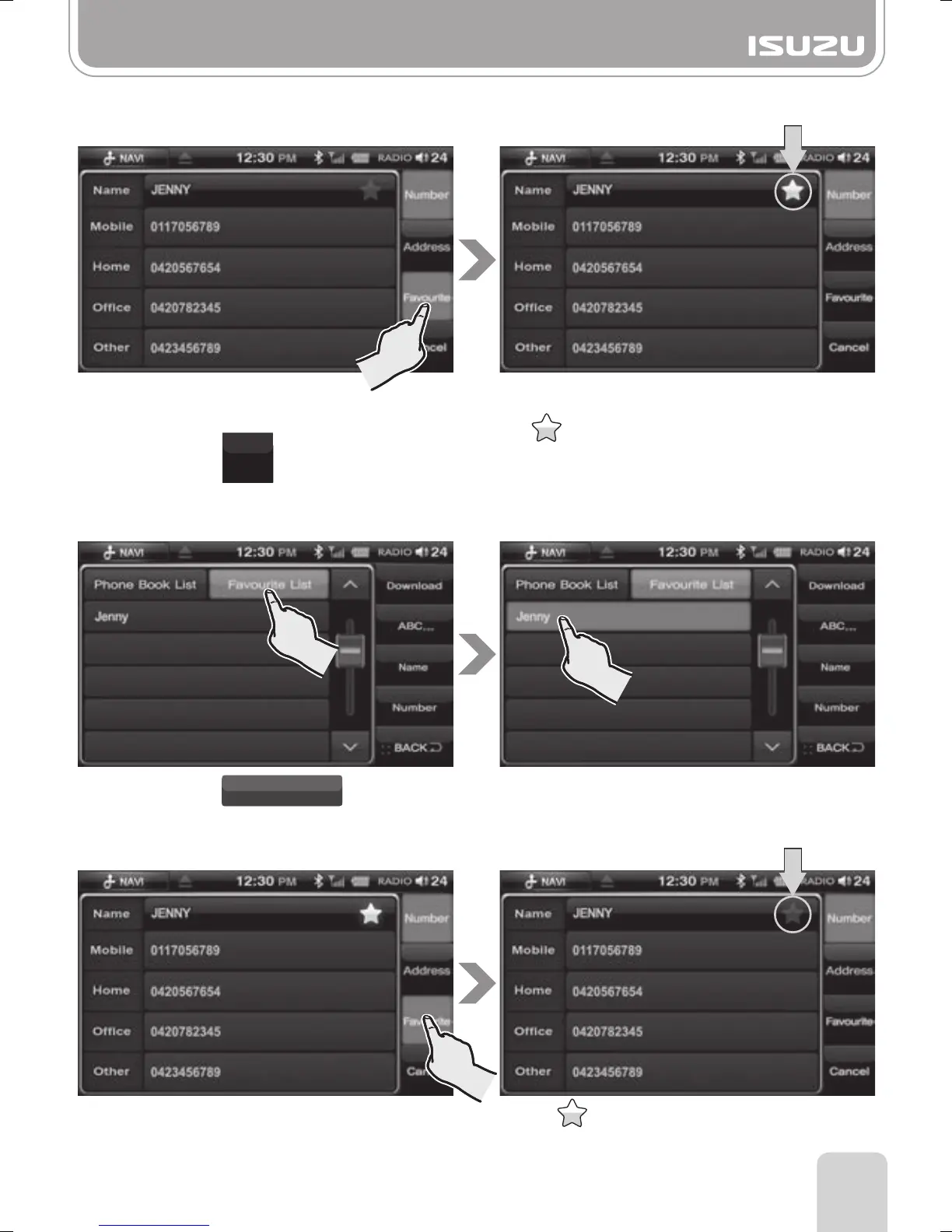
To find the saved phone number
To save the preferred phone number.
B. Press the button.
A. Select a phone number in the phonebook
list.
C. The phone number will be saved and the
icon is shown next to the saved
contacts name.
B. Select the saved phone number.
■
To delete the saved phone number
A. Press the button.
Favourite List
●Favourite
Favourite
A. Press the name you wish to delete from
the Favourite list for a few seconds.
B. The that is next to the selected person's
name will be deactivated and deleted from
the Favourite list.



 To Next Page