63
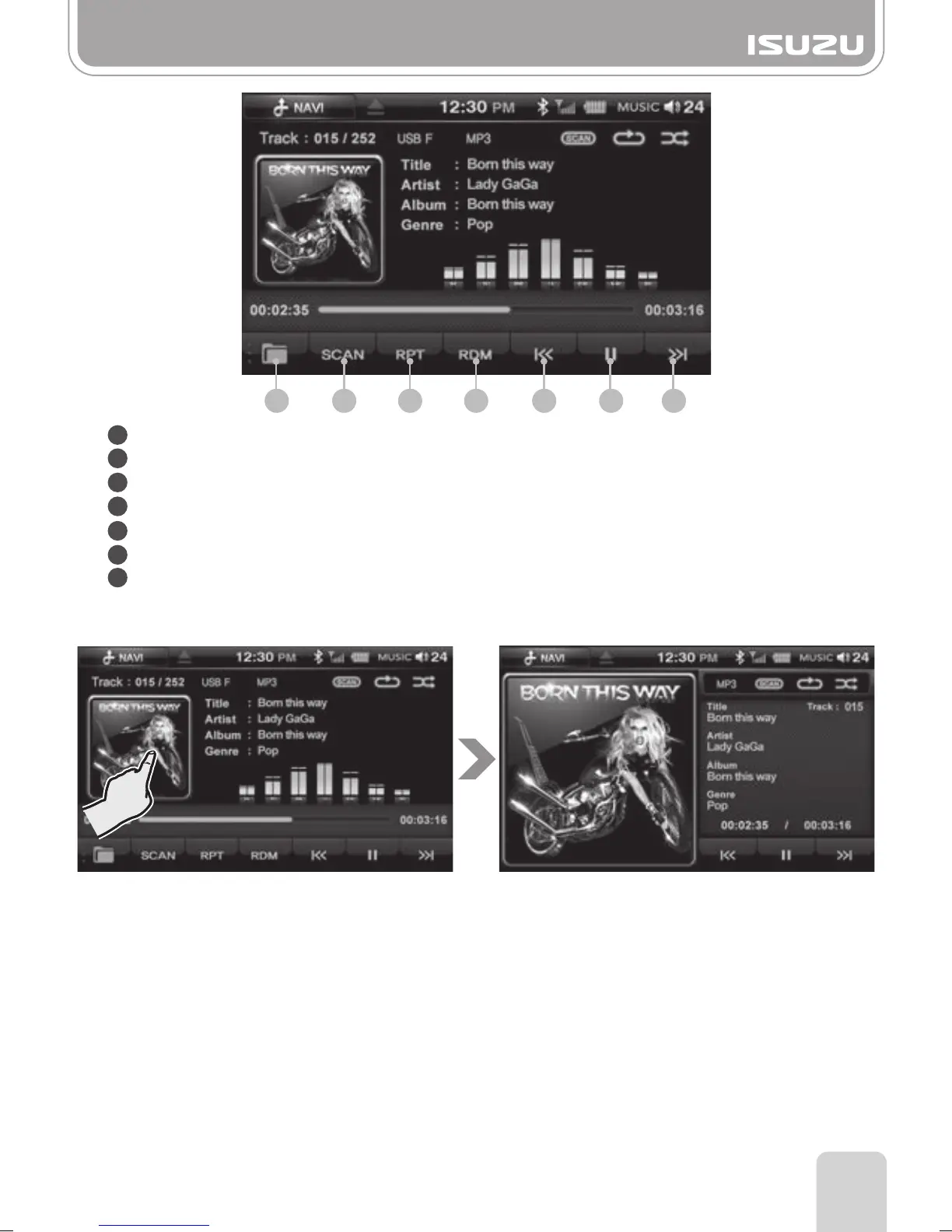
If album art is displayed, press the album image to display in full screen mode.
1 2 3 4 5 6 7
Part 14.Music Mode via USB/SD
1
2
3
4
5
6
7
Folder Button: Return to the media folder list.
SCAN Button: Plays the first 10 seconds of the track and then moves onto the next one.
RPT Button: Turns the Repeat function on or off.
RDM Button: Turns the Random function on or off.
Previous Button: Skips to the previous file.
Play/Pause Button: Play or pauses the file.
Next Button: Skips to the next file.
■
Music mode full screen mode



 To Next Page