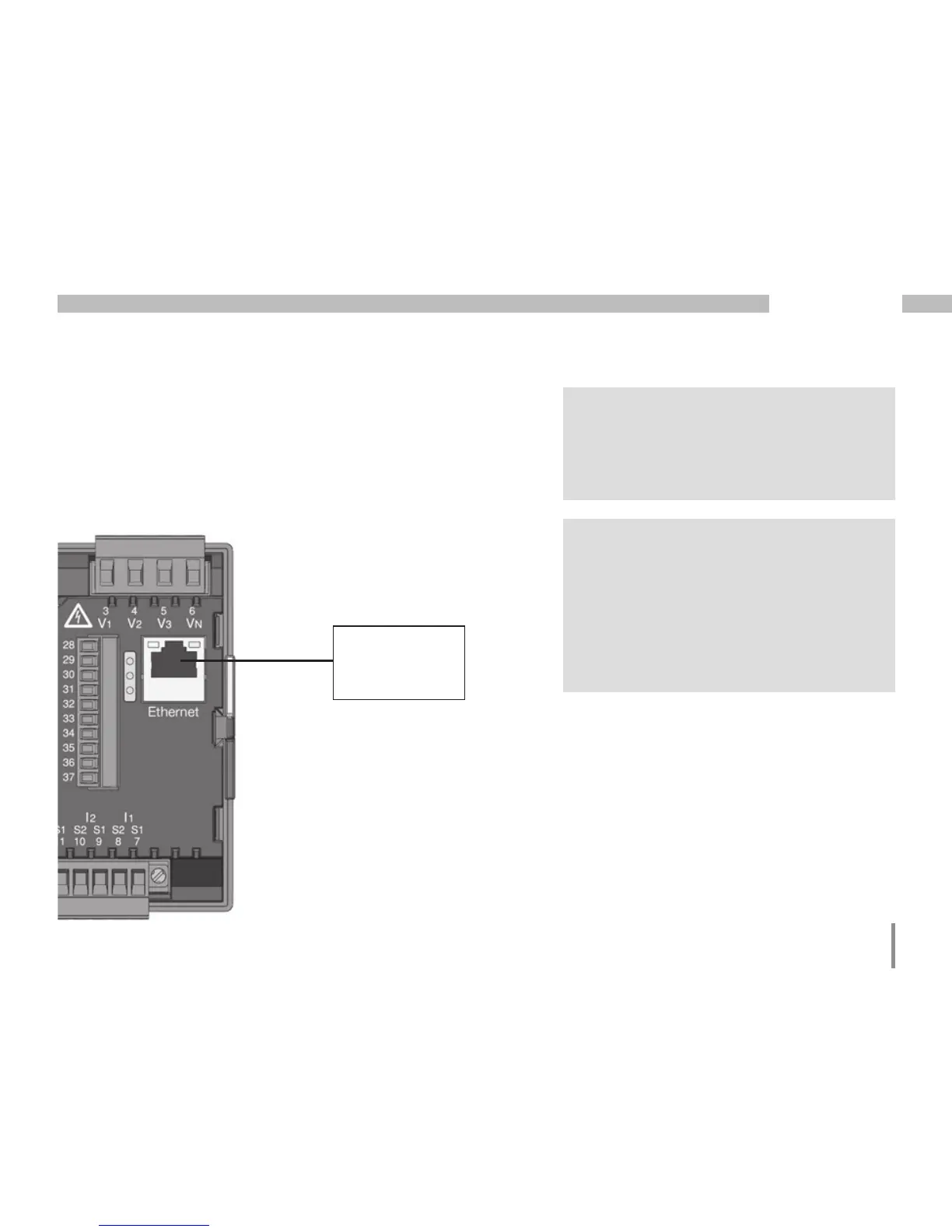
Ethernet interface
The Ethernet network settings should be specified
by the network administrator and set on UMG 96RM-E
accordingly.
If the network settings are not known, the UMG 96RM-
E may not be integrated into the network through
the patch cable.
m
Caution!
Connection of the UMG96RM-E to the
Ethernet may only be carried out after
discussion with the network administrator!
PC / Switch
Ethernet
Connection
m
Caution!
The UMG 96RM-E is factory-programmed
for the dynamic allocation of the IP settings
(DHCP mode).
Settings can be changed as described
in TCP/IP Configuration or, for example,
via an appropriate Ethernet connection
by means of GridVis software.







 To Next Page