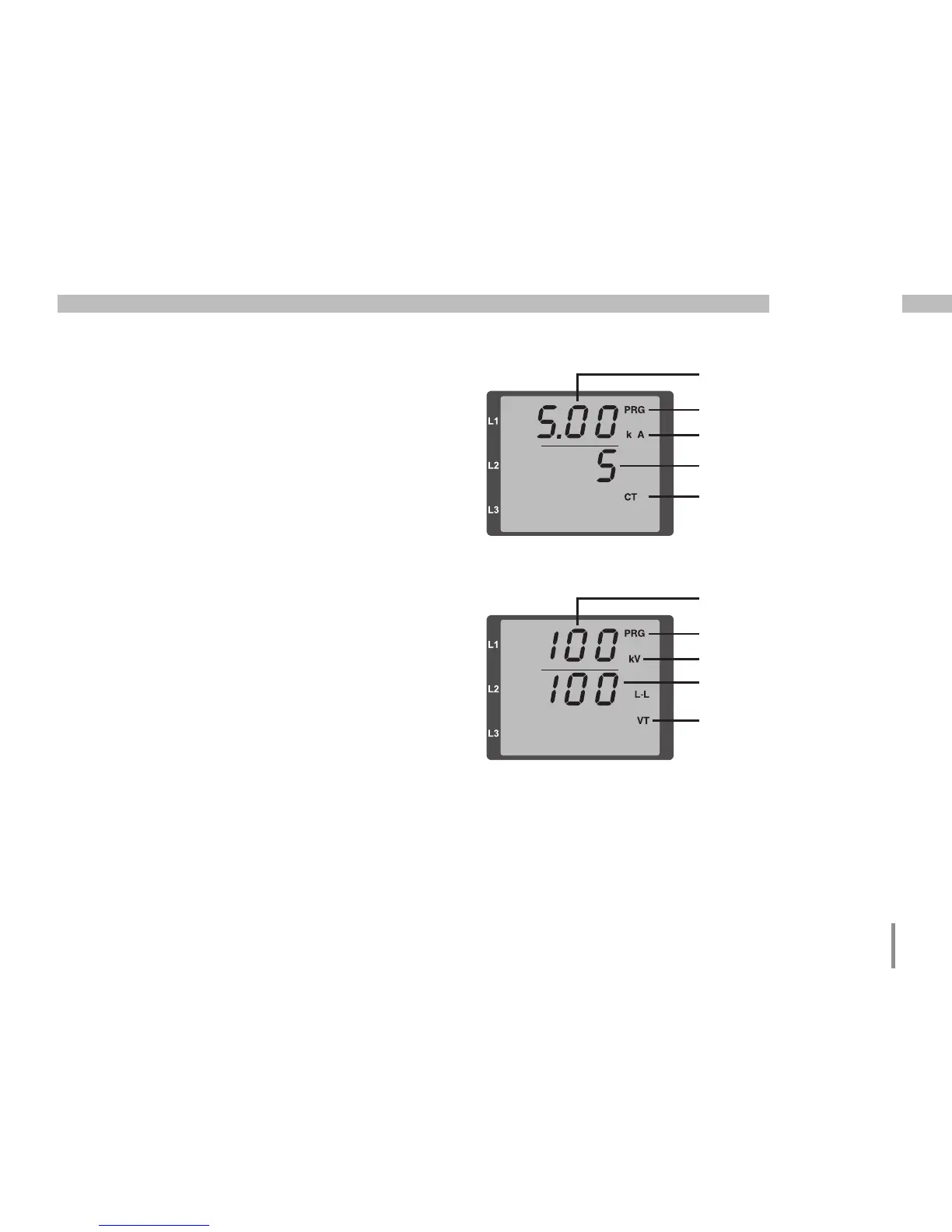
Current transformer
symbol
Display of units
Current transformer, primary
Programming mode
Current transformer,
secondary
Display of units
Voltage transformer, primary
Programming mode
Voltage transformer,
secondary
Voltage transformer symbol
Programming the voltage transformer
• Select in the programming mode as described.
The symbols for the programming mode PRG
and the current transformer mode CT appear
on the display.
• Press button 2 to go to the voltage transformer
settings.
• Press button 1 to confirm the selection.
• The first digit of the input field for the primary voltage
is flashing. The voltage transformer ratio can be set
from primary to secondary voltage in a way similar
to the allocation of the current transformer ratio.







 To Next Page