19
VM9424
TUNER OPERATION
Accessing Radio Tuner Mode
To access the “Radio” screen, press the SRC button (10) on the front panel or
touch the top left corner of the screen to access the Source menu, and then
touch the “RADIO” icon. You can also press the SRC button (8) on the remote
control until “RADIO” appears at the top of the screen. The on-screen
indicators and touch key areas for radio mode are outlined below.
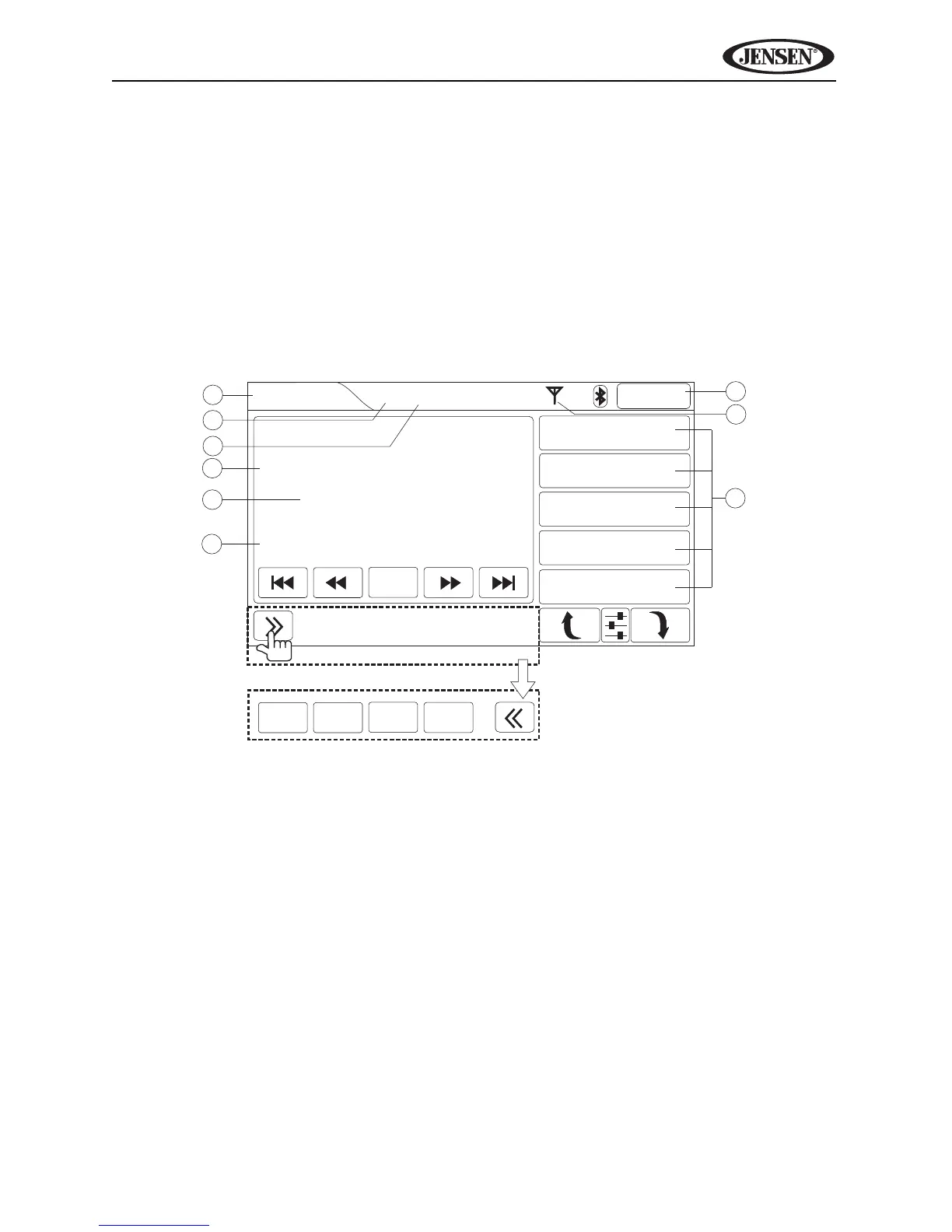
Tuner TFT Display
Indicators/Controls
1. (a) Current source
(b) Touch to view SOURCE MENU and select a new source
2. Mono/stereo indicator
3. Local/distant indicator
4. Preset channel number
5. Band and station identification
6. RDS information (if available)
7. Clock
8. Stereo signal strength indicator
9. Preset channels (touch to listen)
5
6
4
7
8
9
1
2
3
Radio
2:04AM
P-01
FM1 87.5MHz
Info:
1 87.50MHz
2 90.10MHz
3 98.10MHz
4 106.10MHz
5 107.90MHz
Press for more options.
Scan
Band AS/PS
ST DX
PTY Loc/DX



 To Next Page