40
VM9424
Using the iPod Menu
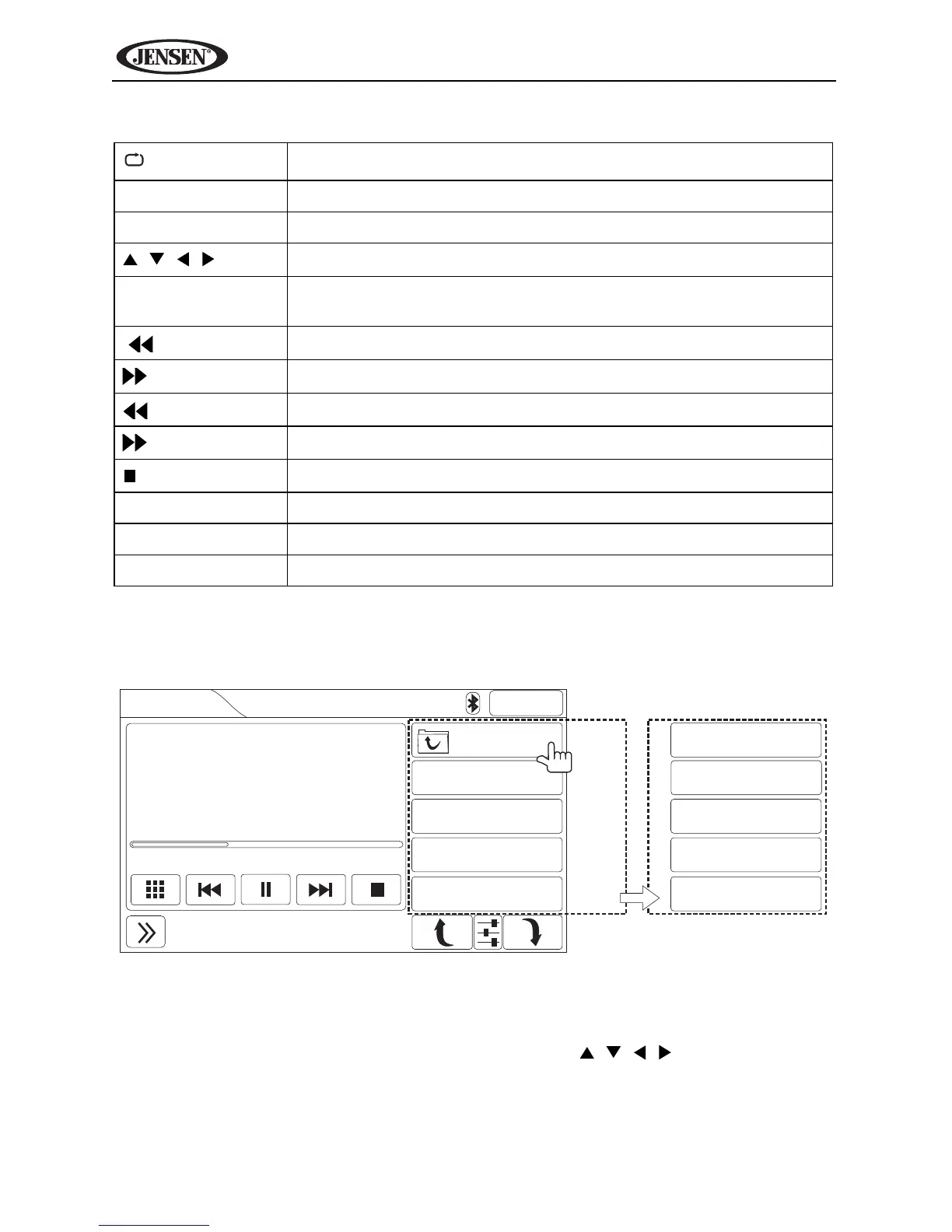
During music playback, the following screen is displayed:
Touch the top right button (indicated above) or press the ESC button (18) on
the remote control to access the iPod main menu.
Use the on-screen buttons or the directional keys ( , , , ) on the remote
control to navigate the iPod menu. If using the remote, press OK to select the
highlighted option.
Table 8: iPod Remote Control Functions
Press once to repeat song, twice to repeat album
SUB-T Select video menu
ANGLE Select music menu
, ,
Navigate iPod menu
OK Select highlighted option or resume playback when paused/
stopped
|
Previous file
|
Next file
Rewind
Fast forward
/ BAND
Stop (press OK to resume playback)
ESC Access iPod main menu
ROOT Return to root folder
1-9, 0 (Keypad) Direct enter file number for playback
iPod
2:04AM
27/35
World in My Eyes
Depeche Mode
Violator
00:55 04:43
Depeche Mode
25. Jezebel
26. Corrupt
27. World in My Ey...
28. Sweetest Perfe...
MENU
1. Playlists
2. Artists
3. Albums
4. Songs
Press
to view
iPod
menu.



 To Next Page