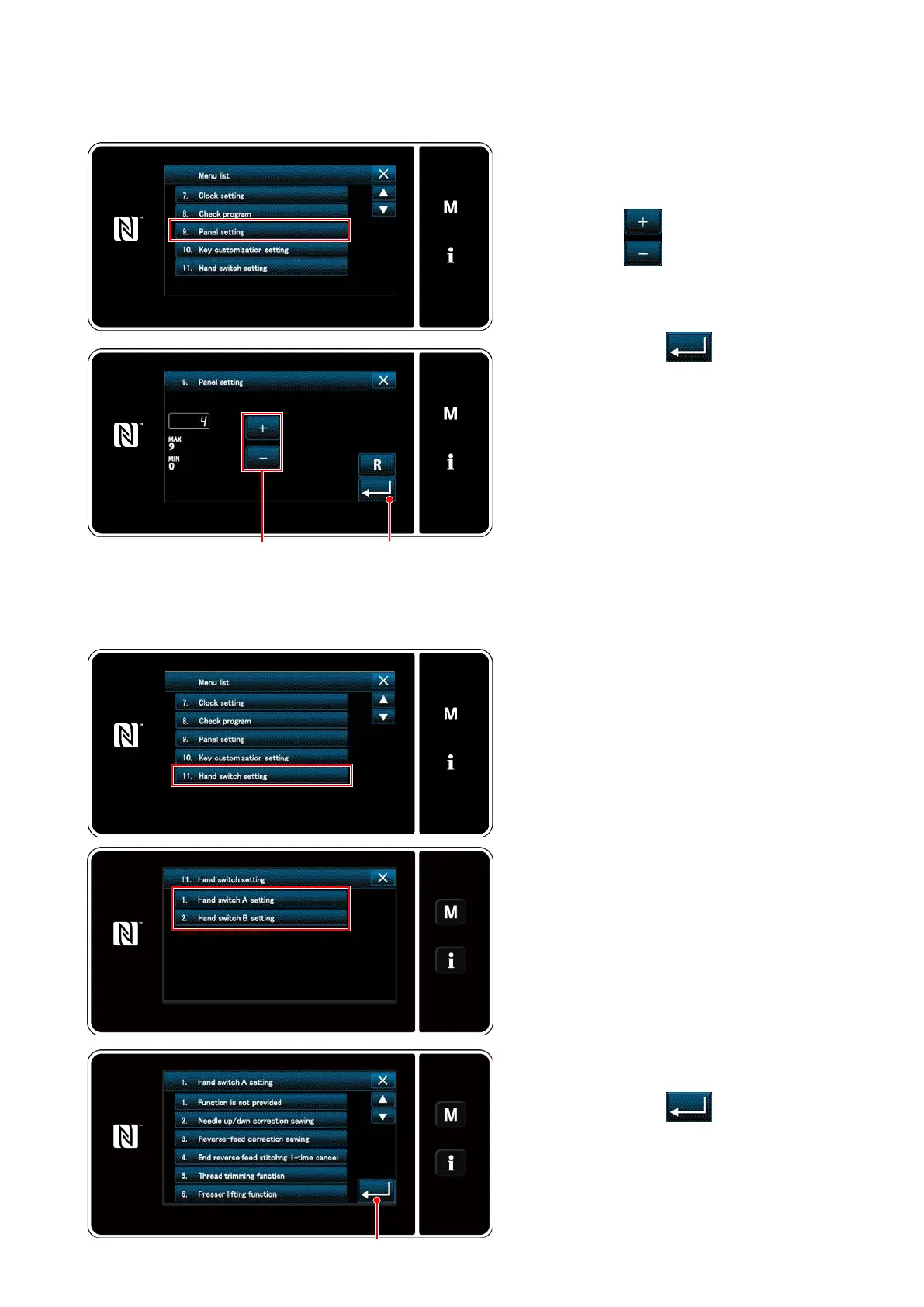
(8) Brightness adjustment of a panel
It is possible to change the brightness of display of a liquid crystal panel.
(9) Hand switch setting
It is possible to assign an operation to touch-back switch.
1. "09 Press the panel settings" key on the
mode screen to display the panel set-
tings screen.
2. Press the ❷ to adjust the bright-
ness of the panel.
3. By pressing the ❸, the settings
are xed and the current screen returns
to the mode screen.
1. "11. Hand switch setting" key on the
mode screen to display the hand switch
setting screen.
2. Select the "1. Hand switch A setting" or
"2. Hand switch B setting" to display the
hand switch A setting screen or hand
switch B setting screen.
3. Select the function item which is to be
assigned to the switch.
4. By pressing the ❸, the settings
are xed and the displaying the previous
page.
❷ ❸
❸
– 97 –



 To Next Page
 Loading...







