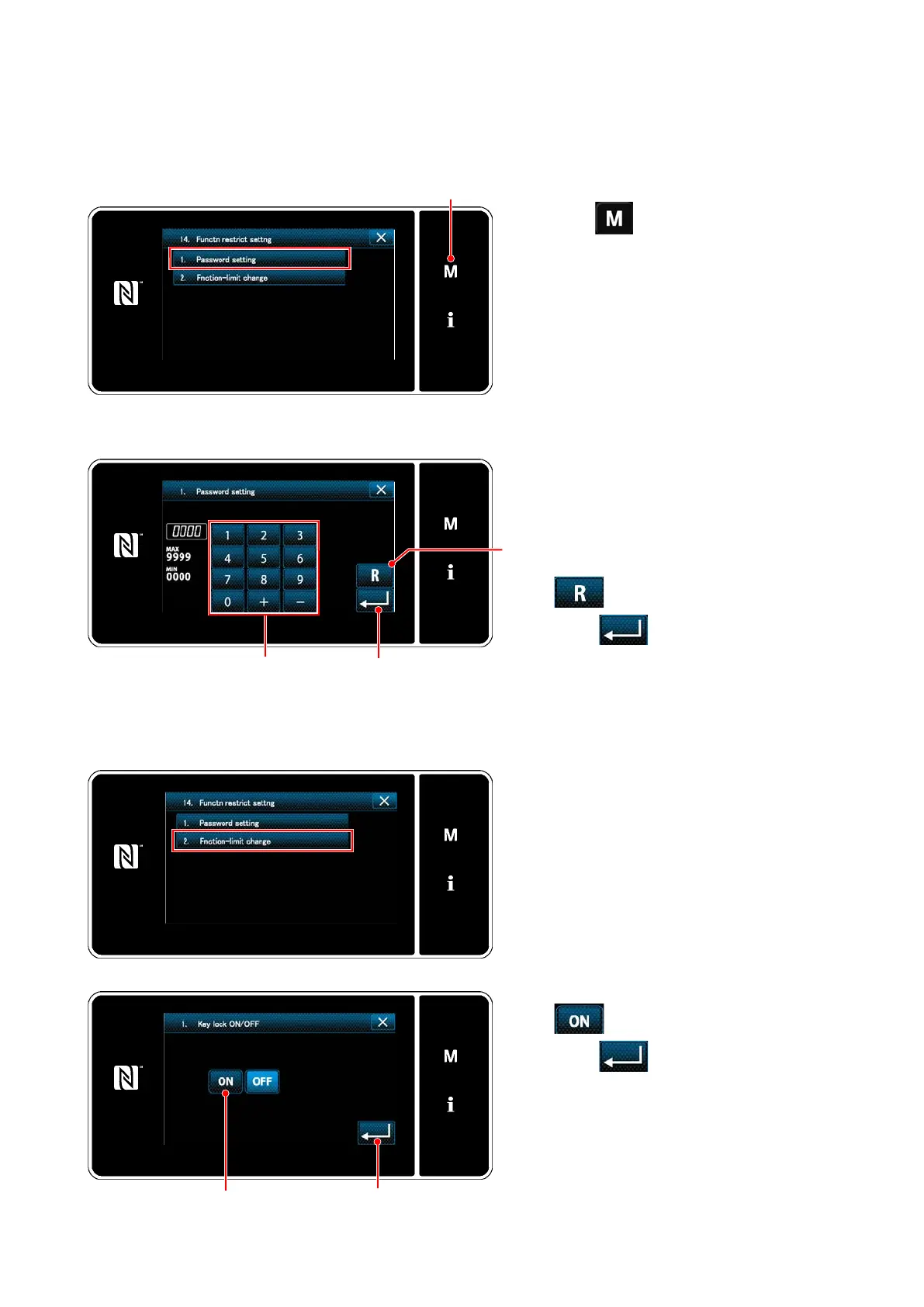
① Selecting the function restriction setting function
(11) Setting the key-lock and the password
Specic key operation can be prohibited to disable change in data by enabling the key-lock. Furthermore,
change in the status of the key-lock between enable/disable can be prohibited by setting a four-digit pass-
word.
1. Keep ❶ held pressed for six sec-
onds on the sewing screen to dis-play
the mode screen.
2. Press the "14. Function restrict setting
key" to display the Function restrict set-
ting screen.
3. Press the "01. Password setting key"
to display the Password setting screen.
(Initially, four gures "0000" is dis-
played.)
❶
② Setting up a password
1. Input the number you desire with ten
keys.
(The top and bottom of the numbers in
the selection will be displayed "+/-")
2. Figure can be deleted by pressing
❸.
3. Press ❹ to conrm the four gure
as a password and return the current
screen to the function restriction setting
management screen.
❹
❷
❸
③ Setting the key-lock
1. Press the "02 Function-limit change key"
to display the Function restrict setting
screen.
2. Press the "01. Key lock ON / OFF" to
display the key-lock item setting screen.
3. Then, set enable/disable of the key-lock
on the selected function.
4. Set the key-lock to enable by pressing
❺on the key-lock setting screen.
5. Press ❻ to conrm the data and
return the current screen to the function
restriction setting management screen.
❻
❻
– 101 –



 To Next Page
 Loading...







