(4) Communication function
Data can be input/output by means of a USB thumb drive.
1) How to use the communication function (DDL-9000C-S)
Display
Communication direction
Data stored on the operation panel is written to the USB thumb drive.
Data stored on the USB thumb drive is written to the operation panel.
(If you have selected a program data, you can select only this direction.)
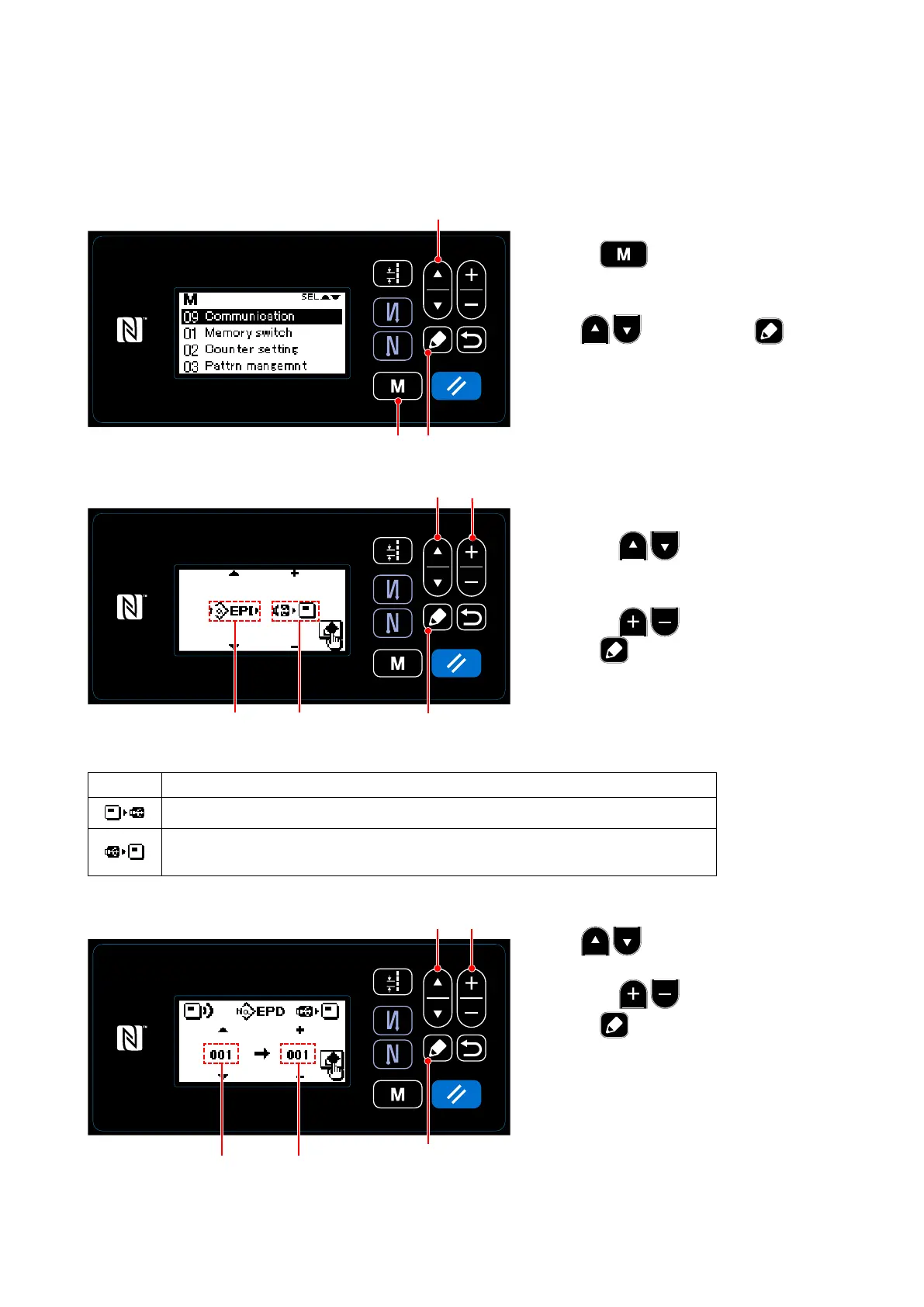
① Selecting the communication function
1. Press ❾on the sewing screen to
display the mode screen.
2. Select "09 Communication" by press-
ing ❶. Then, press ❺ to
display the communication data/direction
selection screen.
❺
② Selecting the communication data and communication direction
1. Select the communication data A by
pressing ❶. (Refer to "4.(4)-3
List of communication data formats".)
2. Select the communication data B by
pressing ❷.
3. Press ❺ Data stored on the USB
thumb drive is written to the operation
panel.
❶
❾
❶
❷
❺
A
B
③ Selecting the target data number
1. Select the source data No. C by press-
ing ❶.
2. Select the destination data number D by
pressing ❷.
3. Press ❺to display the during-com-
munication screen and write the data.
After the completion of writing, the cur-
rent screen returns to the communica-
tion data number selection screen.
* If the "POWER OFF" screen prompt is
displayed after the completion of writing,
turn the power OFF.
❶ ❷
❺
C
D
– 81 –



 To Next Page
 Loading...







