Data No. Item name Input range
S064
※1
Presser −350 to 200
S065
※1
Correction of feed dog
height
−4 to 8 ― −4 to 8
S066
※1
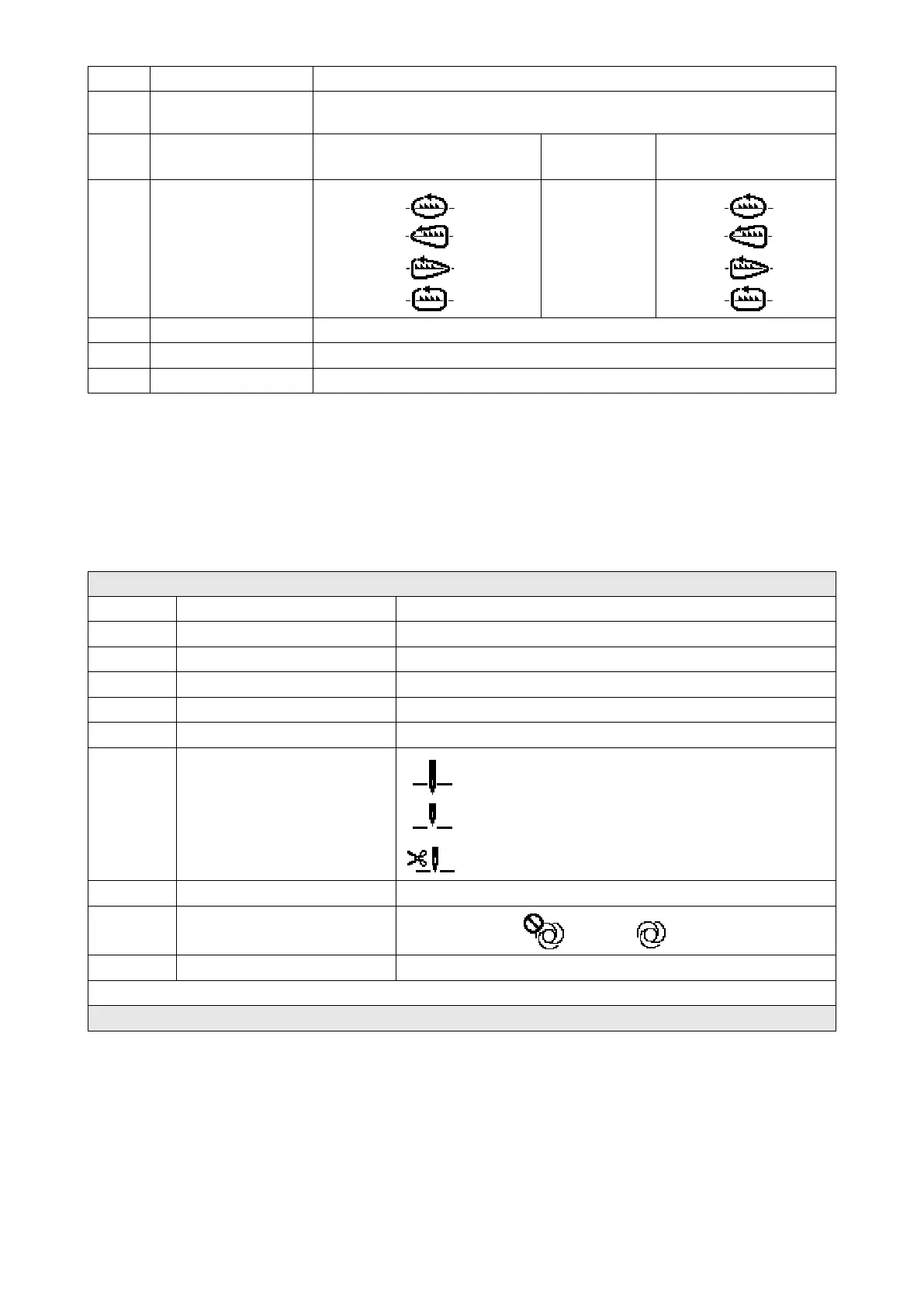
Feed locus
S /
A /
C /
B /
―
S /
A /
C /
B /
S068
Part number − 24 characters *2
S069
Process − 24 characters *2
S070
Comment 50 characters *2
*1 : This is the one-touch type changeover function. Refer to "4-2-7. One-touch type changeover button" in
Instruction manual.
*2 : Only the limited number of characters is displayed.
2) Setting items for the polygonal-shape stitching steps
Step 1
Data No. Item name Input range
S071 Number of stitches 1 to 2000
S072 Pitch -5.00 to 5.00 / Custom pitch No.1 to 20
S073 Thread tension
S074
S075 Correction of feed dog height −4 to 8
S076 Stop position of needle bar
: Stop with the needle down
: Stop with the needle up
: Thread trimming
S077 Stop position of presser foot 0 to 15.0 mm
S078 One-shot
: OFF / : ON
S079 Limit on sewing speed 150 to U096
↓
Step 2
* Setting items and numeric values are same with those of Step 1.
* Step numbers can be set to Step 20.
(Caution) After you have changed the setting, check to make sure that the feed dog does not come in
contact with the throat plate.
Be aware that the stitch pitch may change if you have changed the feed locus or the feed
dog height. It is, therefore, necessary to carry out trial stitching rst before using the ma-
chine for production.
– 104 –



 To Next Page
 Loading...







