(10) How to remove a panel
WARNING :
Be sure to turn the power OFF before the following work in order to prevent personal injury due to
unintentional starting of the sewing machine.
– 152 –
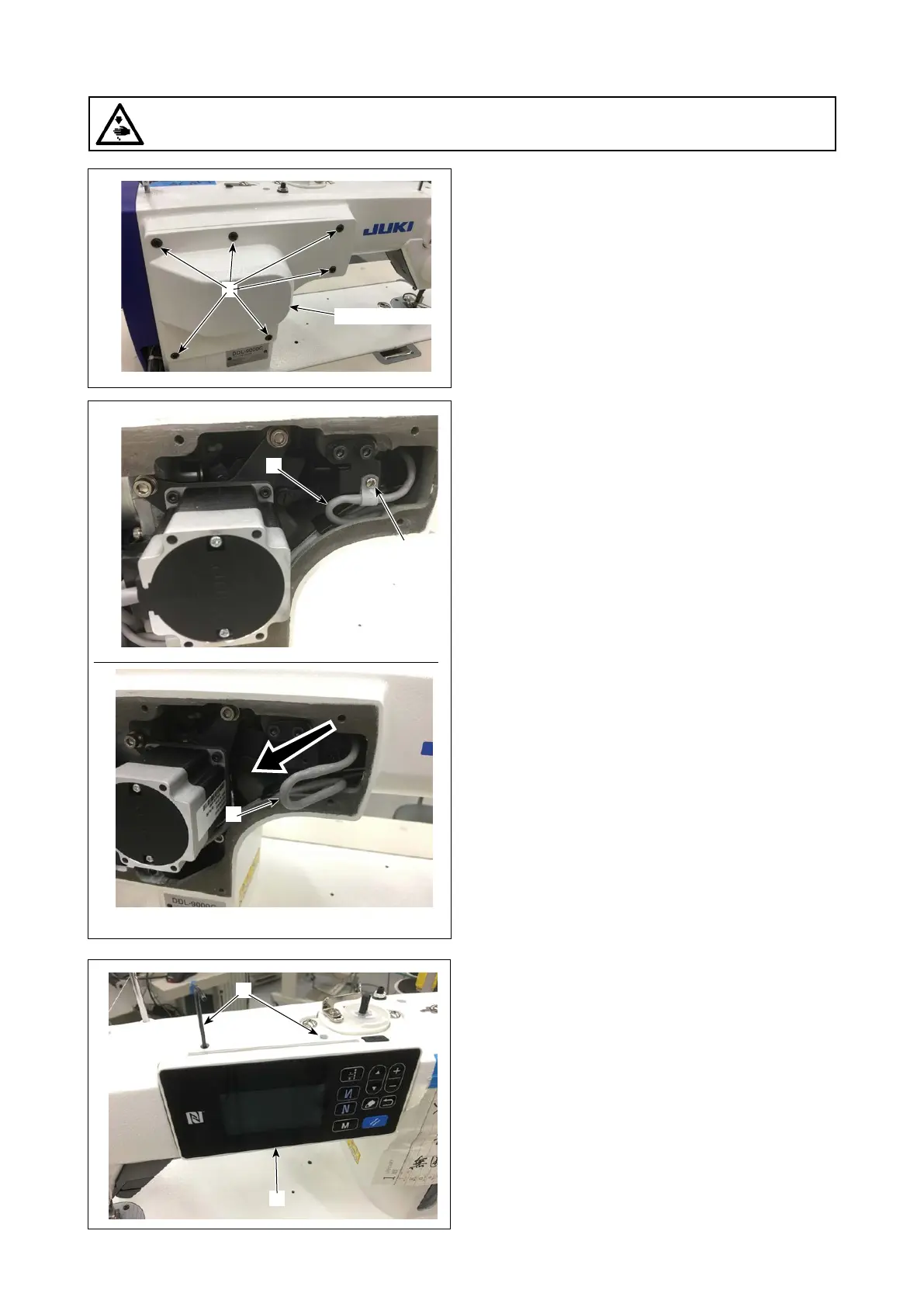
1. Remove the rear cover (six setscrews of the
cover).
2. Remove the cable clamp setscrew ❷ and re-
move the panel cable ❸ from inside the arm.
3. Loosen the panel setscrew ❹. (Two setscrews
for the upper arm and one setscrew for the lower
arm)
Rear cover
❷
❶
❸
❸
❹
❹



 To Next Page
 Loading...







