– 153 –
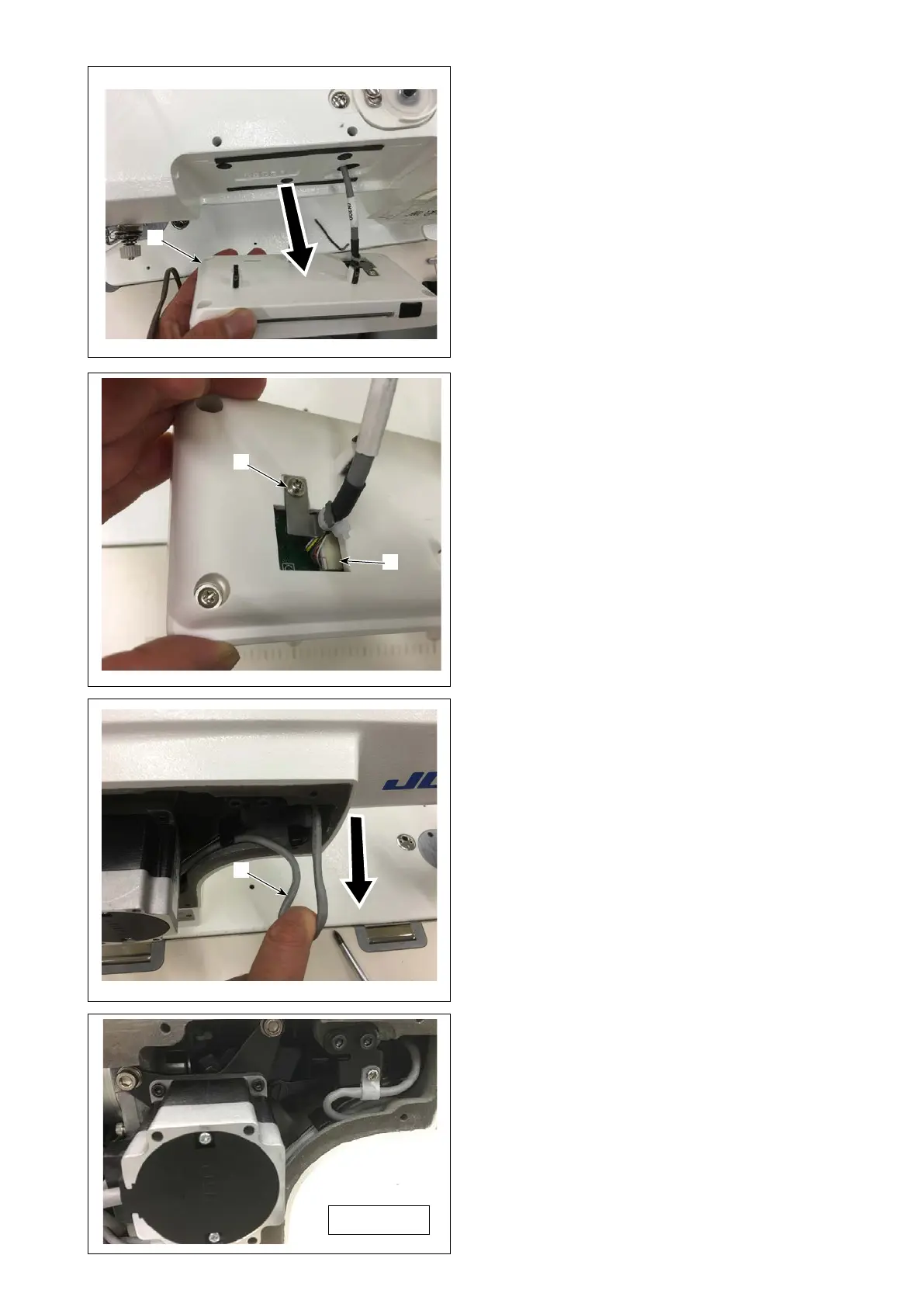
4. Pull out the panel❺ short.
❺
❻
❸
❼
5. Remove the panel cable clamp screw ❻, re-
move the cable connector ❼, and replace the
panel.
6. After replacement of the panel, reassemble it ac-
cording to the opposite procedure.
(Caution) Pull the panel cable ❸.If it is loose, it
may interfere with the upper shaft and
the like.
Completion



 To Next Page
 Loading...







