②
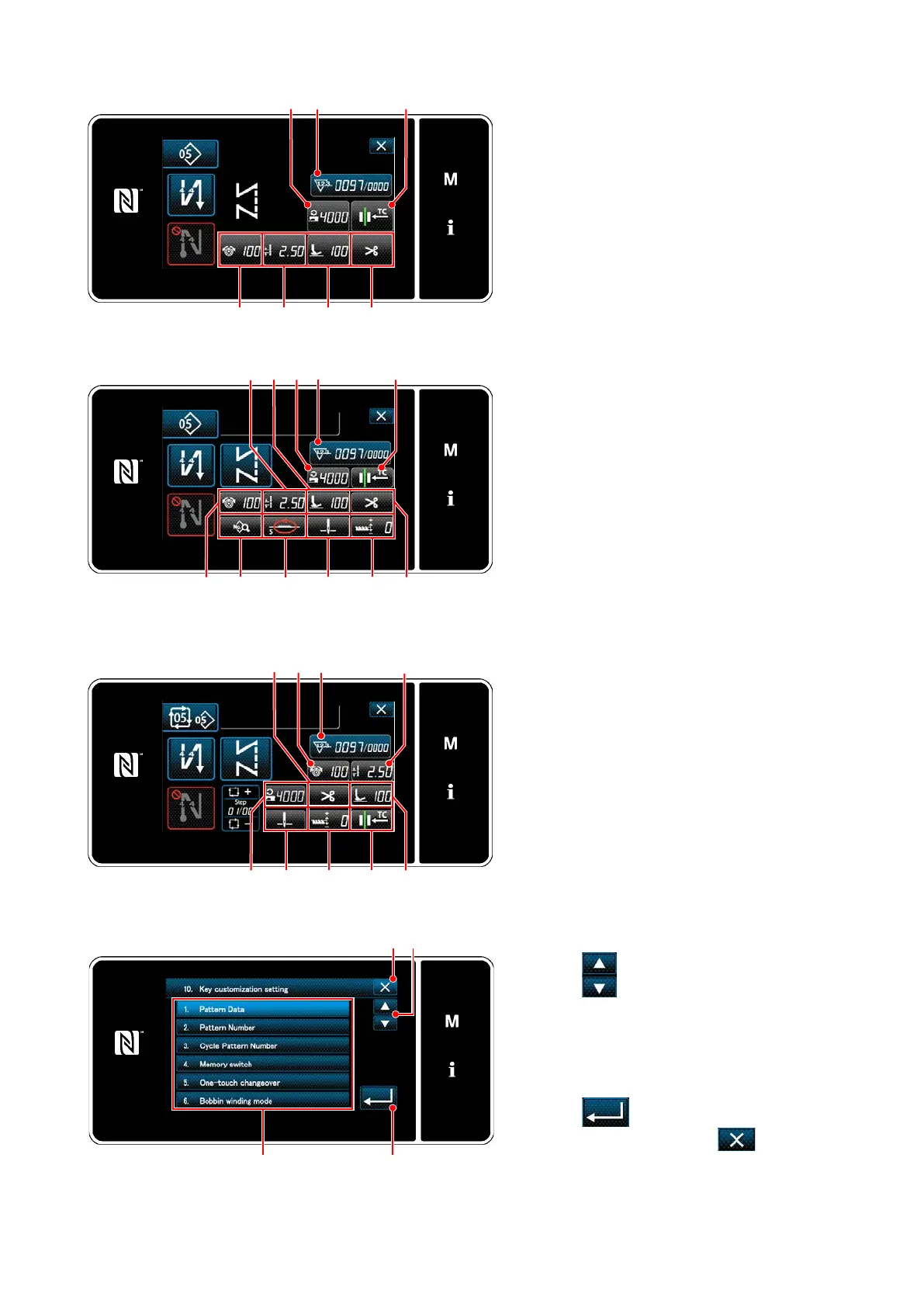
Selecting a function to be assigned
The key customization selection screen is dis-
played by pressing one of the ❷ to (❼ for
the operator mode, ❾ for the cycle mode)
<Key customization assignment screen(Operator mode)>
<Key customization assignment screen
(Maintenance personnel mode)>
1. Press and each function button
to assign the key to ❷ to (❼ for the
operator mode, ❾ for the cycle mode).
2. The counter button is respectively dis-
played by pressing ❶.
3. Press to conrm the setting.
Cancel the operation with . The cur-
rent screen returns to the previous screen.
<Key customization assignment screen(Cycle mode)>
❶
❷ ❸
❹
❺
❻ ❼
❶❷ ❸
❽
❾
❼❹
❻❺
❶❷
❸
❺
❼
❽ ❾
❻
❹
– 100 –



 To Next Page
 Loading...







