Chapter 1. Setting Up the RF ValProbe
14 RF ValProbe® User’s Manual
1.3.2 Connecting an External Sensor and Auxiliary Inputs
If any of your Loggers are designed for use with an external sensor, that sensor will have
been shipped in the same package as your Logger.
• To connect the sensor to the Logger, simply slide the connection end of the sensor into
the hole on the right side of the Logger.
• To disconnect the sensor from the Logger, pull back the connection sleeve (the
grooved part visible outside the connection) and you can pull out the sensor.
CAUTION!
When handling external sensors, avoid bending the sensor near
either the tip or connector ends. Repeated bending will damage the
sensor.
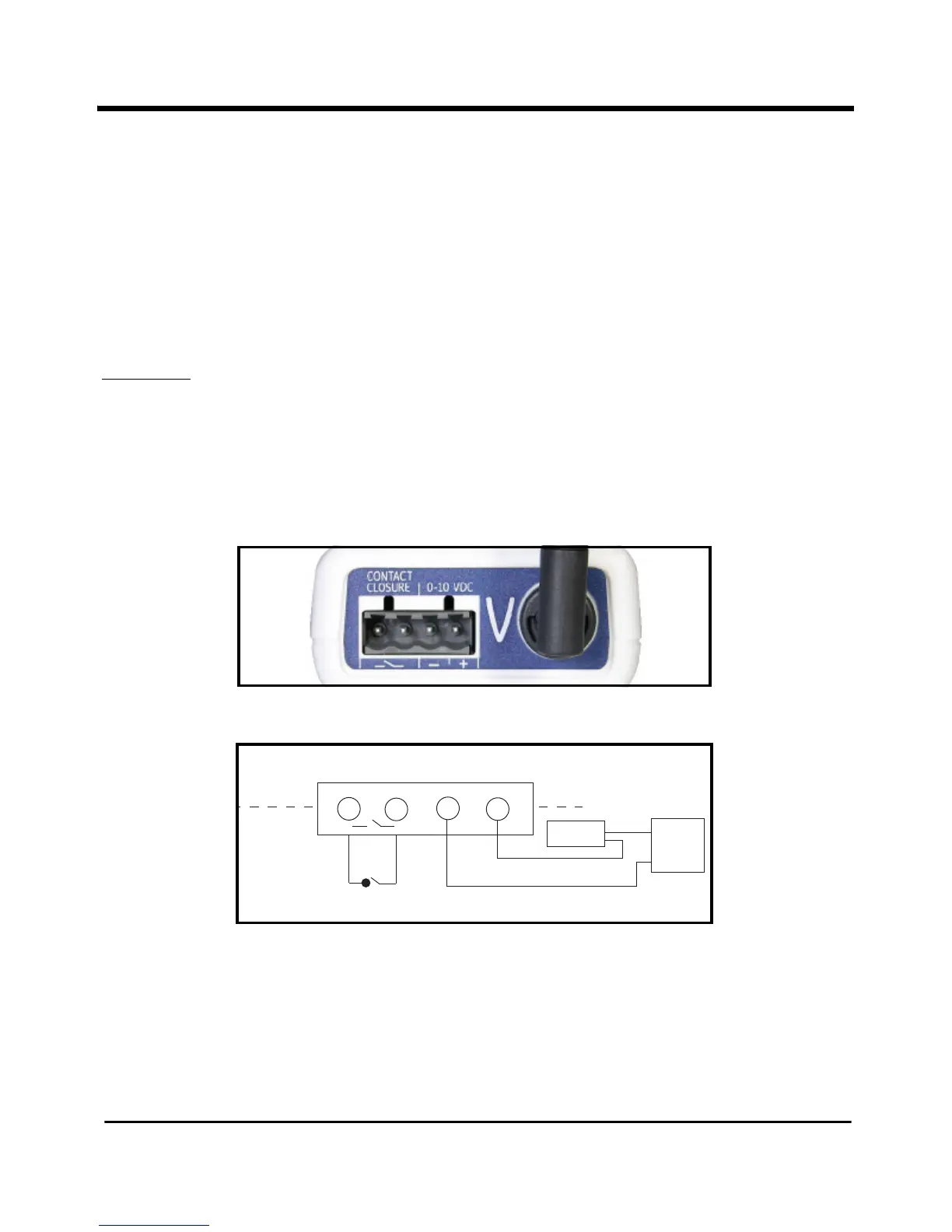
You connect auxiliary inputs (4-20 mA, 0-10V or contact closure) via the terminal at the
top of the Logger shown in Figure 6 below. Figure 7 below illustrates wiring connections
for the auxiliary inputs.
Figure 6: Auxiliary Input Terminal
Figure 7: Interface Connector Wiring Diagram



 To Next Page