Appendix B. Using the OPC Server and Client
70 RF ValProbe® User’s Manual
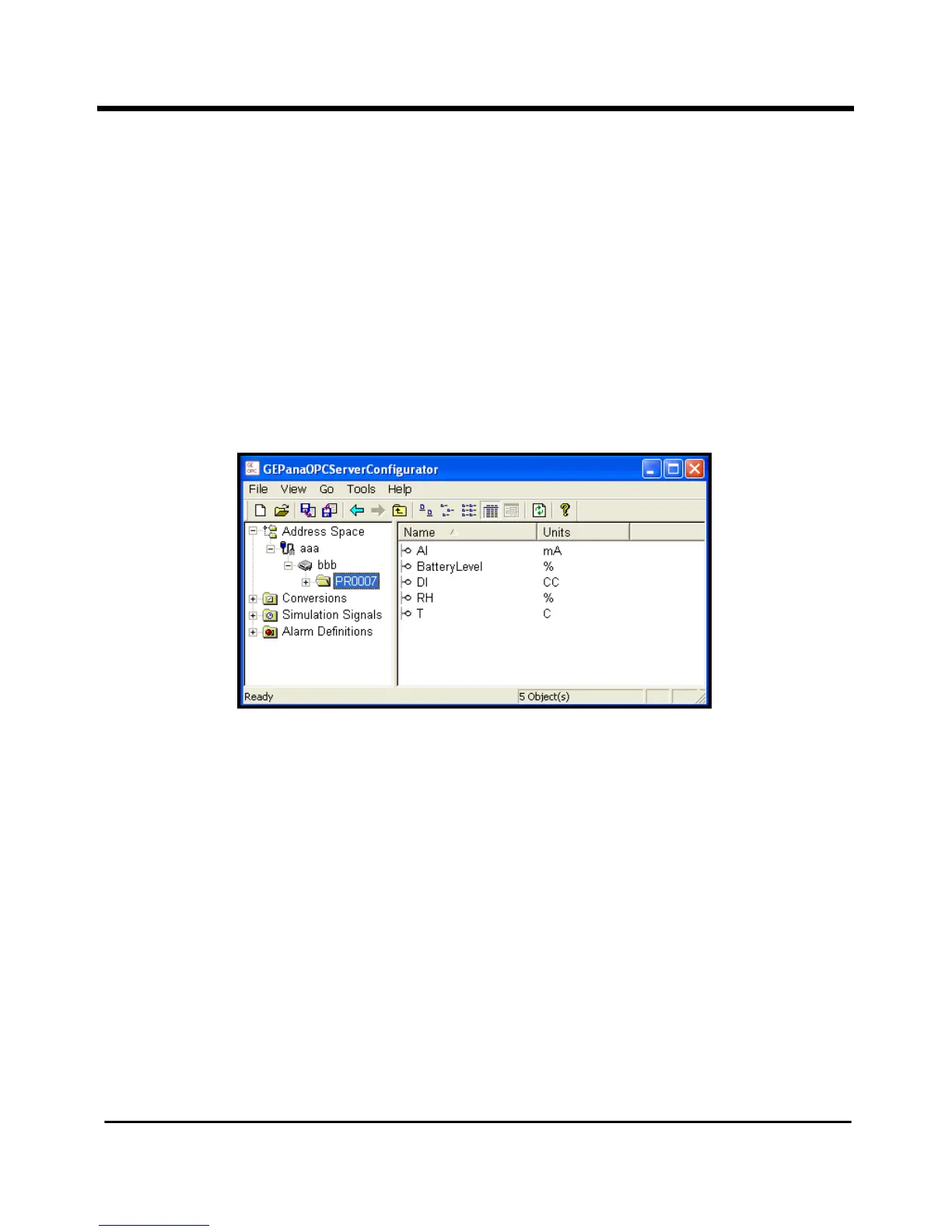
B.6 Viewing Measurement Units
Once you have added a device to the OPC server, the Server retrieves sensor or channel
information on units and attributes from the RF ValProbe firmware and stores it in the
configuration database. You can then easily check which types of units and attributes are
on any sensor.
To find which units or attributes are on a particular sensor:
1. Click on the specific sensor in the
Address Space root directory.
2. Click on the
Details button. The screen now appears similar to Figure 35 below.
Figure 35: Viewing Sensor Units in the Sensor Window



 To Next Page