Appendix B. Using the OPC Server and Client
62 RF ValProbe® User’s Manual
B.4 Setting up a Communication Channel
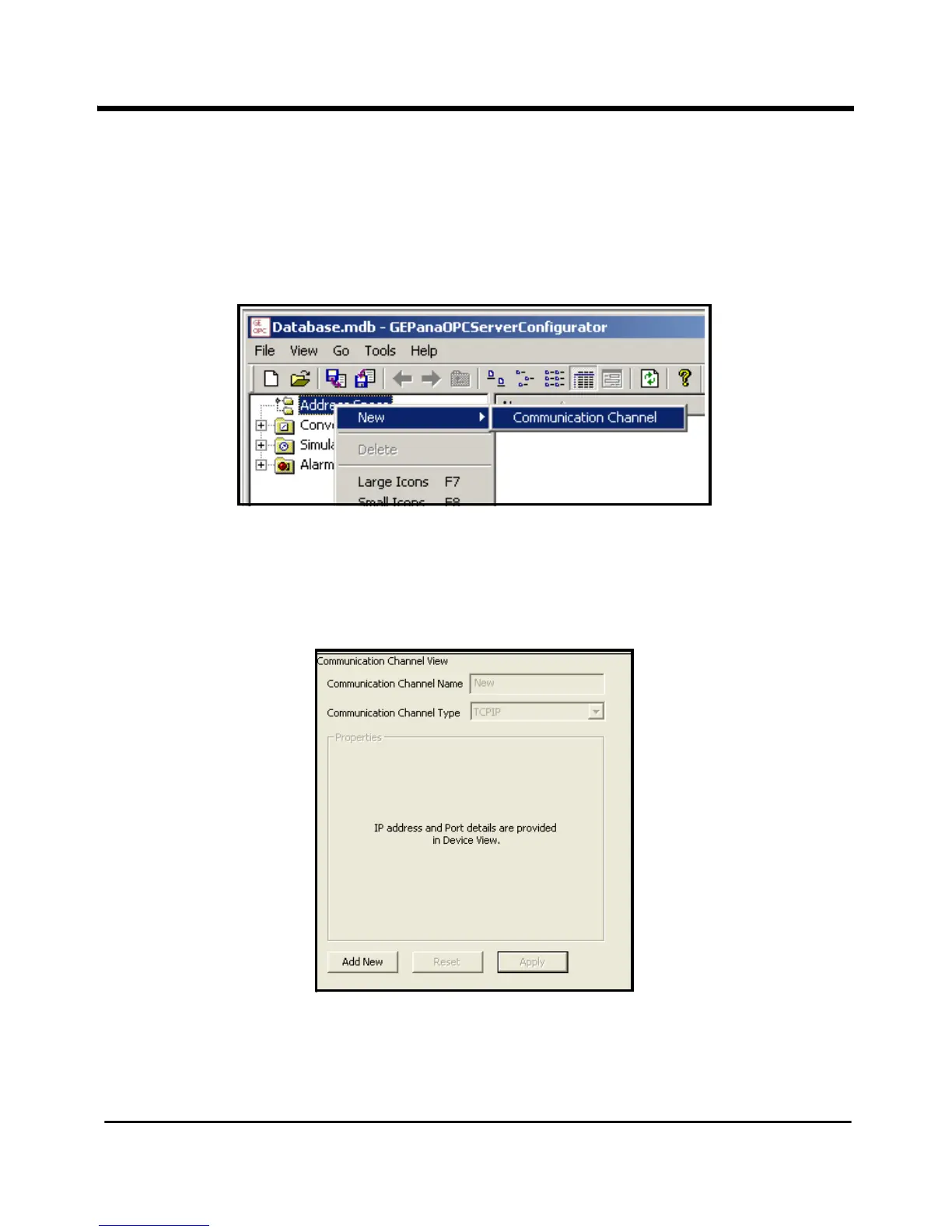
To set up your RF ValProbe on the network, you must first set up a communication
channel. Right-click on the
Address Space root, and select first New and then
Communication Channel as shown in Figure 29 below.
Figure 29: New Communication Channel Option
The right pane of the main window changes to the
Communication Channel view, shown
in Figure 30 below.
Figure 30: The Communication
Channel Window



 To Next Page