Appendix B. Using the OPC Server and Client
RF ValProbe® User’s Manual 61
B.3 Locating Base Stations on Network (cont.)
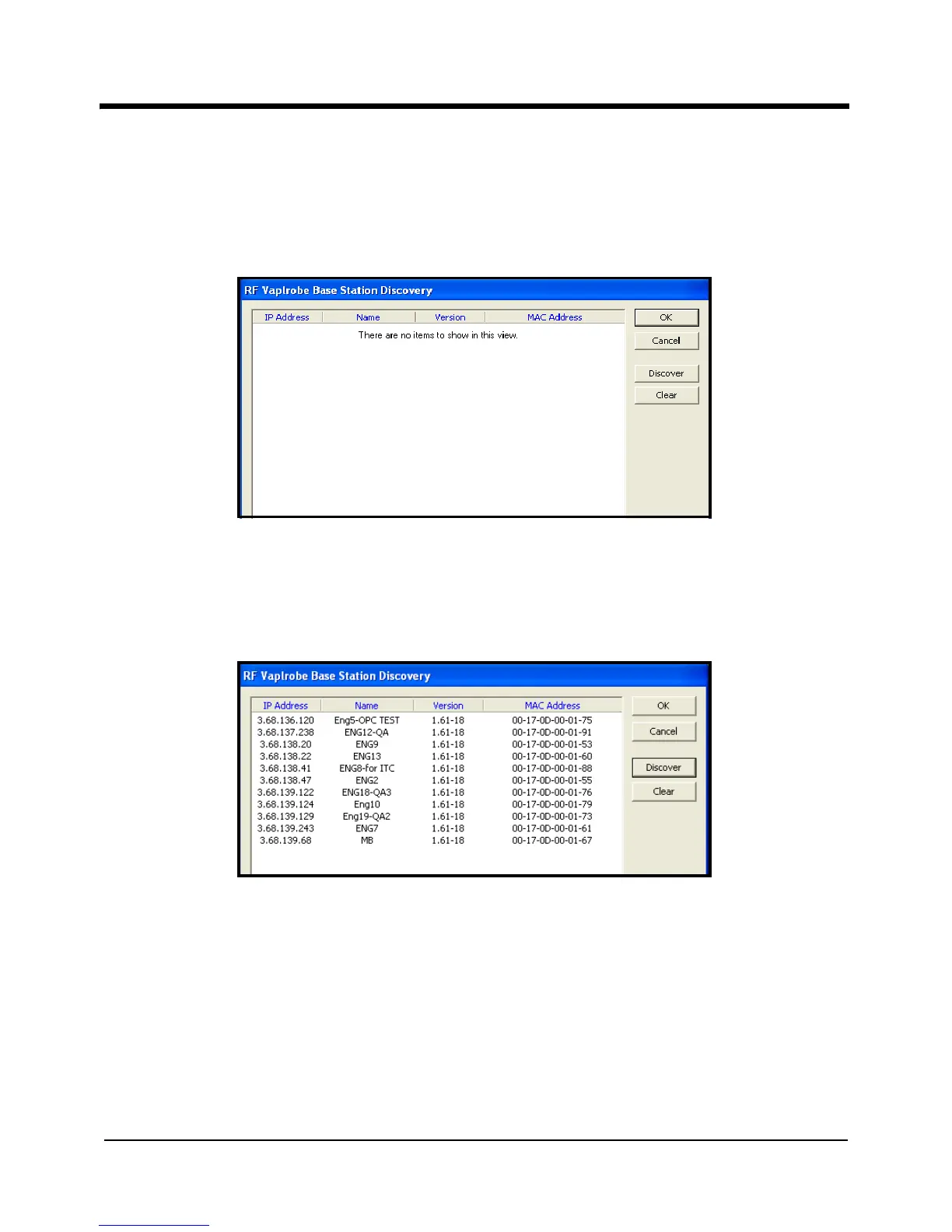
The Discovery window appears similar to Figure 27 below. To find the base stations on
the subnet, click the
Discover button.
Figure 27: The Discovery Window
If base stations are installed on the subnet, the window should now appear similar to
Figure 28 below.
Figure 28: Discovery Window Displaying Base Stations on Network
• Click on Clear to clear the screen
• Click on OK to save the database for future reference and close the screen, or
• Click on Cancel to close the window (without saving the database) and return to the
main OPC Server.



 To Next Page