Appendix B. Using the OPC Server and Client
66 RF ValProbe® User’s Manual
B.5.1 Viewing Sensor Data (cont.)
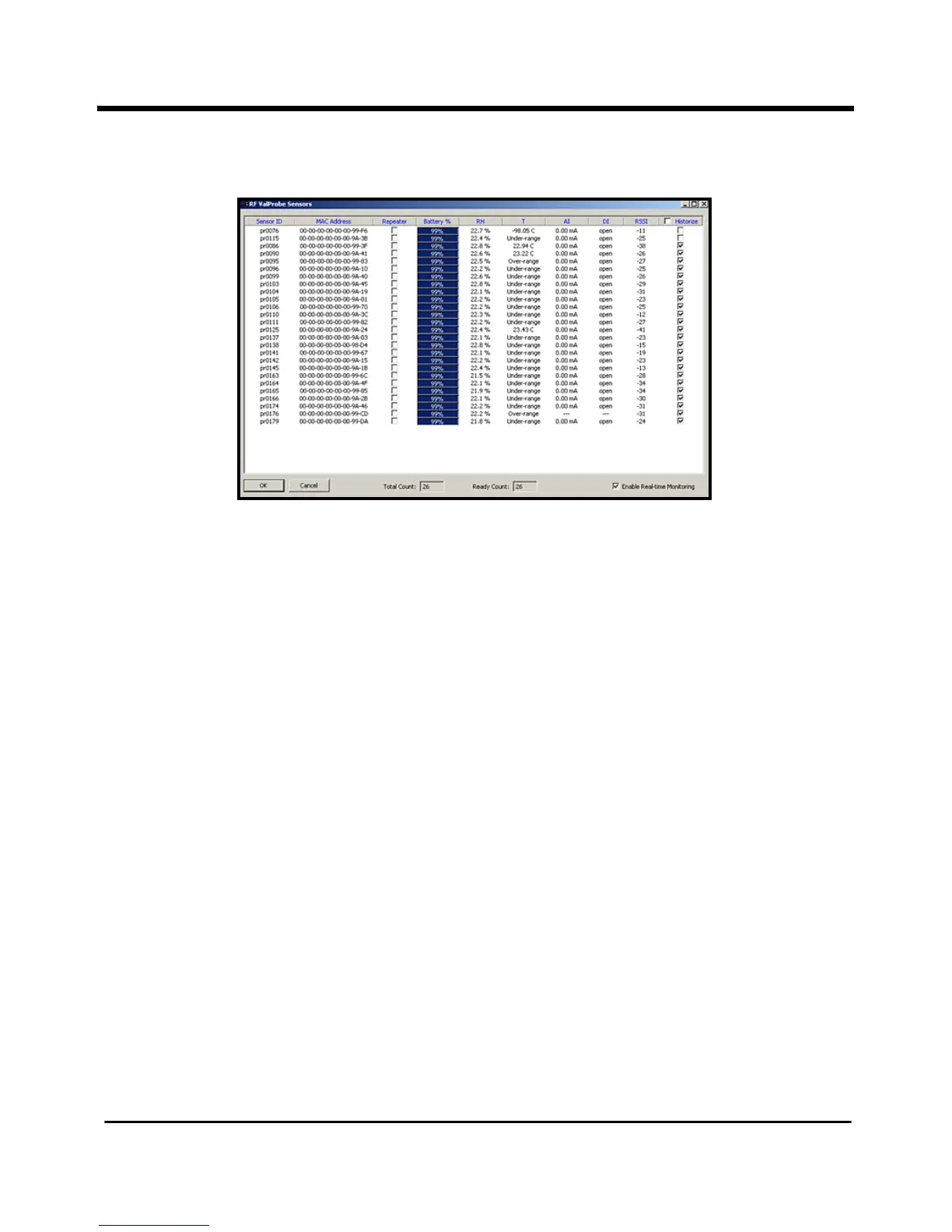
Figure 33: Sensors Window with Monitored Sensors
To view real-time data from the Loggers, click on the
Enable Real-Time Monitoring box at
the lower right.You can now receive data on:
• Logger serial number
• Battery capacity (expressed in percentage)
• Relative Humidity
• Temperature
• Analog and Digital Inputs
• RSSI in dBm (signal strength, expressed in decibels)
You can also designate a Logger as a repeater (a sensor that takes no measurements itself,
but forwards measurements from other sensors to the base station) by checking the
Repeater box. To send data to the OPC Historian database of this server for storage up to a
month, click on the Historize box to the right of the logger entry. (After 30 days, the oldest
data will be overwritten.)



 To Next Page