Getting Started 1
Keysight 2050/60 X-Series User’s Guide 25
1 Set up the connection as shown in Figure 1-6.
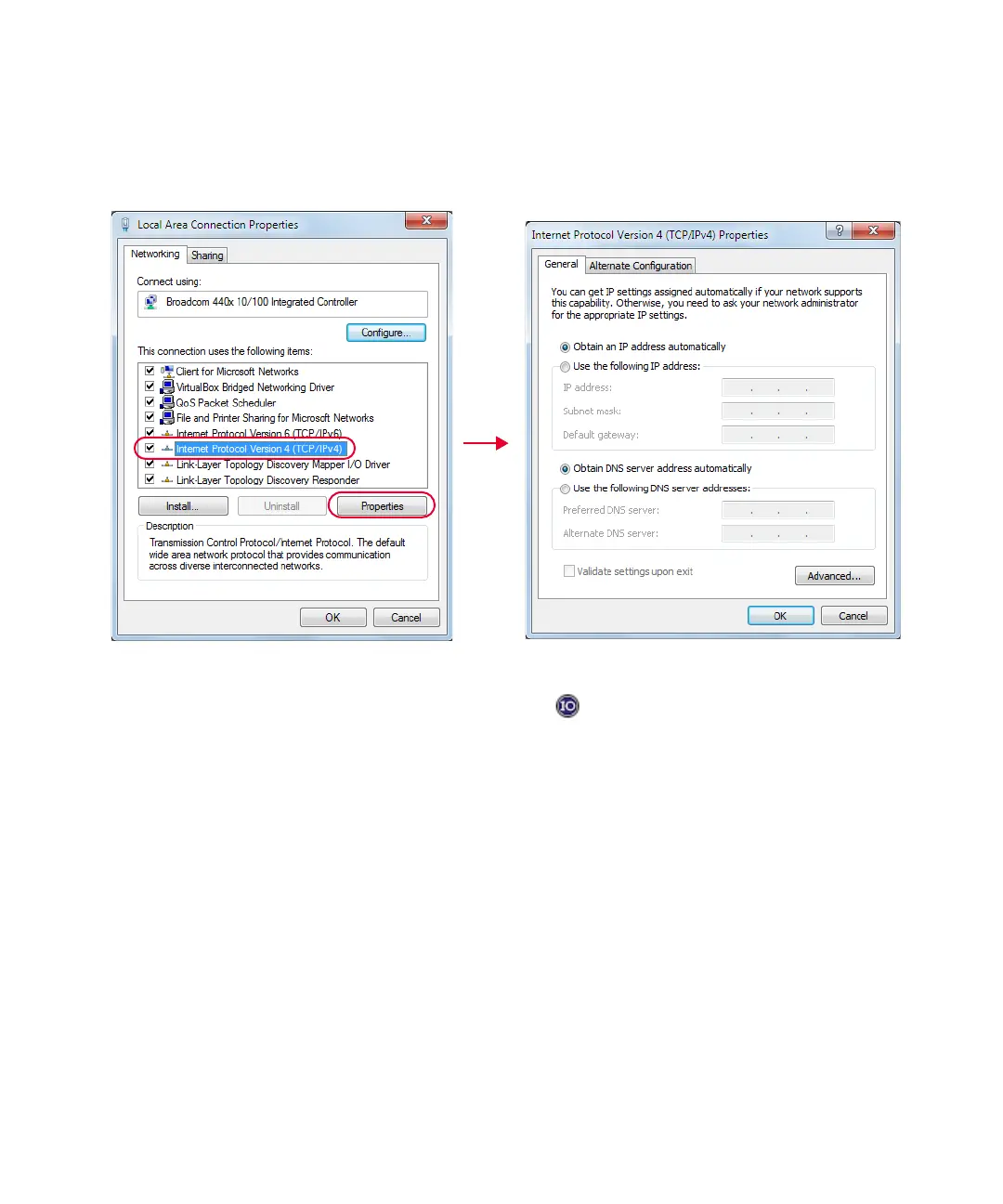
2 On your PC, set the LAN settings to the automatic configuration. Go to Start > Control
Panel > Network and Internet > Network and Sharing Center > Local Area Connection >
Properties and set the following properties.
Figure 1-7 Set automatic LAN settings on the PC
3 Go to Start > All Programs > IO Control ( ) to launch Keysight Connection Expert
application.
4 Select Add > LAN instrument.
The Add a LAN device window is displayed.
5 Enter the instrument host name (Figure 1-8) in the Hostname or IP Address field. Every
LAN sensor has a default host name in the form of:
K- + product model+ - + suffix five digits of the serial number
Example:
K-L2051XA-XXXXX



 To Next Page