General Operating Information 2
Keysight 2050/60 X-Series User’s Guide 75
Figure 2-36 Channel Setup - Average Mode
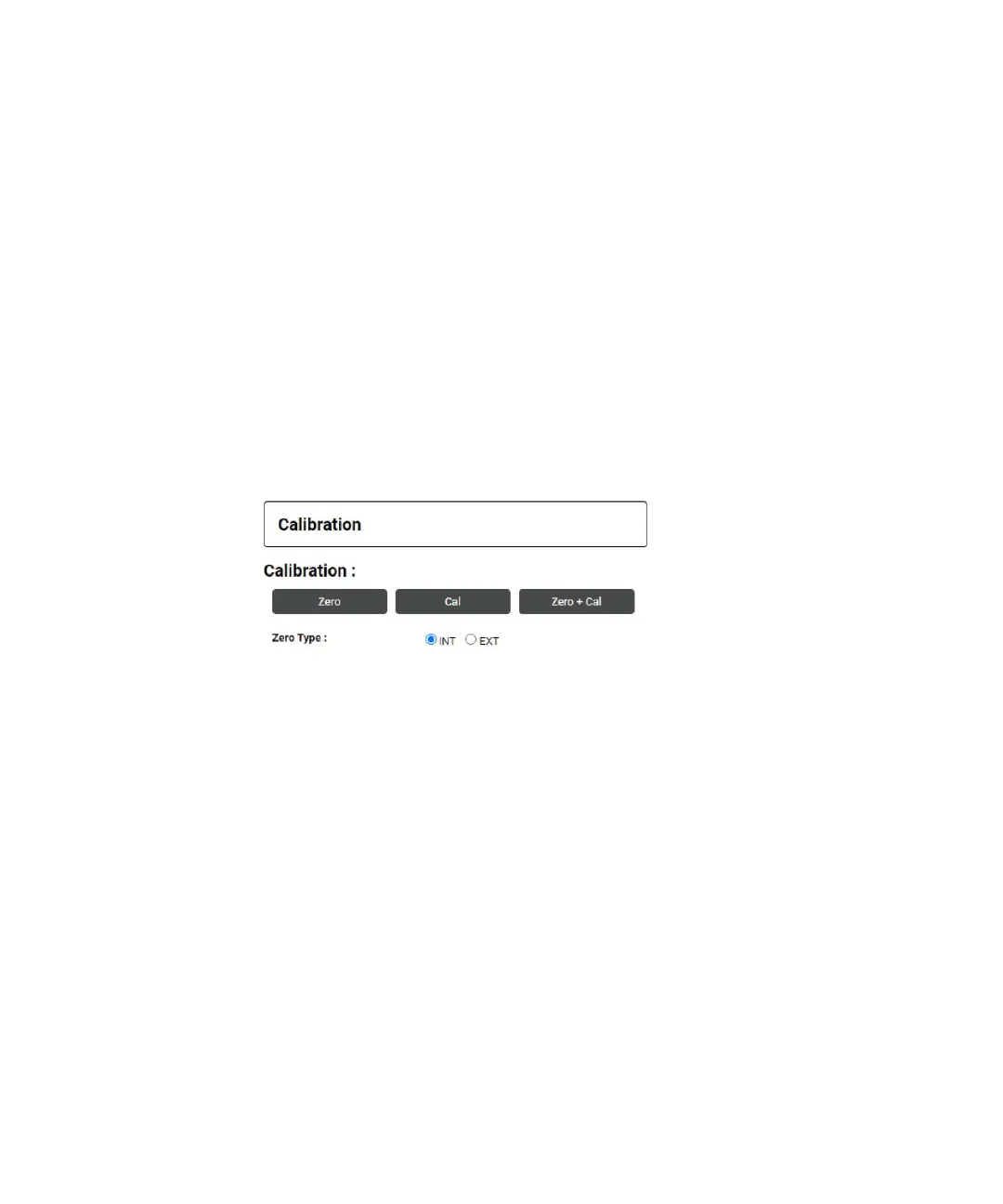
Calibration Panel
In calibration panel, the following three buttons can be used to trigger the calibration
subsystem to perform zero calibration and auto calibration on the 2050/60 X-Series
sensors:
1 Zero – Click to execute the auto-zeroing routine on channel A. The corresponding SCPI
command is CAL:ZERO:AUTO ONCE.
2 Cal – Click to perform auto-calibration on channel A. The corresponding SCPI
command is CAL:AUTO ONCE.
3 Zero + Cal – Click to perform zero as well as auto calibration
(CALibration[1]:ZERO:AUTO ONCE + CALibration[1]:AUTO ONCE) on Channel A. The
corresponding SCPI command is CAL:ALL.
4 Zero Type – Sets the external or internal zeroing mode. The corresponding SCPI
command is CAL:ZERO:TYPE INT|EXT.
Figure 2-37 Calibration Panel
System Panel
The System panel allows you to select one of the following options:
1 Presets – This button is still under development in Phase 1. Currently, only DEFAULT
preset option is supported.
2 Reboot – This button reboots the sensor..
3 IO Timeout – Sets the timeout period for the sensor so that it waits before the complete
execution of SCPI read command in case it fails to return the corresponding result.
Currently the limit is set between 5s – 60s.
4 Auto Measurement Time – Sets the refresh rate of displaying the reading on Digital
Meter Display Panel.
5 System Connection Status – Shows the status of the web server connection. It shows
“Connected” when the connection is established, else it shows “Disconnected. You may
consider restarting the sensor in case you face any issues with the web server
connection.



 To Next Page