Getting Started 1
Keysight 2050/60 X-Series User’s Guide 33
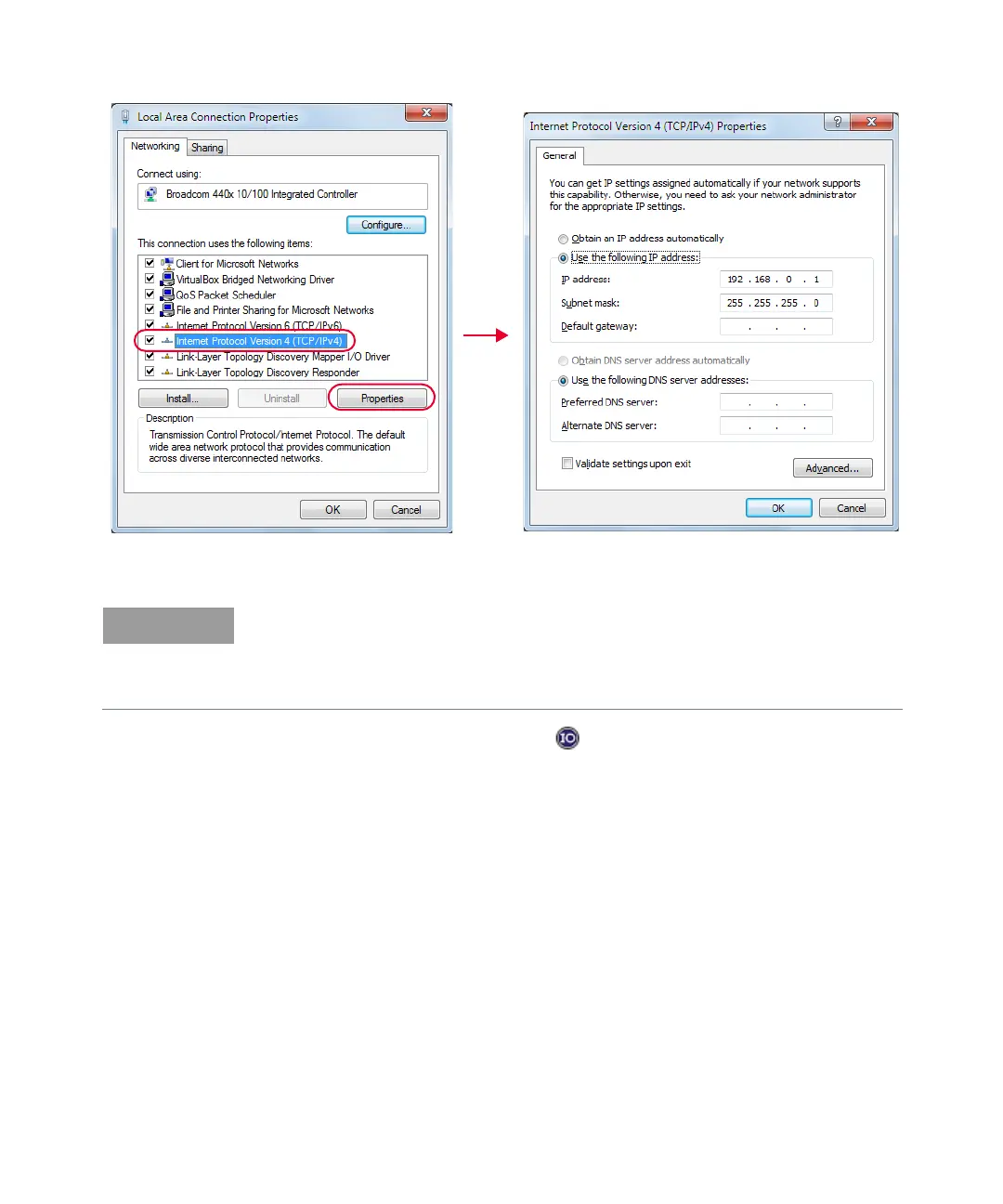
Figure 1-17 Set manual LAN settings on the PC
6 Go to Start > All Programs > IO Control ( ) to launch Keysight Connection Expert
application. Click Start a Scan for connected instruments to auto-locate the sensor as
shown in Figure 1-18.
– For the new network settings to become effective, you must first power cycle the LAN
sensor.
– The static IP addresses for the host PC and the LAN sensor must be different from the IP
address of the PoE injector to avoid conflict.



 To Next Page