1 Getting Started
28 Keysight 2050/60 X-Series User’s Guide
Auto IP mode
Use this procedure if you require local PC control or you are working in a private
(non-site) LAN environment.
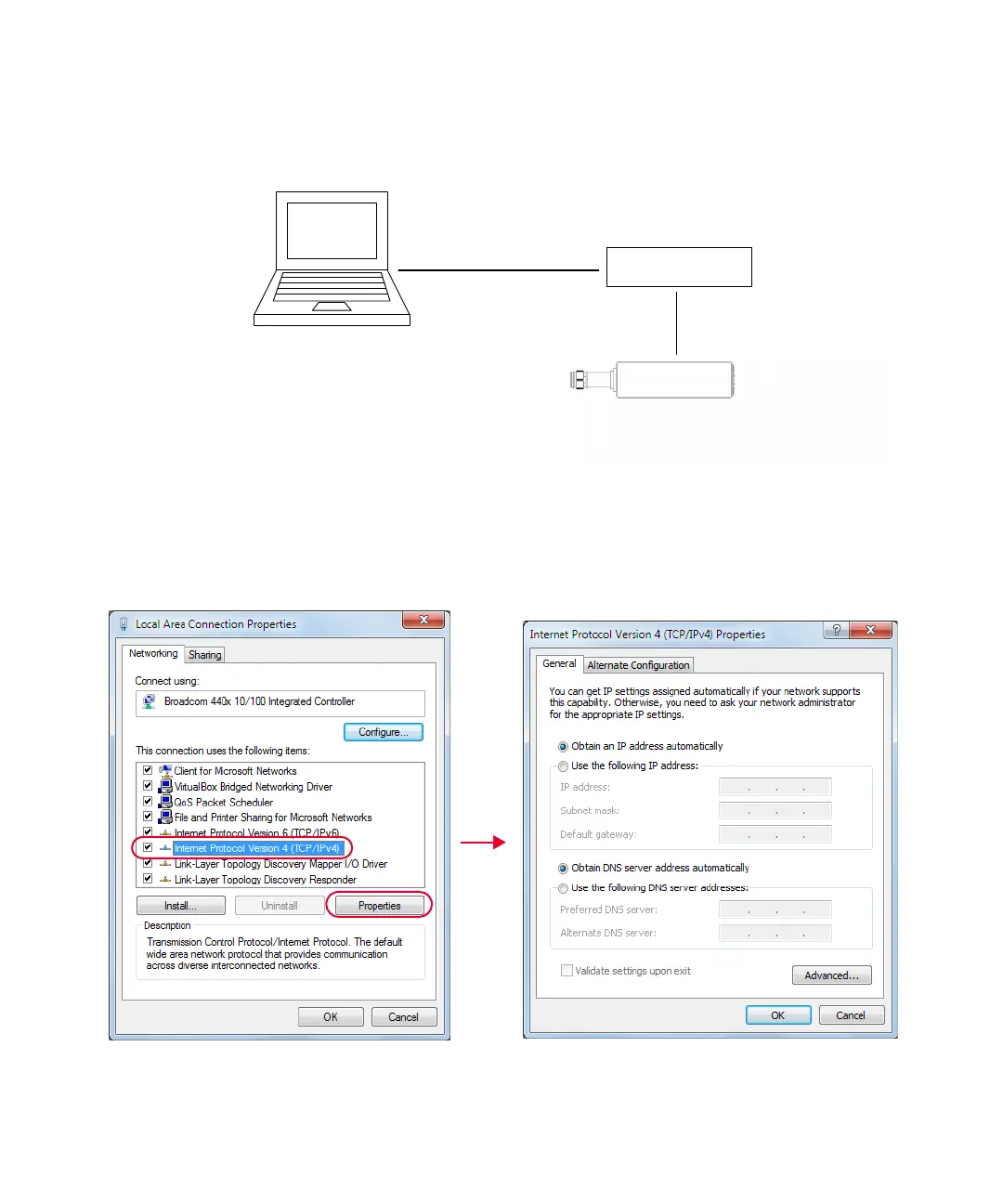
Figure 1-10 Connect the LAN sensor via Auto IP
1 Set up the connection as shown above.
2 On your PC, set the LAN settings to the automatic configuration. Go to Start > Control
Panel > Network and Internet > Network and Sharing Center > Local Area Connection >
Properties and set the following properties.
Figure 1-11 Set automatic LAN settings on the PC
PoE injector
LAN power
sensor



 To Next Page