90 °C
60 °C
40 °C
Page 23 / 96
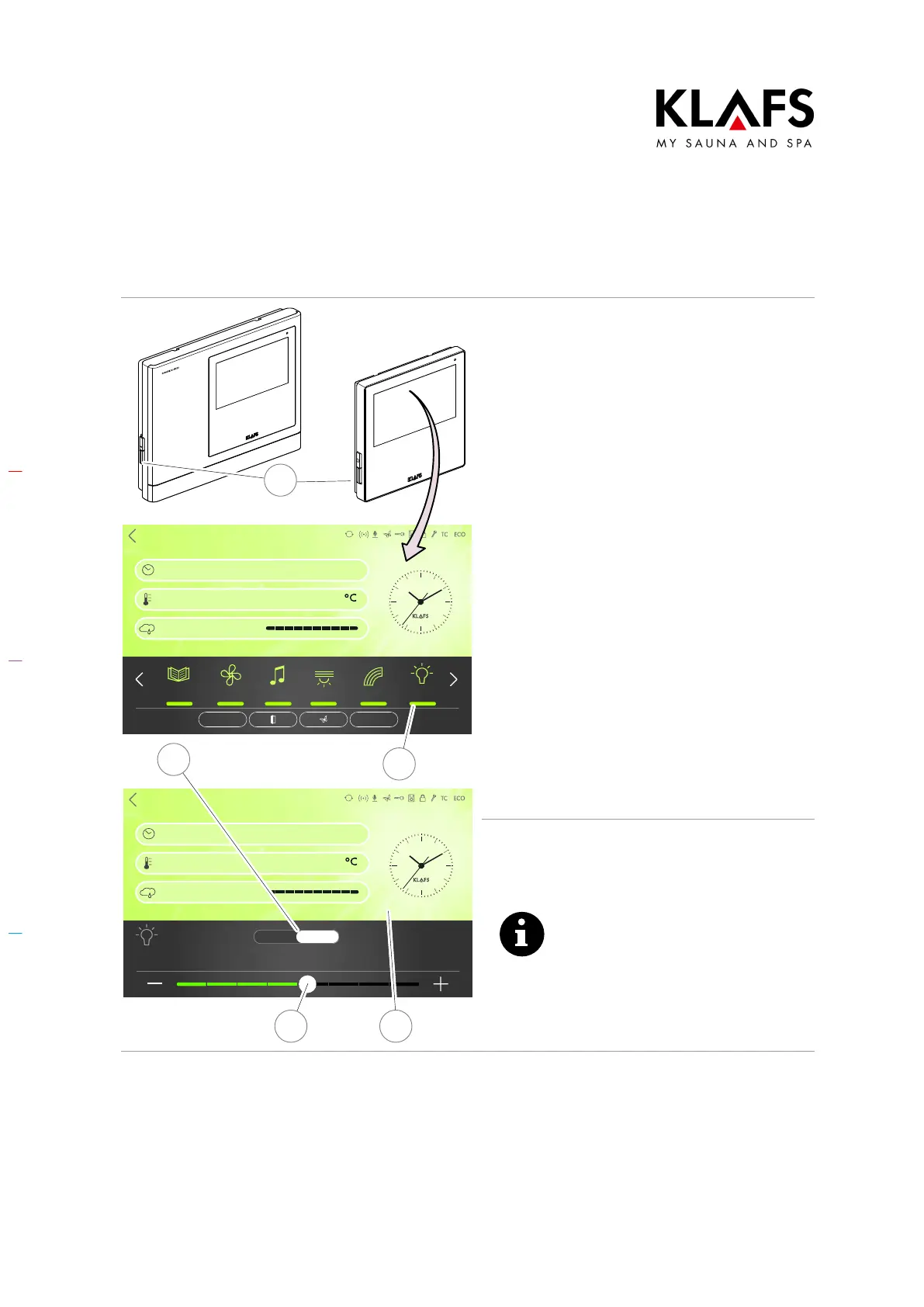
8.2. Switching the cabin light on/off
Sanarium
Bathing time
Temperature
Humidity
90
19:00 - 22:00
Clues Fan Music
Light
Colour light
Sunset
PUR START
Back
Light
Bathing time
Temperature
Humidity
90
19:00 - 22:00
Brightness
Off On
2
5 4
3
1
1. With the unit switched off at the
main switch, press the button (1).
2. Or press the symbol (2) if the
controller is switched on.
3. Press the Off/On symbol (3) and
apply the change by touching the
screen (4).
D The value is automatically
accepted after three seconds.
Alternatively, this can be done by
tapping on an empty area of the
screen.
The cabin light switches on or off.
D Set the brightness of the cabin light
using the slider (5).
The light is not dimmed if the
controller is switched off. The light
can only be dimmed using the
symbol (5) on the display.



 To Next Page