90 °C
60 °C
40 °C
Page 68 / 96
10.6. Setting InfraPLUS (optional)
InfraredBathing mode
Bathing time
Temperature
Intensity Timer
30
19:00 - 22:00
30 min
30:00
Timer
InfraredBathing mode
Bathing time
Temperature
Intensity Timer
30
19:00 - 22:00
Intensity
30 min
1
23
4
57 6
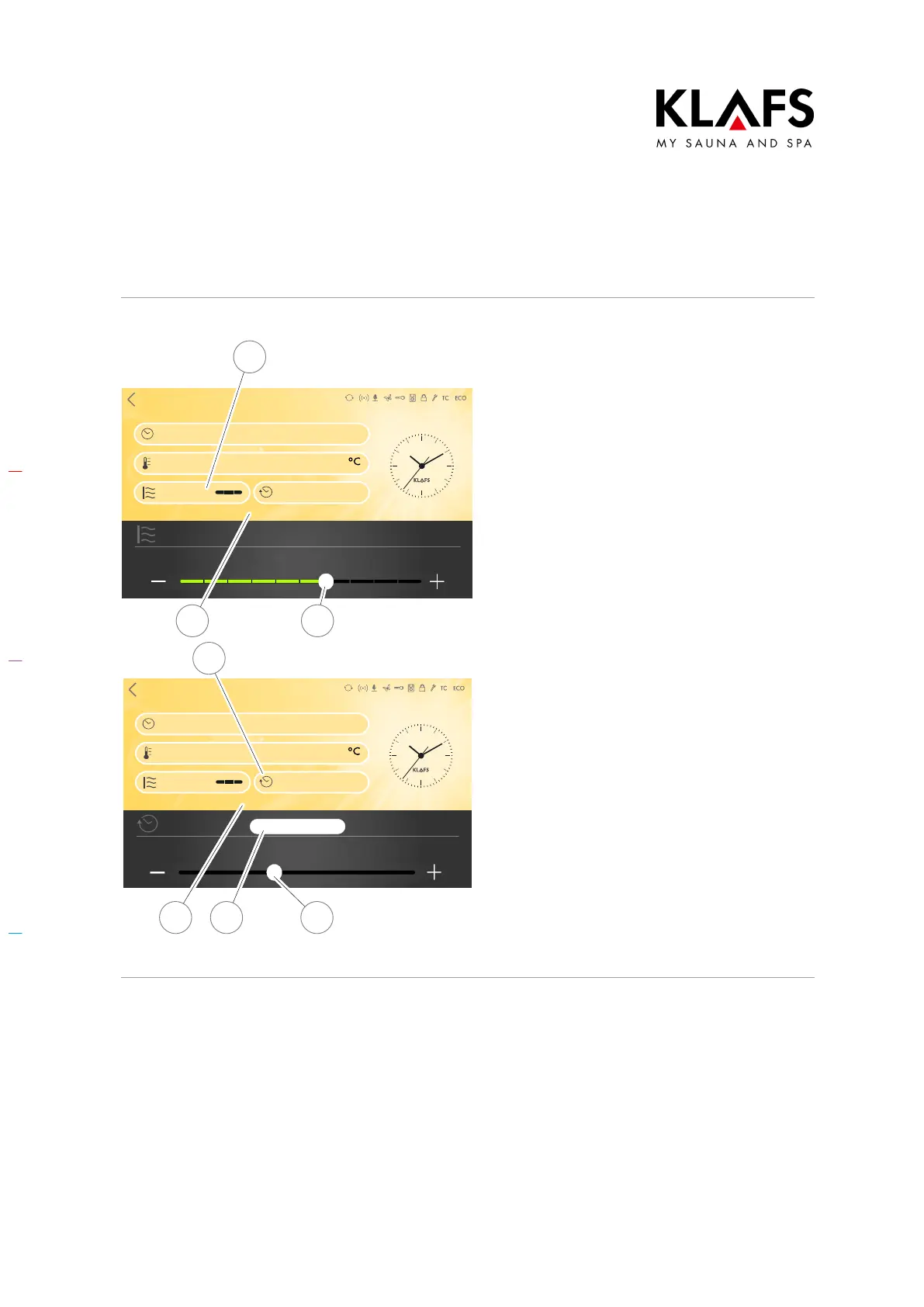
Changing the intensity and running time of
the infrared heater
1. Press the Intensity line (1) to
activate it.
The Intensity line (1) changes the background
colour.
2. Use the +/- buttons or the slider (2)
to set the intensity you require.
3. Then confirm the setting by
touching the screen (3).
4. Press the Bathing time line (4) to
activate it.
The Bathing time line (4) changes the
background colour.
5. Use the +/- buttons or the slider (5)
to set the bathing time (6) you
require.
D The bathing time can be set to
between 0 and 30 minutes in
one-minute increments.
6. Then confirm the setting by
touching the screen (7).
D The value is automatically
accepted after three seconds.
Alternatively, this can be done by
tapping on an empty area of the
screen.



 To Next Page