90 °C
60 °C
40 °C
Page 24 / 96
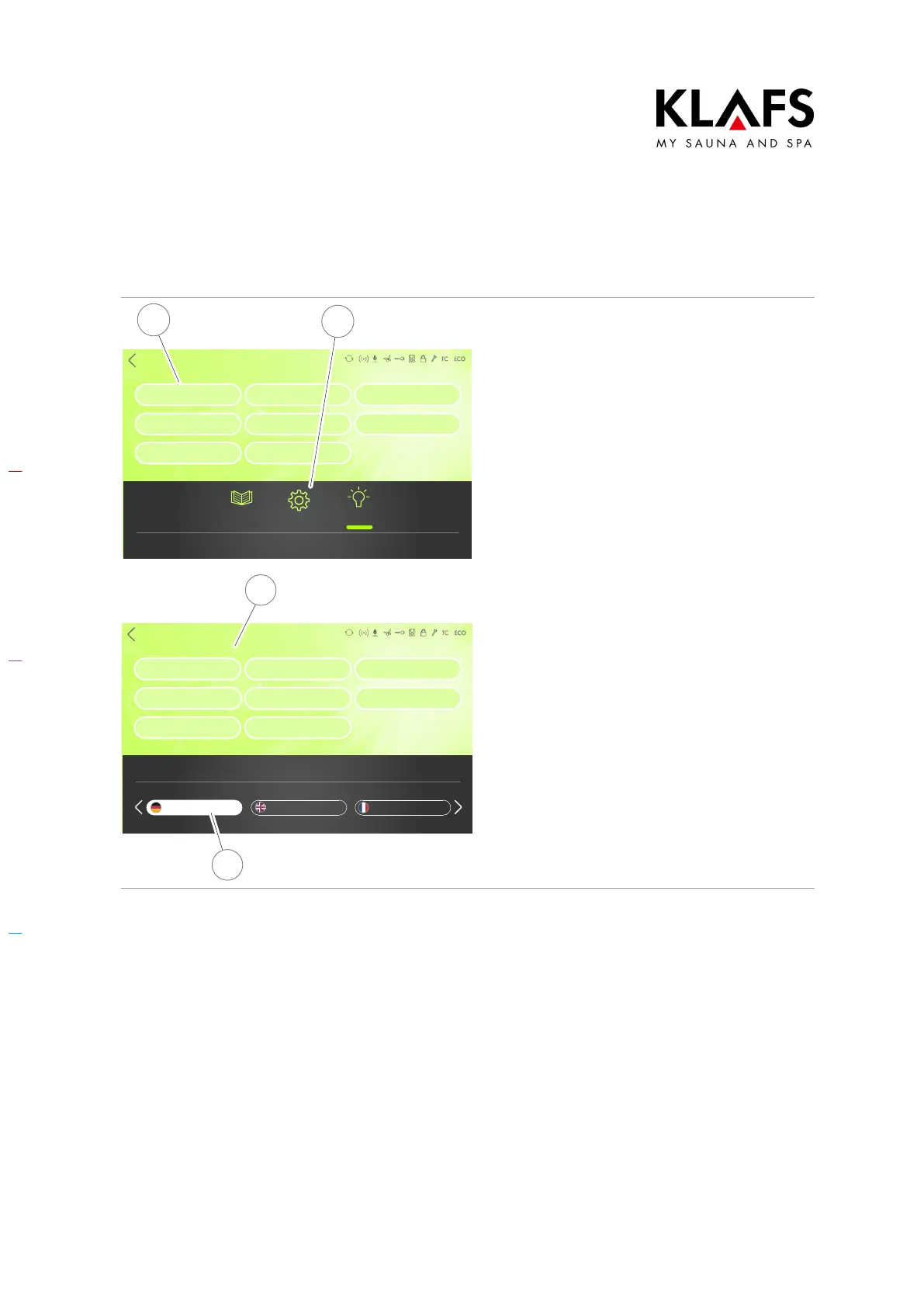
8.3. Setting the language
SONSTIGES
Settings
Lock control
Activation ALEXA
Language
Water hardness
Servicemenu
Time
ASC PIN
Pairing Bluetooth
Clues Settings Light
Back
2
1
1. Press the "Settings" symbol (1).
2. Touch the "Language" line (2).
The sub-menu for setting the language
appears.
SONSTIGES
Settings
Activation ALEXA
Language
Water hardness
Servicemenu
Time
ASC PIN
Pairing Bluetooth
Lock control
FrenchEnglishGerman
Back
German
3
4
3. Select your preferred language (3).
4. Confirm the language you have
selected by touching the
screen (4).
The language has been set.
D The value is automatically
accepted after three seconds.
Alternatively, this can be done by
tapping on an empty area of the
screen.



 To Next Page